12
F11 OPERATING MANUAL
© 2002 Design, 2013 Doc. No. 12-7285-r01 (5/3/13)
• A (hold) - to scroll upward through Year set points (8/sec) from 2013 to 2055, in increments of 1.
• A (< 2 sec) - to step upward through Year set points.
• M (< 2 sec) - to step back through set points.
• S (< 2 sec) - to save the Year setting and flash the Month digits.
• S (2 sec) - to step back to Set Time of Day.
• A (hold) - to scroll upward through Month set points (8/sec) from 1 to 12 in increments of 1.
• A (< 2 sec) - to step upward through set points.
• M (< 2 sec) - to step back through set points.
• S (< 2 sec) - to save the Month Set point and flash the Day digits.
• S (2 sec) - to step back to Set Year.
• A (hold) - to scroll upward through Day set points (8/sec) from 1 to 31 (max for that month) in increments of 1.
• A (< 2 sec) - to step upward through set points.
• M (< 2 sec) - to step back through set points.
• S (< 2 sec) - to save the Date setting and revert to Set Time Lead-in.
• S (2 sec) - to step back to Set Month.
• M (2 sec), or 2 minutes of no button action, will revert to Watch Main Time.
CHRONOGRAPH (Stop Watch, Lap/Run Timer)
The Chrono is operational during all modes (Watch, Free Surface, and Dive). Once started, the Chrono remains on the display and
continues to run until S is pressed to revert to the Lead-in screen (if in Watch or FREE Surface mode) or to the Dive Main (if a dive
was started while the Chrono was running). It runs unseen in the background when not on display.
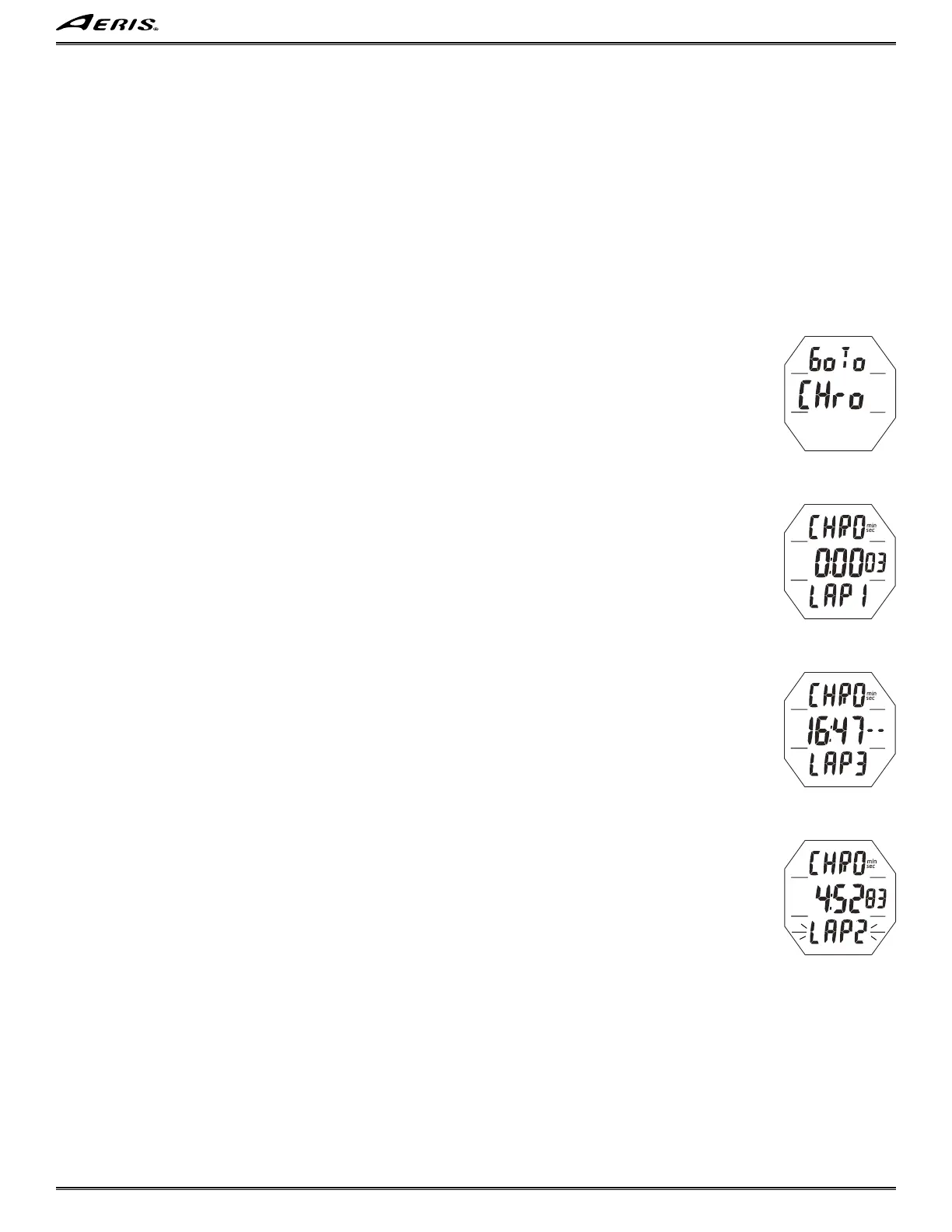
Chrono Lead-in, information includes (Fig. 18):
> Graphics Go To and CHro.
• S (< 2 sec) - to access Chrono Status.
• A (< 2 sec) - to step forward to Watch Main.
• M (< 2 sec) - to step back to Set Time Lead-in.
• M (2 sec), or 2 minutes of no button action, will revert to Watch Main Time.
• L (< 2 sec) - to toggle the Backlight On/Off.
Will be On for the duration time set.
• L (2 sec), while the Backlight is On, - to reset the timer to keep it On for the full duration time set.
Chrono Status, information includes (Fig. 19A/B):
> Graphic CHRO with min & sec icons.
> Elapsed run time >> flashing as 0:00_00 if not yet started or after reset; or counting up to 199:59_99 (min:sec_ .01 sec) if
previously started.
After the first 4.99 seconds, the .01 digits display 2 dashes ( - - ).
> Graphic LAP1 (up to 9), once started, blank if not.
• S* (< 2 sec) - to start the Timer which begins counting up in increments of .01 sec.
• S* (< 2 sec) - to save that Lap's time and display the next Lap # (up to 9, then restart with 1) with the Timer continuing to count
up, displaying total run time.
• A (< 2 sec) - to stop the Timer and recall LAP1 (up to 9) flashing with it's time (Fig. 20).
Repeat to recall other Lap times.
• A (2 sec) - to reset total run time to 0:00_00.
• S* (2 sec) - to step back to the Chrono Lead-in.
• L (< 2 sec) - to toggle the Backlight On/Off.
Will be On for the duration time set.
• L (2 sec), while the Backlight is On, - to reset the timer to keep it On for the full duration time set.
*Chrono operations are blocked when S is operated during a alarm strike.
------------------------------------------------------------------------------------------------------------------------------------------------------------
------------------------------------------------------------------------------------------------------------------------------------------------------------
If no dive is conducted within 2 hours after accessing Free Mode, operation will revert to Watch Main Time.
Operation will also revert from Free Surface Mode to Watch Main Time 2 hours after completion of a dive or
if M is pressed (for 2 seconds) while viewing Free Surface Main.
Fig. 19A - CHRONO
STATUS (just started)
Fig. 19B - CHRONO
STATUS (running)
Fig. 20 - CHRONO LAP
RECALL
Fig. 18 - CHRONO
LEAD-IN



 To Next Page