19
F11 OPERATING MANUAL
© 2002 Design, 2013 Doc. No. 12-7285-r01 (5/3/13)
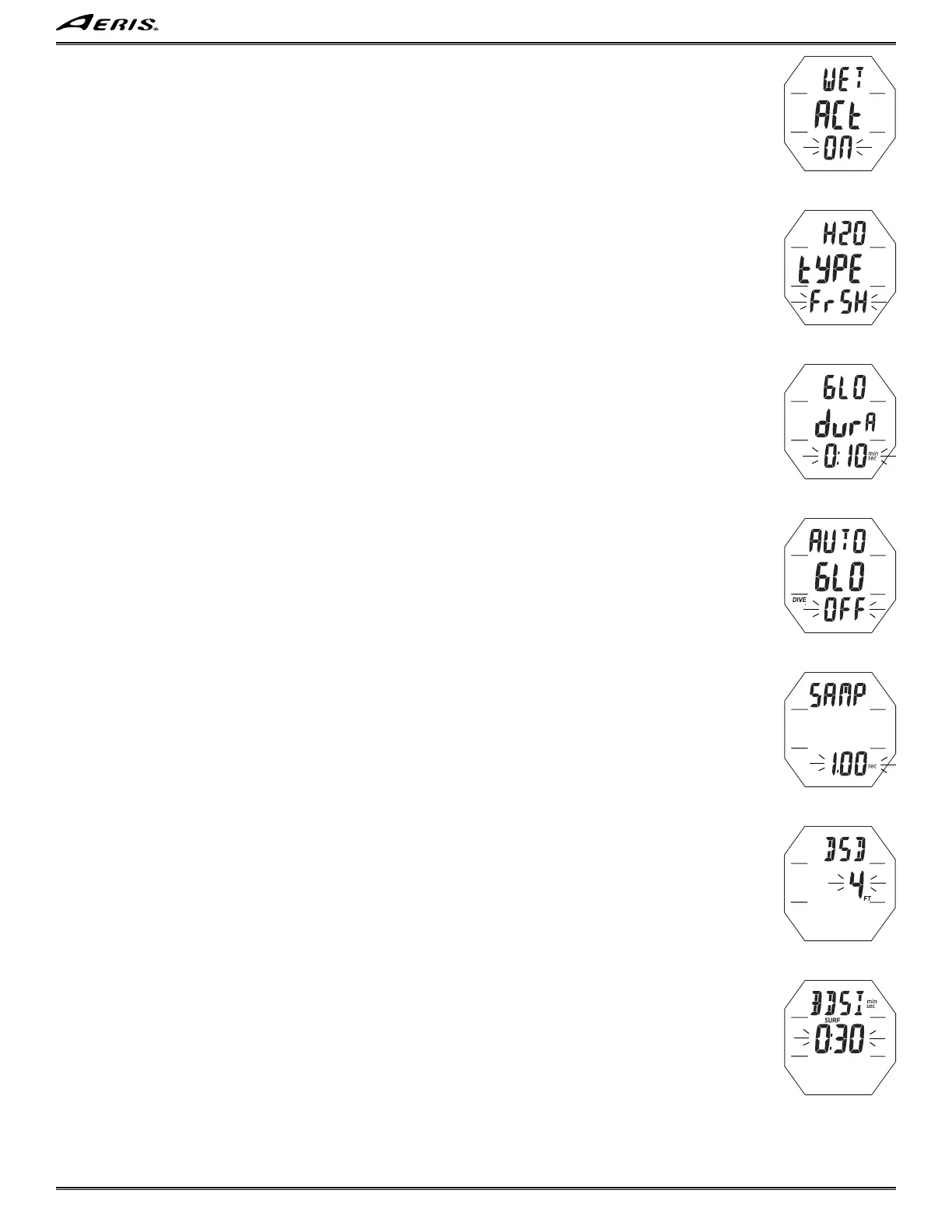
Set Wet Activation, information includes (Fig. 36):
> Graphics WET ACt.
> Graphic ON (or OFF), flashing.
• A or M (< 2 sec) - to toggle between ON and OFF.
• S (2 sec) - to step back to Set Units.
• S (< 2 sec) - to save the setting and access Set Water Type.
Set Water Type, information includes (Fig. 37):
> Graphics H2O tYPE.
> Graphic SEA (or FrSH), flashing.
• A or M (< 2 sec) - to toggle between SEA and FrSH.
• S (2 sec) - to step back to Set Wet Activation.
• S (< 2 sec) - to save the setting and access Set Backlight Duration.
Set Backlight Duration, information includes (Fig. 38):
> Graphics GLO and durA.
> Time (min:sec) flashing, with icons.
• A (< 2 sec) to step upward through set points of 0:05, 0:10, 0:30, 1:00 (min:sec) one at a time.
• M (< 2 sec) to step back through the set points one at a time.
• S (2 sec) - to step back to Set Water Type.
• S (< 2 sec) to save the setting and access Set Auto Glo.
Set Auto Glo, information includes (Fig. 39):
> Graphics AUTO GLO with DIVE icon.
> Graphic ON (or OFF), flashing.
• A or M (< 2 sec) - to toggle between ON and OFF.
• S (2 sec) - to step back to Set Backlight Duration.
• S (< 2 sec) - to save the setting and access Set Sampling Rate.
Set Sampling Rate, information includes (Fig. 40):
> Graphic SAMP.
> Time (sec), flashing, with icon.
• A (< 2 sec) to step upward through set points of 0.25, 0.50, 1.00, 2.00 (sec) one at a time.
• M (< 2 sec) to step back through the set points one at a time.
• S (2 sec) - to step back to Set Auto Glo.
• S (< 2 sec) to save the setting and access Set DSD.
Set DSD (Dive Start Depth), information includes (Fig. 41):
> Graphic DSD.
> Depth flashing, with FT (or M) icon.
• A (< 2 sec) to step upward through the set points of 2, 4, 6 FT (0.6, 1.2, 1.8 M) one at a time.
• M (< 2 sec) to step back through set points one at a time.
• S (2 sec) - to step back to Set Sampling Rate.
• S (< 2 sec) to save the setting and access Set BDSI.
Set BDSI (Between Dive Surface Interval), information includes (Fig. 42):
> Graphic BDSI with min & sec icons.
> Time (min:sec) flashing, with SURF icon.
• A (hold) to scroll upward through the set points 8 per second from 0:01 to 1:00 (min:sec) in increments of :01 (1 sec).
• A (< 2 sec) to step upward through the set points one at a time.
• M (< 2 sec) to step back through the set points one at a time.
• S (2 sec) - to step back to Set DSD.
• S (< 2 sec) to save the setting and revert to Set Utilities Lead-in.
------------------------------------------------------------------------------------------------------------------------------------------------------------
------------------------------------------------------------------------------------------------------------------------------------------------------------
Fig. 38 - SET BACKLIGHT
DURATION
Fig. 42 - SET BDSI
Fig. 37 - SET WATER
TYPE
Fig. 41 - SET DSD
Fig. 39 - SET AUTO GLO
Fig. 40 - SET SAMPLING
RATE
Fig. 36 - SET WET
ACTIVATION



 To Next Page