17
F11 OPERATING MANUAL
© 2002 Design, 2013 Doc. No. 12-7285-r01 (5/3/13)
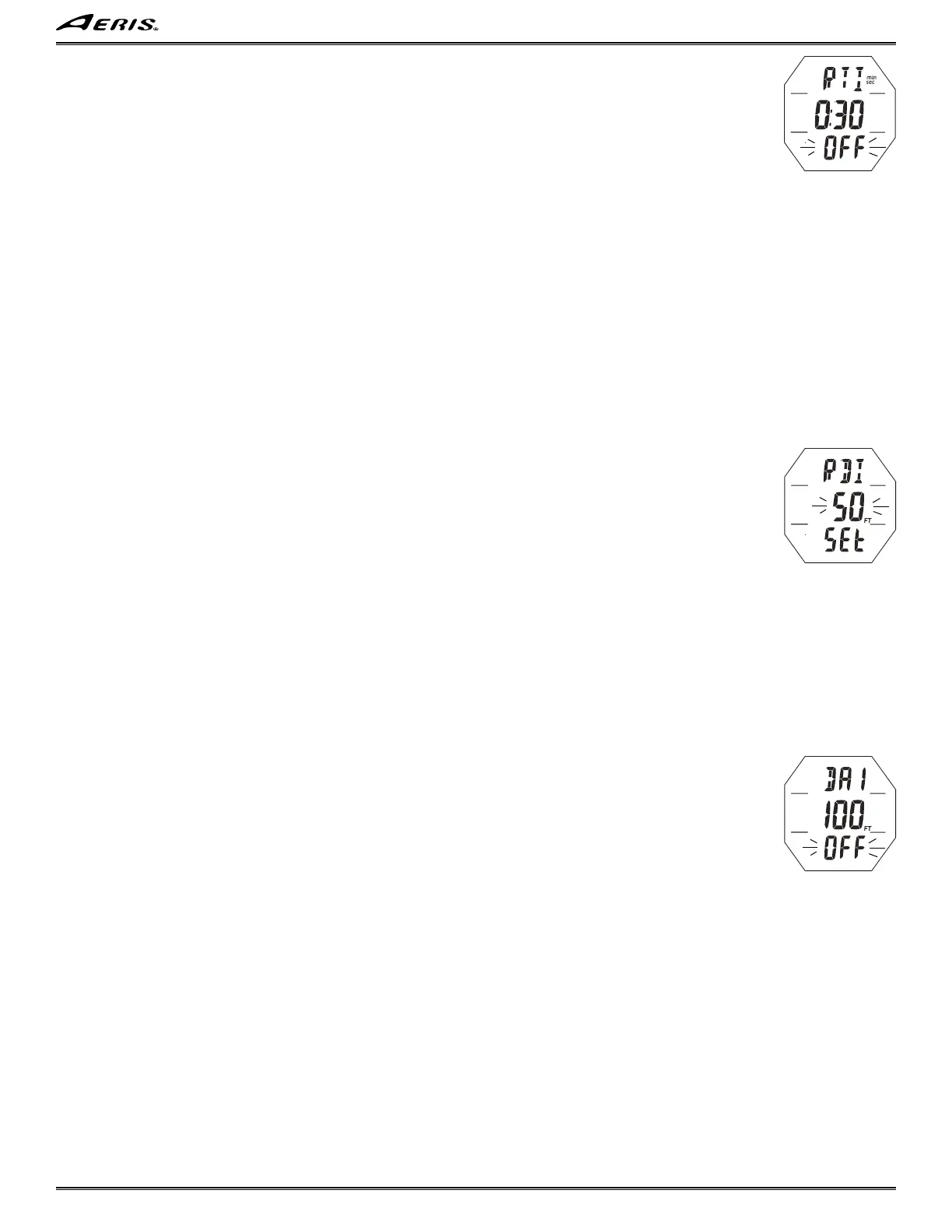
Set RTI (Repeating Time Interval) Alarm, information includes (Fig. 30):
> Graphic RTI with min_sec icons.
> Time (min:sec).
> Graphic ON (or OFF), flashing.
• A (< 2 sec) - to step forward through the selections of OFF, ON, and SET.
• M (< 2 sec) - to step back through the selections.
• S (2 sec) - to step back to Set SRT.
• S (< 2 sec) - to save the setting.
> If OFF or ON is saved, operation will advance to Set RDI Alarm.
> If SET is saved, the Minute digits will flash.
• A (< 2 sec) - to step upward through the Minute set points from 0: to 9: one at a time.
• M (< 2 sec) - to step back through the Minute set points one at a time.
• S (2 sec) - to step back to SET flashing.
• S (< 2 sec) - to save the Minute setting and flash the Seconds digits.
• A (hold) - to scroll upward through the Second set points at a rate of 8 per second from :00* to :59 in increments of 1 second.
*Starts at :10 (sec) minimum when Minutes are set for 0: (min).
• A (< 2 sec) - to step upward through the Second set points one at a time.
• M (< 2 sec) - to step back through the Second set points one at a time.
• S (2 sec) - to step back to Minutes digits flashing.
• S (< 2 sec) - to save the min:sec setting (digits solid) and flash the graphic SEt allowing ON or OFF to be selected/saved.
Set RDI (Repeating Depth Interval) Alarm, information includes (Fig. 31):
> Graphic RDI.
> Depth interval with FT (or M) icon.
> Graphic ON (or OFF), flashing.
• A (< 2 sec) - to step forward through the selections of OFF, ON, and SET.
• M (< 2 sec) - to step back through the selections.
• S (2 sec) - to step back to Set RTI Alarm.
• S (< 2 sec) - to save the setting.
> If OFF or ON is saved, operation will advance to Set DA1 Alarm.
> If SET is saved, the Depth digits will flash.
• A (hold) - to scroll upward through the Depth set points at a rate of 8 per second from 10 to 100 FT (3 to 33 M) in increments
of 1 FT (1 M).
• A (< 2 sec) - to step upward through the set points one at a time.
• M (< 2 sec) - to step back through the set points one at a time.
• S (2 sec) - to step back to SET flashing.
• S (< 2 sec) - to save the setting (digits solid) and flash the graphic SEt allowing ON or OFF to be selected/saved.
Set DA1 Depth Alarm (DA2 to DA6 similar), information includes (Fig. 32):
> Graphic DA1.
> Depth with FT (or M) icon.
> Set point ON (or OFF), flashing.
• A (< 2 sec) - to step forward through the selections of OFF, ON, and SET.
• M (< 2 sec) - to step back through the selections.
• S (2 sec) - to step back to Set RDI Alarm.
• S (< 2 sec) - to save the setting.
> If OFF or ON is saved, operation will advance to Set DA2 Alarm.
> If SET is saved, the Depth digits will flash.
• A (hold) - to scroll upward through the Depth set points at a rate of 8 per second from 10 to 495 FT (3 to 150 M) in increments
of 1 FT (1 M).
• A (< 2 sec) - to step upward through the Depth set points one at a time.
• M (< 2 sec) - to step back through the Depth set points one at a time.
• S (2 sec) - to step back to SEt flashing.
• S (< 2 sec) - to save the Depth setting and display the Set DA1 Audible screen.
Fig. 32 - SET DA DEPTH
Fig. 31 - SET RDI ALARM
Fig. 30 - SET RTI ALARM



 To Next Page