23/05 – 4840212_00 17
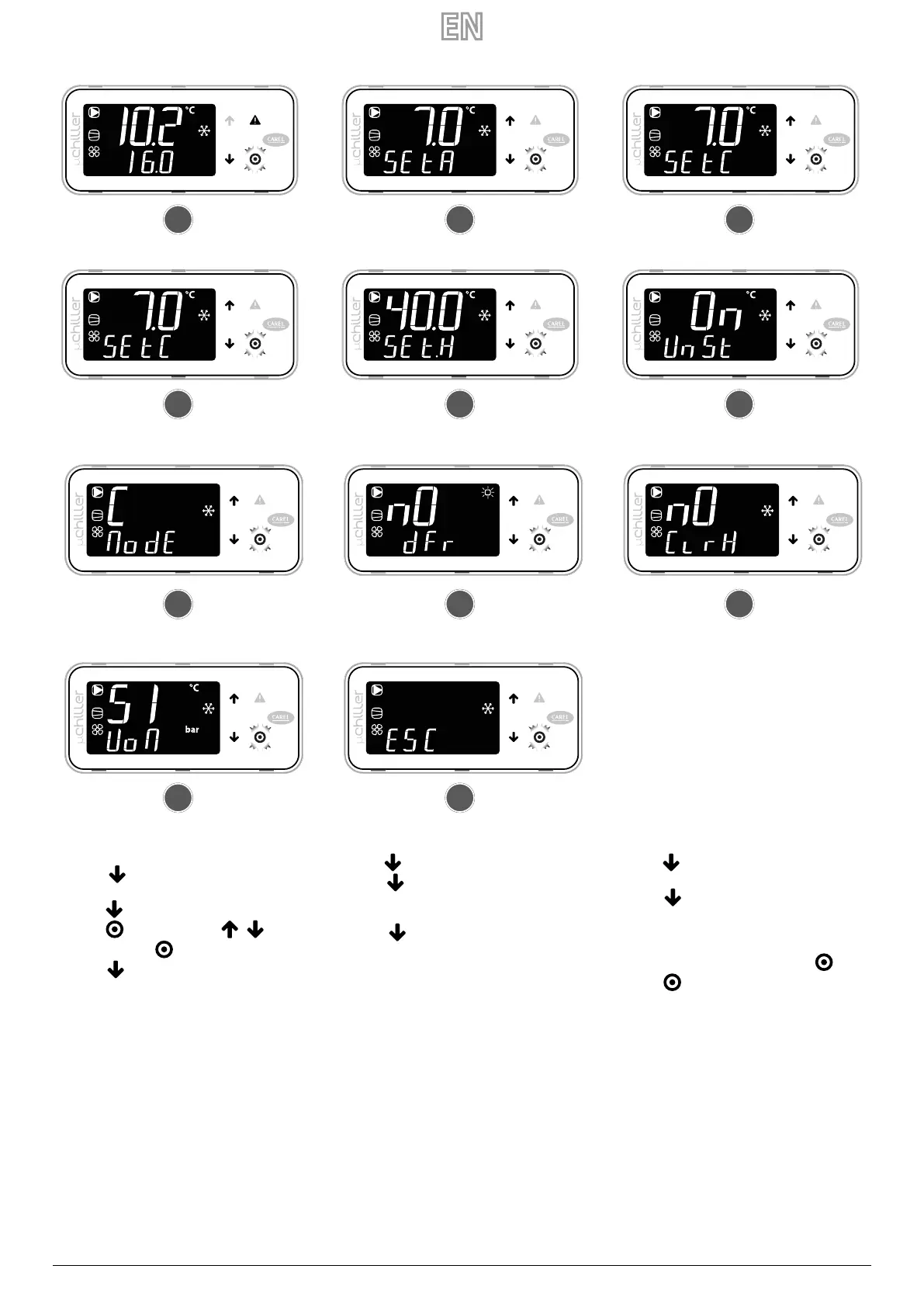
1 Switch to standard display view
2 Press
for 3 seconds: the current set point
(SEtA) appears - read only
3 Press
: the cooling set point (SEtC) appears
4 Press
: value ashes; press / to change
the value; press
to conrm
5 Press
: heating set point (SEtH) appears only
for heat pump units
6 Press
: unit on/o command appears (UnSt)
7 Press
: command appears for changing the
cooling (C) / heating (H) mode (ModE) - only for
heat pump units
8 Press
: manual defrosting command (dFr)
appears - only at Service level and for reversible
units A/W
9 Press
: the command to clear the alarm history
(ClrH) appears - Service level only
10 Press
: unit of measurement (UoM) selection
appears
11 Once the changes are complete, there are 2 ways
to exit:
— at category level select ESC and press
;
— press
for 3 seconds.
1
2 3
5 64
7
8 9
1110


 To Next Page