EasyManua.ls Logo

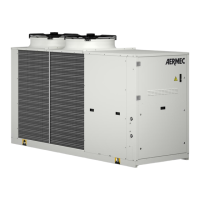
AERMEC VENICE - User Manual

AERMEC VENICE
56 pages
Go to English
Print Icon
To Next Page IconTo Next Page
Loading...
23/05 – 4840212_00
Manuale uso · User manual · Manuel d'utilisation · Bedienungsanleitung · Manual de uso
REGOLAZIONE ELETTRONICA
ELECTRONIC CONTROLLER
RÉGLAGE ÉLECTRONIQUE
ELEKTRONISCHE REGELUNG
REGULACIÓN ELECTRÓNICA
www.aermec.com
Istruzioni Originali
Translation of Original instructions
Traductions d’après les modes d’emploi d’origine
Übersetzung aus dem italienischen Originaltext
Traducción del original
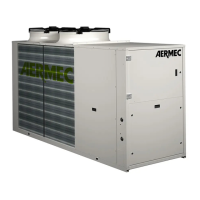
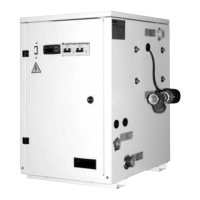
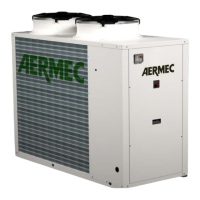
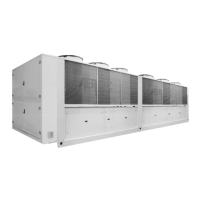
Micro Chiller
Question and Answer IconNeed help?

Do you have a question about the AERMEC VENICE and is the answer not in the manual?

Summary

Features of Electronic Regulation

User Interface

Use of the Buttons

Details the functions and usage of the UP, DOWN, ALARM, and PRG buttons.

Standard Display View

Explains the information displayed on the terminal screen, including status and temperatures.

Synoptic

Describes how to access and interpret the synoptic view for device status and temperatures.

Operating Functions

Direct Access Functions

Explains how to access basic configuration parameters and direct commands.

Programming Modes

Details the procedure for entering and navigating programming modes.

Programming Menu

Outlines the different categories within the programming menu for system settings.

Parameter List

Probe Parameters

Lists and defines parameters related to temperature and pressure probes.

Compressor Parameters

Lists parameters for tracking compressor operating hours.

Setting Parameters

Details parameters for setting operating points like summer/winter setpoints and differentials.

Work Thermostat

Illustrates how the chiller controller calculates machine intervention based on thermostat settings.

Standard Calibration and Calibration Field of Regulating Devices

Provides standard calibration values and ranges for regulating devices.

Alarm

Presence of Alarms

Explains how alarms are signaled by the buzzer and indicator lights on the terminal.

List of Alarms

Provides a detailed list of alarm codes, descriptions, reset methods, and effects.
Summary

Features of Electronic Regulation

User Interface

Use of the Buttons

Details the functions and usage of the UP, DOWN, ALARM, and PRG buttons.

Standard Display View

Explains the information displayed on the terminal screen, including status and temperatures.

Synoptic

Describes how to access and interpret the synoptic view for device status and temperatures.

Operating Functions

Direct Access Functions

Explains how to access basic configuration parameters and direct commands.

Programming Modes

Details the procedure for entering and navigating programming modes.

Programming Menu

Outlines the different categories within the programming menu for system settings.

Parameter List

Probe Parameters

Lists and defines parameters related to temperature and pressure probes.

Compressor Parameters

Lists parameters for tracking compressor operating hours.

Setting Parameters

Details parameters for setting operating points like summer/winter setpoints and differentials.

Work Thermostat

Illustrates how the chiller controller calculates machine intervention based on thermostat settings.

Standard Calibration and Calibration Field of Regulating Devices

Provides standard calibration values and ranges for regulating devices.

Alarm

Presence of Alarms

Explains how alarms are signaled by the buzzer and indicator lights on the terminal.

List of Alarms

Provides a detailed list of alarm codes, descriptions, reset methods, and effects.

AERMEC VENICE Specifications

General IconGeneral
BrandAERMEC
ModelVENICE
CategoryChiller
LanguageEnglish

Related product manuals