EDACS REPEATERS
2-6
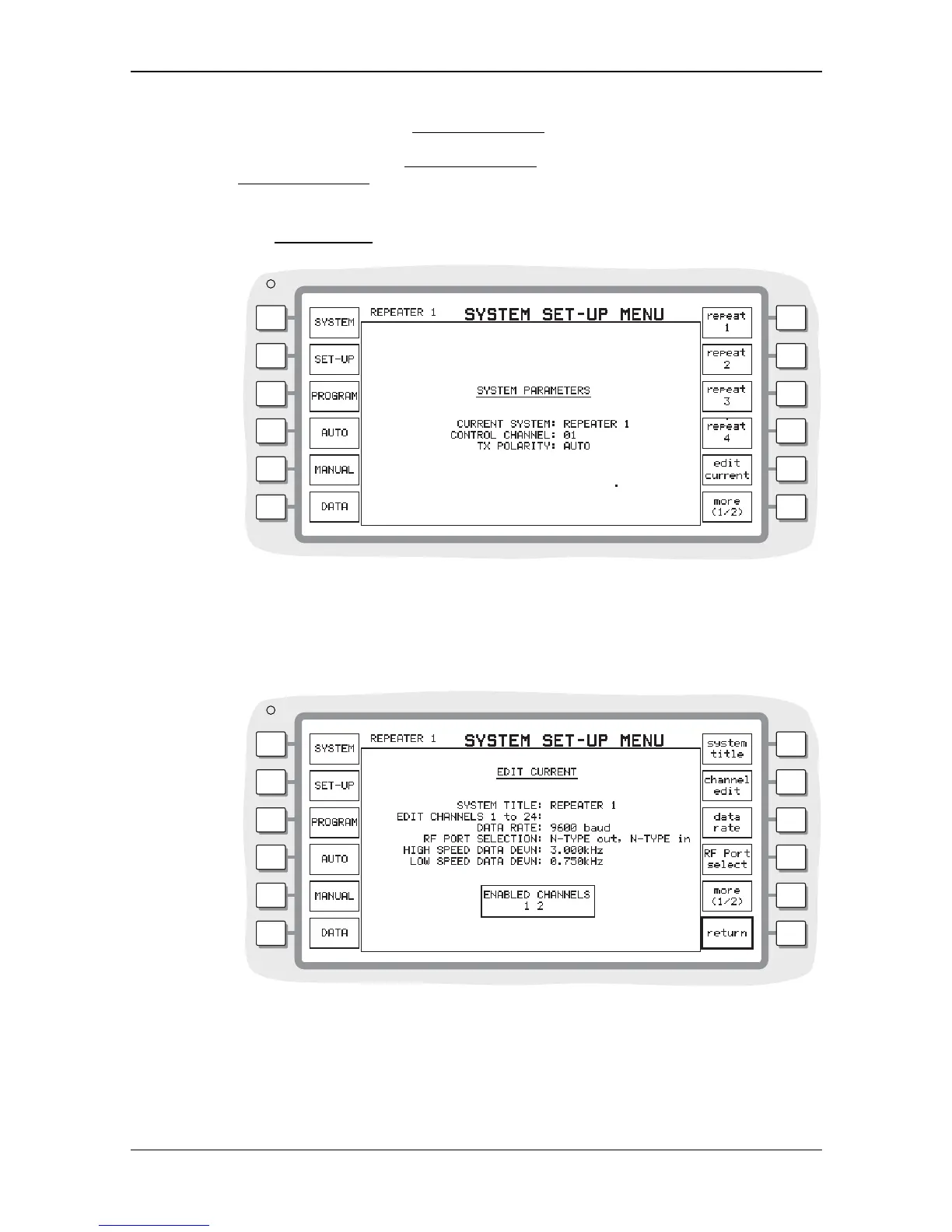
The required EDACS system is selected from the soft key list, which is displayed after pressing
the [select system] key in the
SYSTEM PARAMETERS menu. One of four user configurable variants
can be selected by pressing the appropriate soft key. Selecting a system type causes the soft key
list to return to the top level
SYSTEM PARAMETERS menu keys. To return to the top level
SYSTEM PARAMETERS menu keys without selecting a different system type, press the key for the
current system type.
You can set up parameters for the currently selected variant. The [edit current] key allows access
to the
EDIT CURRENT menu, from where the parameters of the system are entered.
B3355
Fig. 2-4 Variant selection menu
You can set up parameters for the currently selected variant. The [edit current] key allows access
to the 'EDIT CURRENT' menu, from where the parameters of the system are entered. See Fig. 2-5
Edit current system type menu.
B3356
Fig. 2-5 Edit current system type menu


 To Next Page