EDACS REPEATERS
2-9
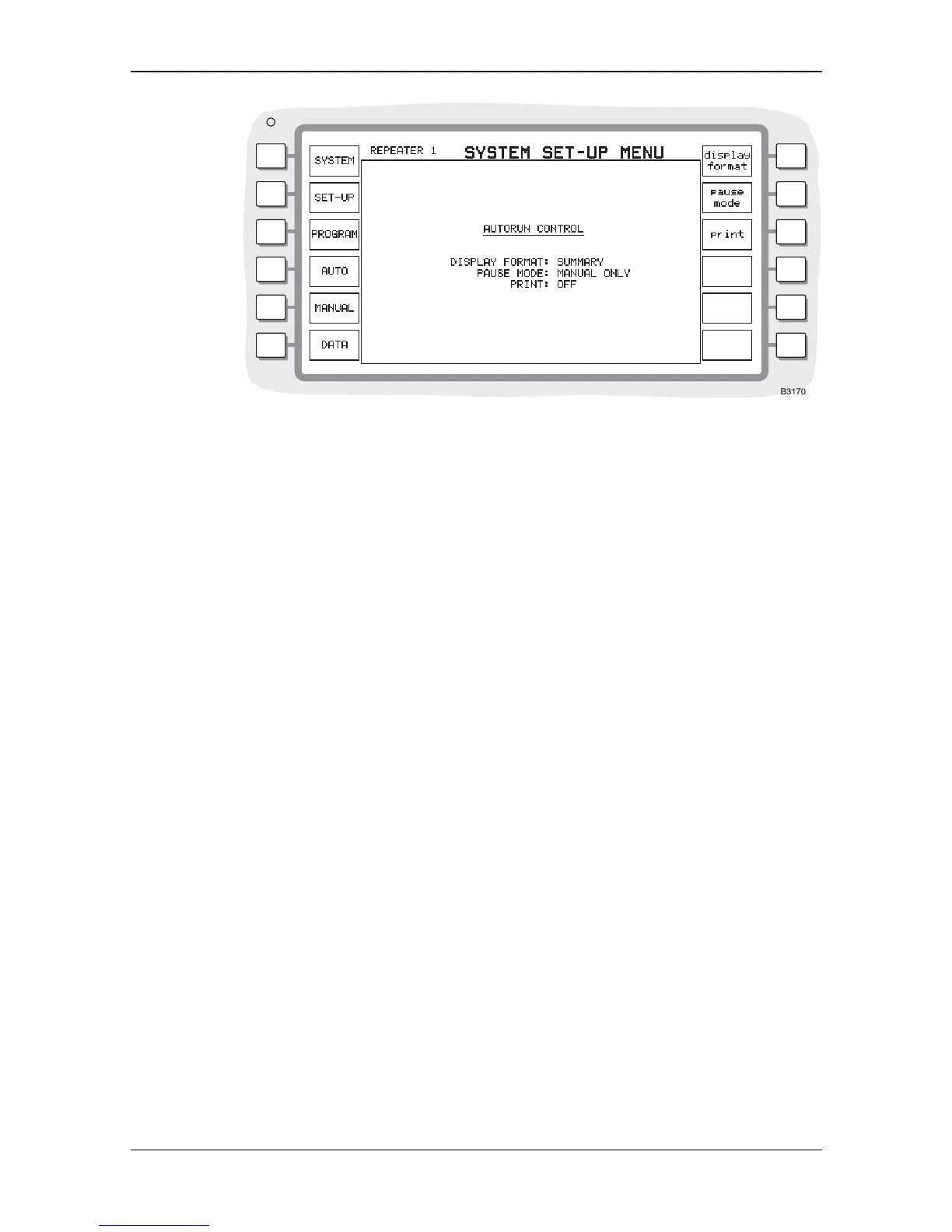
Fig. 2-8 Autorun control menu
DISPLAY FORMAT
This gives you control over the data displayed on com
pletion of each test in the program. With
FULL selected, the results of each test are printed in detail, with the results of each measured
parameter listed. With
SUMMARY selected, one line is displayed or printed for each test,
containing the test title, then
PASS or *FAIL* with a brief summary of the test.
PAUSE MODE
You can select the criteria that cause the test program
to pause and wait for intervention.
Three options are available, displayed on a soft key menu after pressing the [pause mode] key.
They are:
[manual only]. The
AUTORUN program runs through all tests. If the [pause] key is pressed
during a test the program pauses at the end of the current test.
[on failure]. The
AUTORUN program pauses at the end of any test that fails.
[always] The
AUTORUN program pauses at the end of every test.
Once the program has paused there are two available options. The program can be continued by
pressing the [cont] key, or the operation of the repeater can be examined by selecting one of the
other modes of the Service Monitor. The repeater remains active if the [DUPLEX] or [RX] modes
are selected and all the settings of the basic instrument modes relate to the ongoing system test.
By this means, the current state of the repeater can be examined for fault diagnosis or adjustment.
You can return to the test program at any time, by pressing the [SYSTEMS] key. The
AUTORUN
screen is displayed and pressing the [cont] key continues the program from the point where it
paused.
PRINT
The [p
rint] key gives access to [on] and [off] keys. When ON is selected, if a suitable printer is
connected, the
AUTORUN results are printed at the same time as they appear on the results screen.


 To Next Page