EDACS REPEATERS
2-7
Copying system information
(from EDACS Radio system variant)
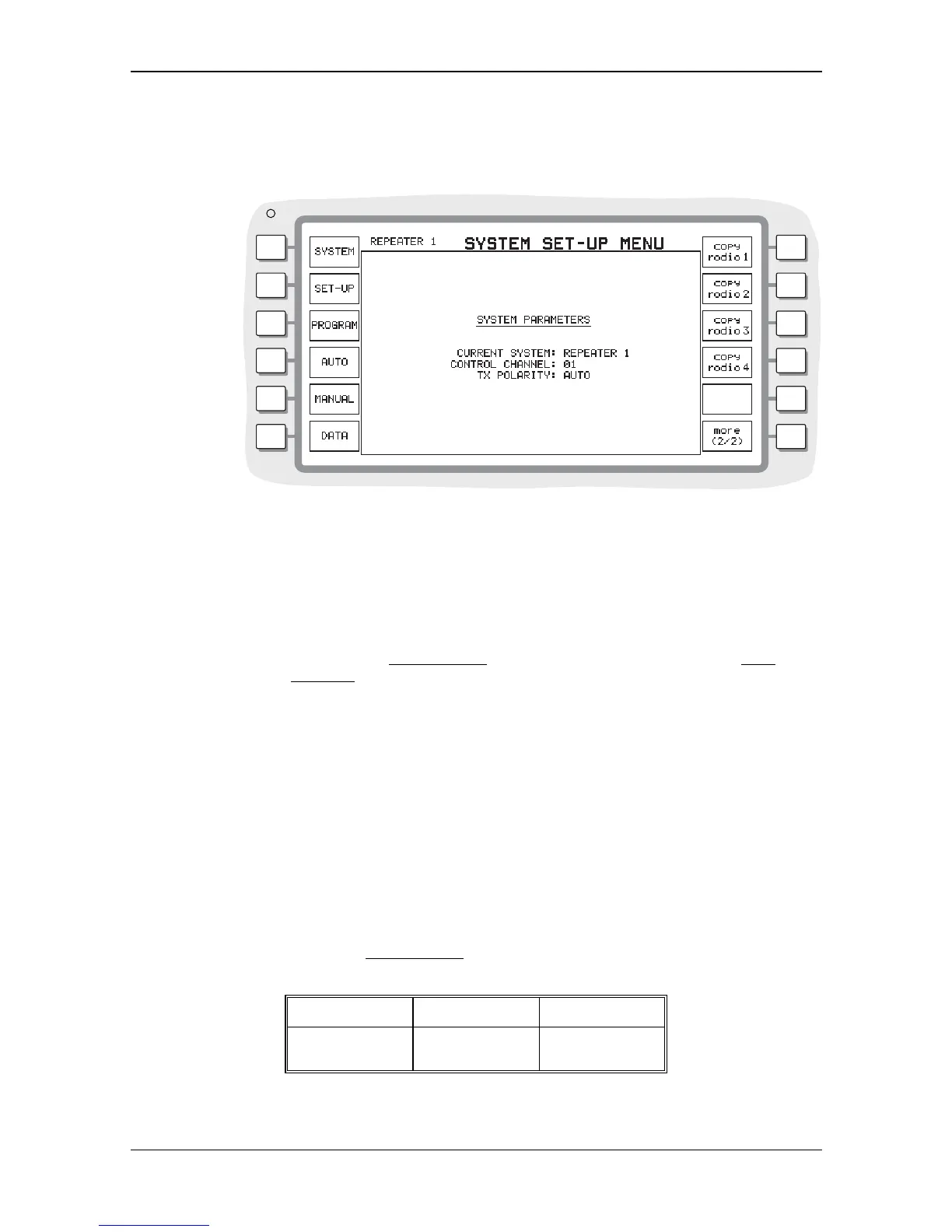
Pressing the [more] key gives access to further selections, enabling you to copy system
information from an EDACS Radio variant. See Fig 2--6 Copy system set-up menu.
B3357
Fig. 2-6 Copy system set-up menu
If the EDACS Radio option is also installed in the Service Monitor, and you have entered system
information into it, this can be copied to the EDACS Repeater option by pressing the soft key
associated with that variant.
For example with the EDACS Repeater option active:
Pressing [copy radio 1] copies the frequency plan and information from the EDACS
Radio 1 variant,
EDIT CURRENT menu into the EDACS Repeater 1 variant, EDIT
CURRENT menu
Note...
This causes information from the Radio variant to overwrite all the current SYSTEM information. It
cannot be retrieved.
CONTROL CHANNEL
Before any testing can be carried out on a EDACS repeater the CONTROL CHANNEL in the
SYSTEM PARAMETERS menu must be set to a value that the repeater is using. The required
channel number is entered using the data keys.
TX POLARITY
The FSK m
odulation type used for EDACS signaling can have
NORMAL or INVERTED polarity.
You can select the polarity required to suit the equipment being tested.
The Service Monitor also has an
AUTO polarity setting. This sets the polarity according to the
data rate set from the
EDIT CURRENT menu and on the direction of data transmission. The
following table shows this.
Data rate Radio Tx Repeater Tx
9600 Baud INVERTED INVERTED
4800 Baud INVERTED NORMAL


 To Next Page