P a g e | 52
(a) Download the 4G Upgrade Tool from the AES Global website. Found
here: https://aesglobalparts.com/pages/gsm-resources-1
(b) Save the zip file to a location of your choice.
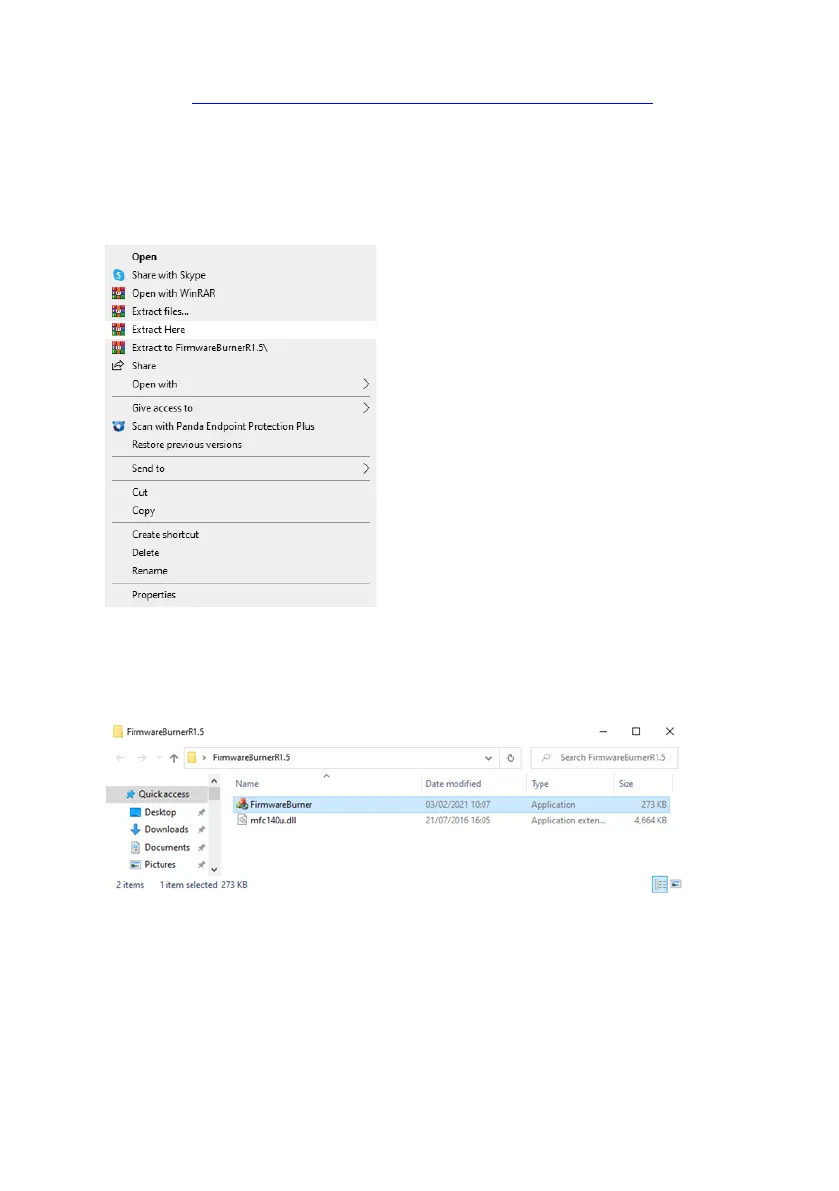
(c)Right click on the zip file and click ‘Extract Here’.
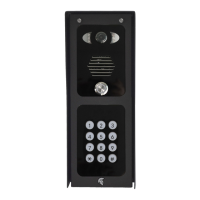
(c) Click on the extracted folder ‘FirmwareBurnerR1.5’, then the
Application file.
(d) (Allow the app to ‘make changes to your device’, when prompted.
Step 3: Upgrade
(a) 4G Upgrade Tool will load as shown below.
(b) Enter the 4 digit Programming Passcode (Prime and Snapcom)/ 4 digit
Engineers Code (Multicom) and click ‘Connect’.


 To Next Page