DILUMAT S® MA108201-C
61
8. SETTINGS
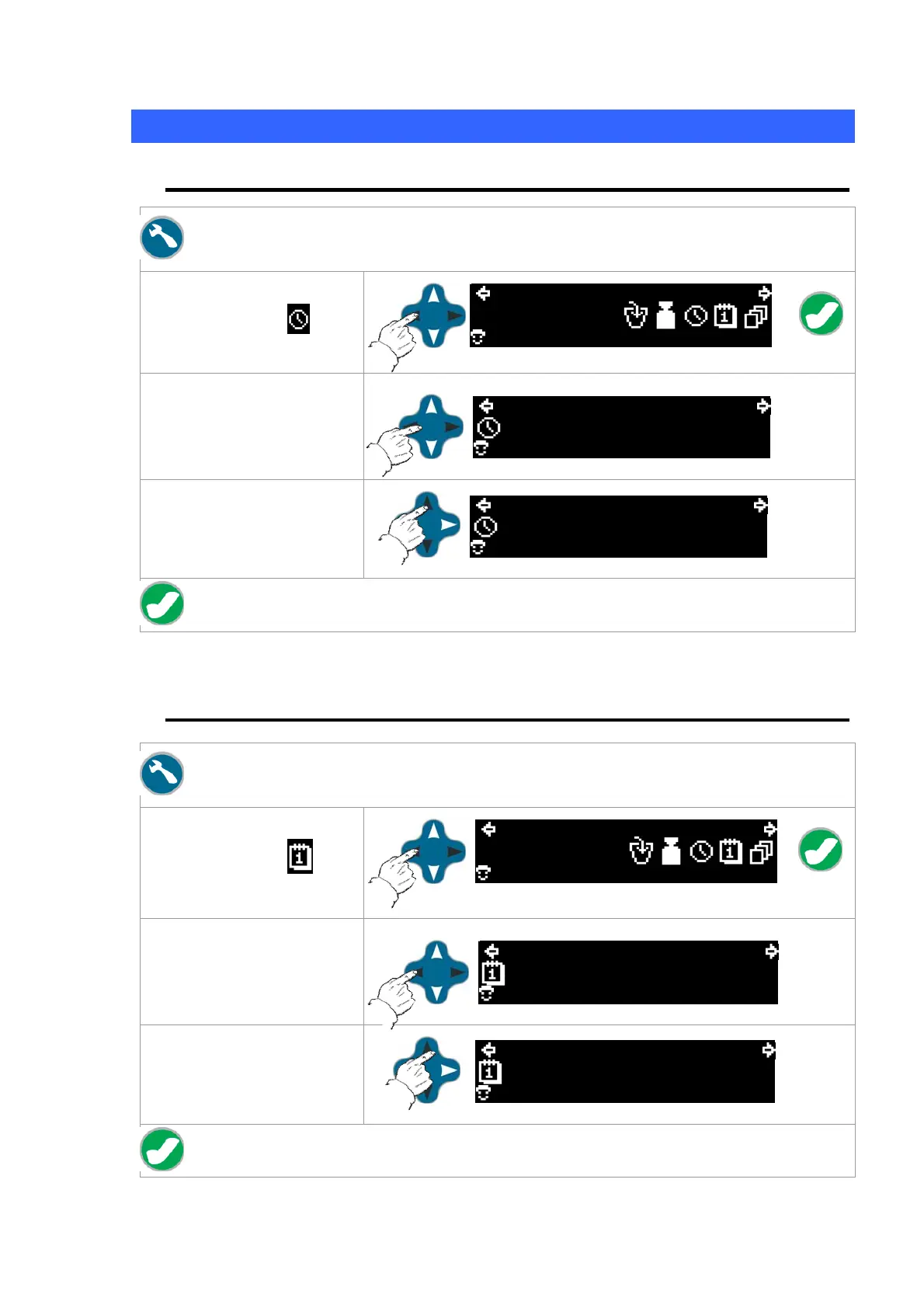
8.1 Time
Press the "Settings" key.
Using the "Navigation"
arrows, select the
icon
and then press OK.
13:15 2008/11/12
01
Use the left/right arrows to
select the digit to change.
24H
10:59
01
Use the up/down arrows to
increase or decrease the
selected digit.
24H
10:59
01
Confirm by pressing the "OK" key.
8.2 Date
Press the "Settings" key.
Using the "Navigation"
arrows, select the
icon
and then press OK.
13:15 2008/11/12
01
Use the left/right arrows to
select the digit to change.
(yyyy/mm/dd)
2008/11/12
01
Use the up/down arrows to
increase or decrease the
selected digit.
2008/11/12
01
Confirm by pressing the "OK" key.



 To Next Page