DILUMAT S® MA108201-C
65
8.6 Verifying weighing
Note : For this verification, the mass used may be different.
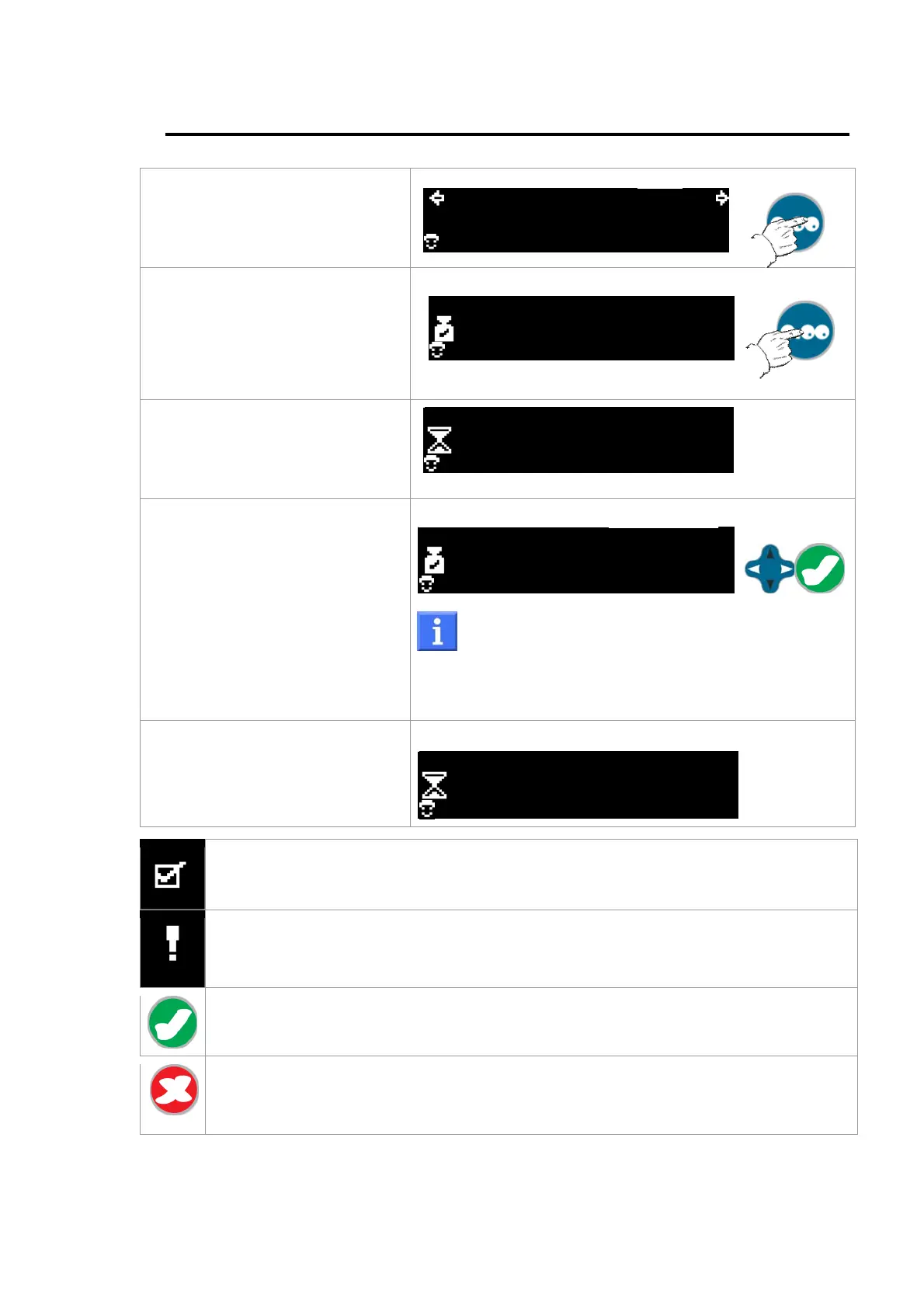
From the "Ready to dispense /
dilute" screen, press and hold
the "Tare" button to access the
weighing verification.
999990g 1/10
01
g
2
Press the "Tare” key to start the
verification.
500.04g
01
0
g
The hourglass appears on the
left side of the screen to indicate
that you must wait while
weighing is in progress.
500.04g
01
0
If needed, use the navigation
arrows to change the value of
the verification mass.
Place the verification weight in
the device.
Press OK to start measuring the
verification mass.
500.04g
01
4
g
By default, the standard weight is 500.00g. It is
possible to enter a standard weight from 200.00 to
1500.00g.
The most recent value entered is kept.
The hourglass indicates that you
must wait while the diluter
memorizes the value.
500.04g
01
0
"OK" indicates that the verification is valid; weighing error less than 1%.
The exclamation point indicates that an error occurred during the verification;
unstable weight, error greater than 1%, abnormal gap between the standard weight
and the weighed amount.
Press OK to validate the verification and return to the "Settings" screen.
A verification report is sent to the printer or PC (if one of these options is installed).
Press the Cancel key to return to the "Ready to dispense / dilute" screen without
saving the new data.
A verification report is sent to the printer or PC (if one of these options is installed).



 To Next Page