43
Button introductions
1. Setting
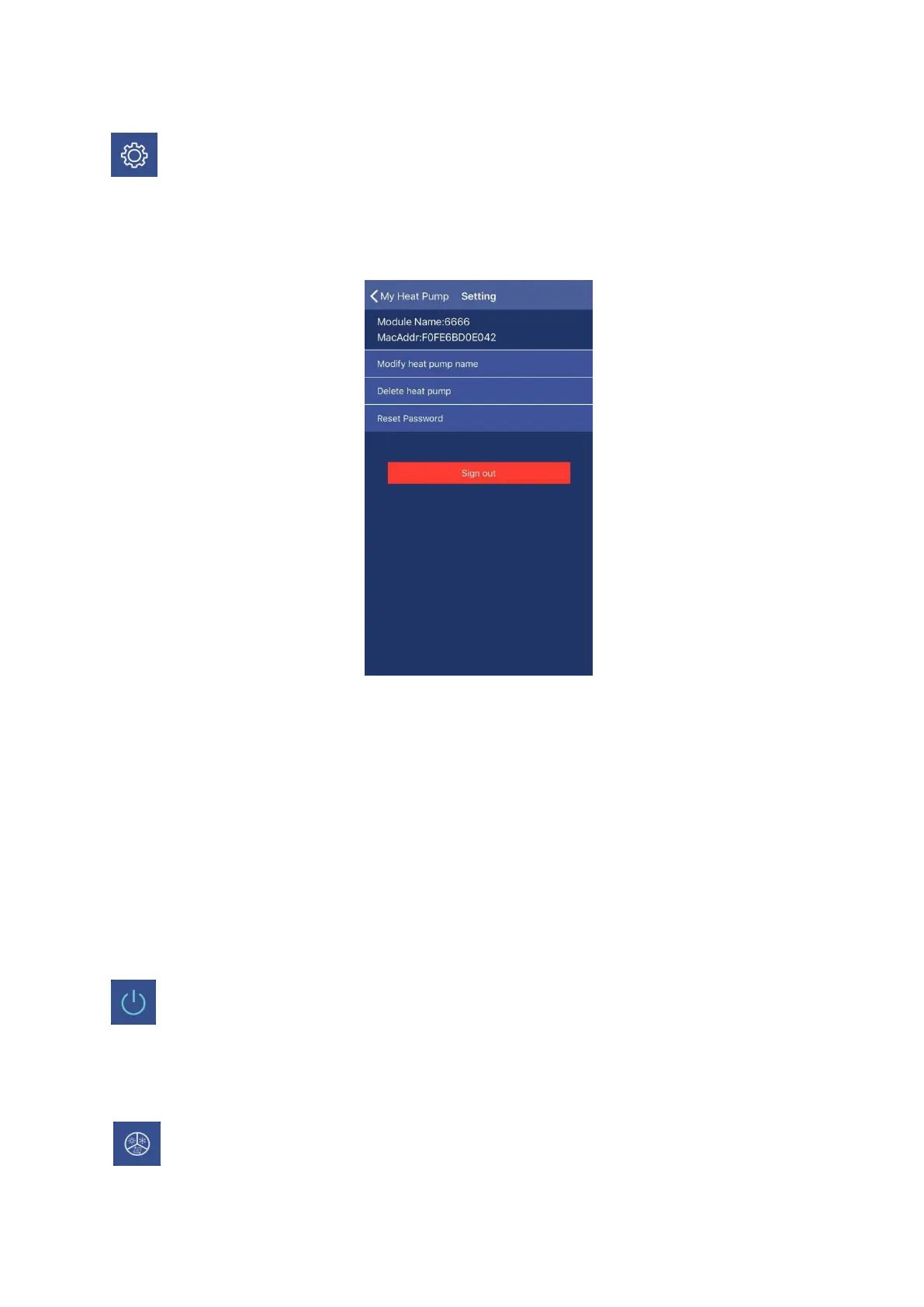
Press Setting button, the interface will be changed to setting interface as following picture.
Through this interface,
a. The name of heat pump unit which is connected with your mobile APP can be changed.
b. Delete heat pump unit which is already added in your APP.
c. Reset the APP password.
d. Sign out the APP.
2. On/Off button
Press On/Off button under the status of unit stand-by, the unit will be run. During the unit runs,
press this button, and the unit will be stopped.
3. Mode setting button


 To Next Page