42
in.xm
TM
Tech menu
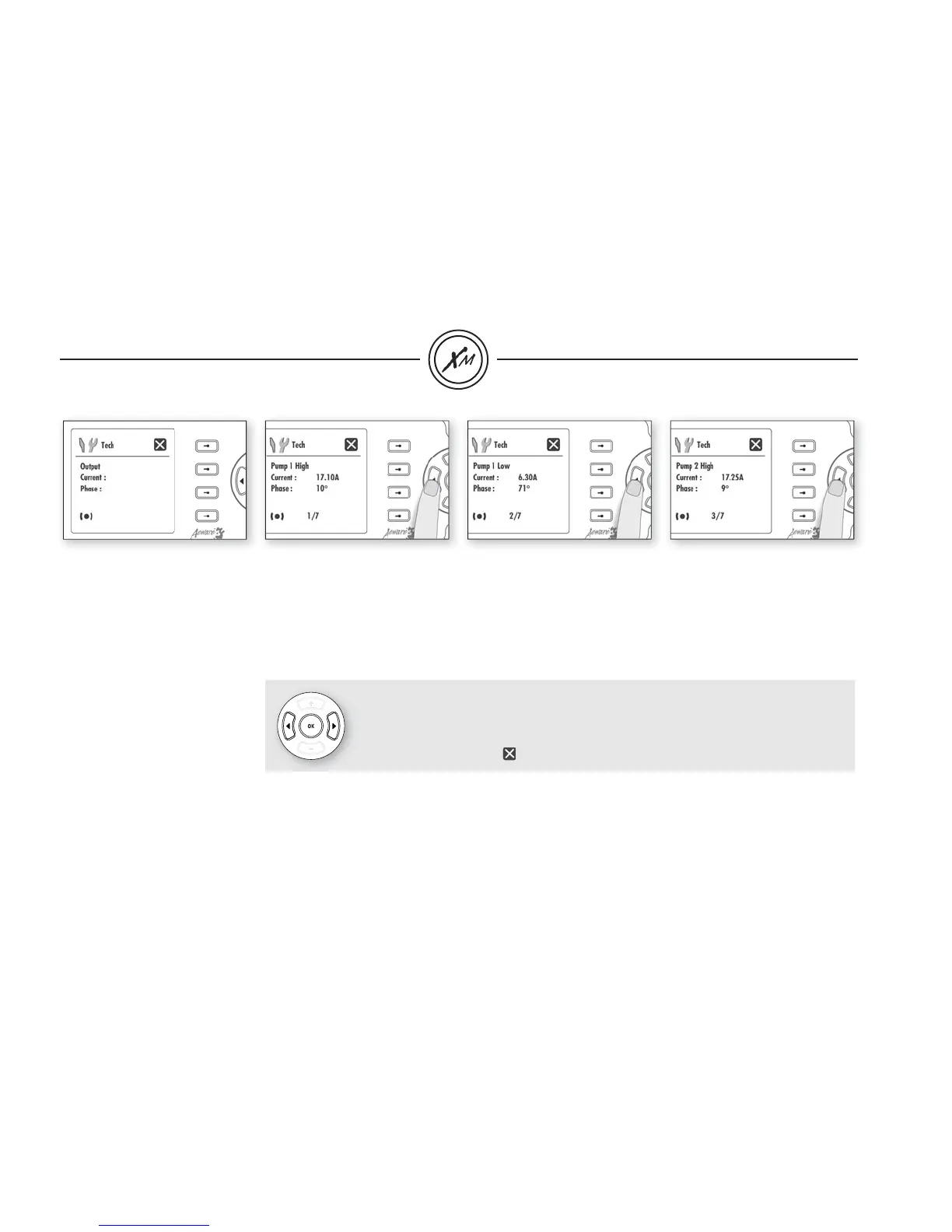
This menu allows you to view
the speed (low or high in the
case of the pumps), learned
amperage data as well as the
phase angle for each output.
Note:
If
_ _ appears on any screen, it
means that no signifi cant current
has been detected and "learned"
by the system for that output.
Here Pump 1 high speed current
and phase angle are displayed
• Use Right key to go to the next
screen menu.
Here Pump 1 low speed current
and phase angle are displayed
• Use Right key to go to the next
screen menu.
Here Pump 2 high speed current
and phase angle are displayed
• Use Right key to go to the next
screen menu.
Note:
Use Right key to go to next screen menu.
Use Left key to go back to previous screen menu.
Use Ok key or Select the option to go back to the initial screen on the Tech menu.


 To Next Page
 Loading...