34
in.xm
TM
accessories corrective actions
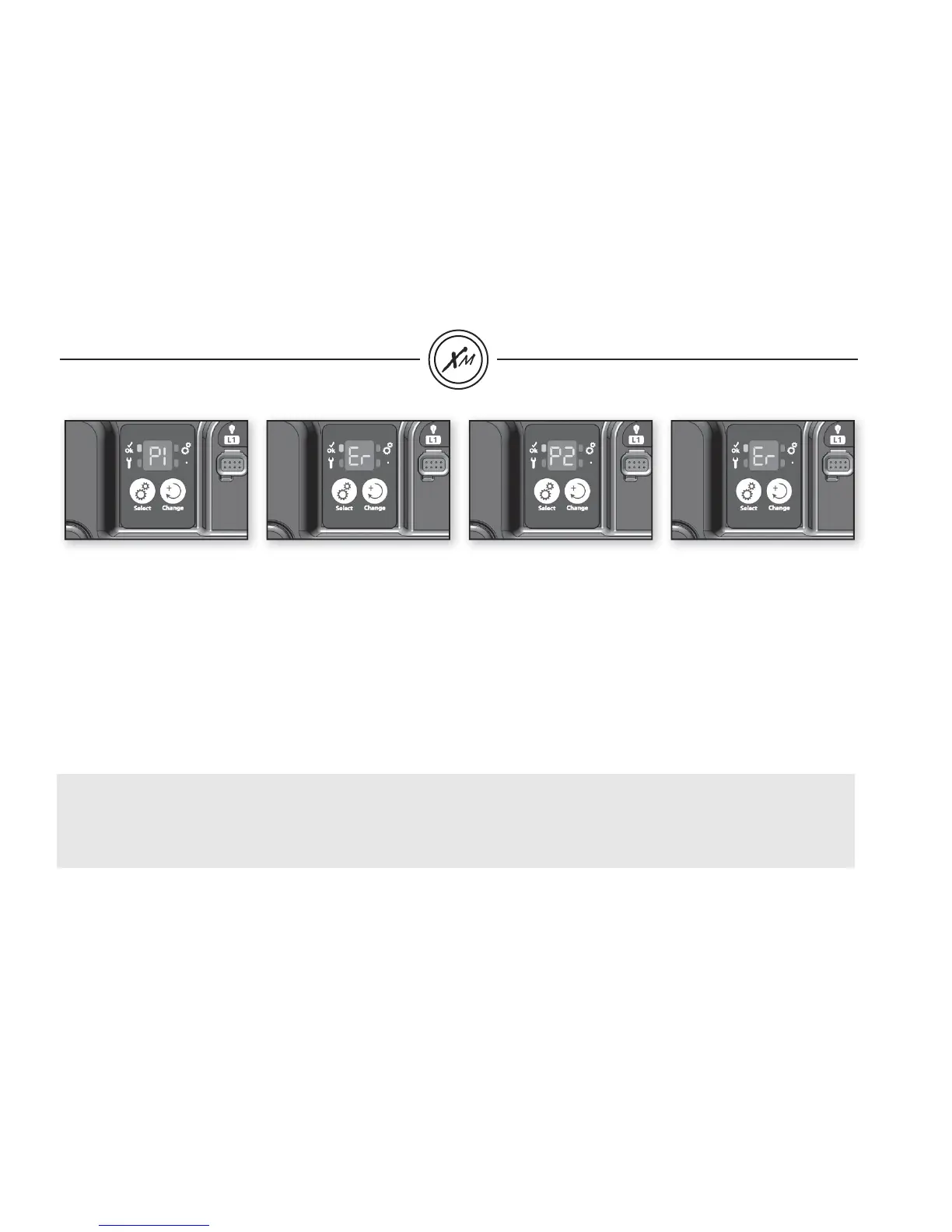
P1 - ER
Pump 1 not responding
• Make sure Pump 1 is connected properly (when connecting plug,
you should hear it click).
• Manually change output status (on/off) of Pump 1 and cycle
through all possible states (i.e. low, high, off).
• Reset spa pack by pressing Select key twice.
• If error does not clear, problem is most likely with Pump 1.
It will need to be replaced.
• If Pump 1 is replaced, a new learning routine must be performed
(see procedure page 15).
P2 - ER
Pump 2 not responding
• Make sure Pump 2 is connected properly.
• Manually change output status (on/off) of Pump 2 and cycle
through all possible states (i.e. low and high speeds).
Reset spa pack.
• If error does not clear, problem is probably with Pump 2.
It will need to be replaced.
• If Pump 2 is replaced, a new learning routine must be performed
(see procedure page 15).
• If a pump error is detected during a fl ow check, the pump will remain activated while performing this task, for this reason, a 9 min. delay
might be required to clear error.
• If the spa is equipped with an in.k600™ menu driven, the learned current value can be verifi ed (see viewing current management data
section for more details). Furthermore, if the current value learned by the in.xm™ spa control is not appropriate, it can trigger false
Pump-ER error codes.


 To Next Page