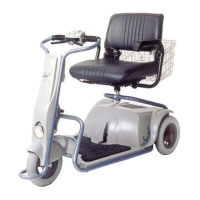
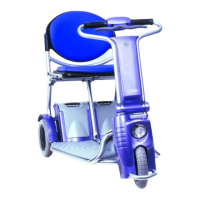
Caddy
33
3.3 Speed control of the Caddy
One way to control the speed of the Caddy is by squeezing the throttle
handles: The more you squeeze, the faster you will drive. Another way
to limit the speed is by means of the speed selector switch (1) see
figure 11.
• The Caddy has two positions to limit the maximum speed: The
high speed setting indicated by the hare (2) on the speed
selector switch (1) sets the Caddy to a maximum speed of 7,5
km/h. If the switch is in this position the green light should light
up see figure 11.
• The slow speed setting indicated by the turtle (3) on the speed
selector switch, sets the Caddy to a maximum speed of 4,5
km/h. In this position the green light on the switch is OFF. See
figure11.
The slow speed setting is used indoors and in confined spaces or for
instance when you are driving among a crowd of pedestrians. In all
other situations you can use the high speed setting.
ATTENTION:
During the first time it may be wise to use the slow speed setting while
you get used to controlling the scooter. This way both you and your
environment are at less risk.
• When driving downhill always use the low-speed setting.
• When driving uphill always use the high-speed setting.
• When driving over obstacles always use the high-speed
setting.
3.4 Emergency stopping
In case of an emergency you may need to stop the Caddy very quickly.
The way to do this is by reversing the driving direction with the throttle
lever by releasing the right (forward) hand side and squeezing the left
(reverse).


 To Next Page