12
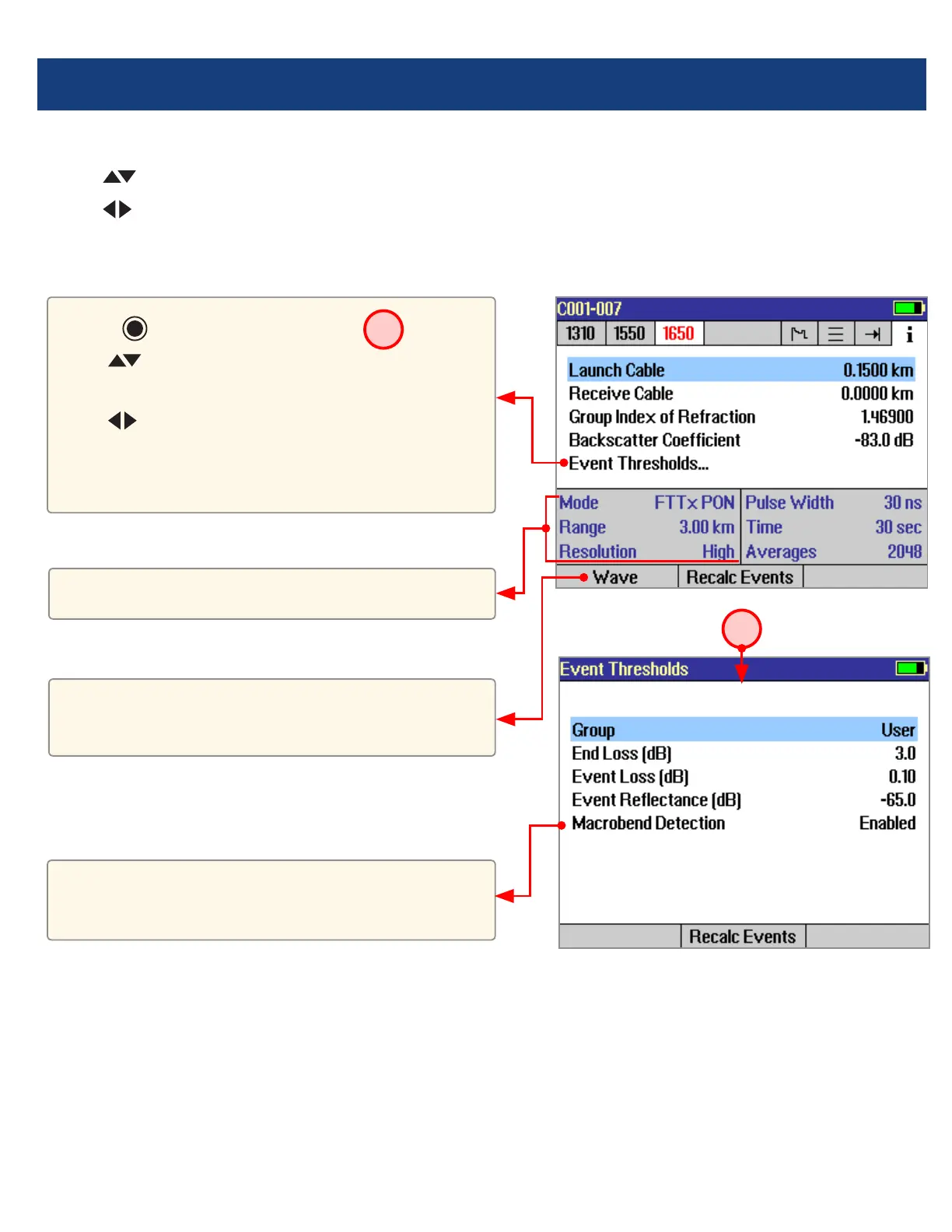
The information page displays how the test was created.
• Use
keys to highlight the desired setup parameter.
• Use
keys to change the highlighted setup parameter (except [Event Thresholds…] parameter). You may
change these parameters to correct locations in the Event Table after the test is complete.
• When done, press [Recalc Events] to recalculate the Event Table.
For multiple-wavelength tests, press to toggle
the wavelength and display setup conditions for
that wavelength.
• Press key to display submenu
A
.
• Use keys to highlight the desired
parameter.
• Use
keys to change the highlighted
parameter.
• When done, press [Recalc Events] to recalculate
the Event Table.
These elds show the current setup conditions.
OTDR Mode: Information Page Features
Event thresholds can be adjusted and
macrobend detection enabled or disabled before
recalculating events.
A



 To Next Page