4
Running OTDR Tests and Viewing Results
Note: After an OTDR test is started, it may take several seconds for the rst results to appear and
depending on setup, tens of seconds or even several minutes for tests to complete.
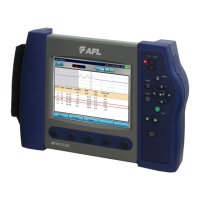
FLX380 FlexTester
3
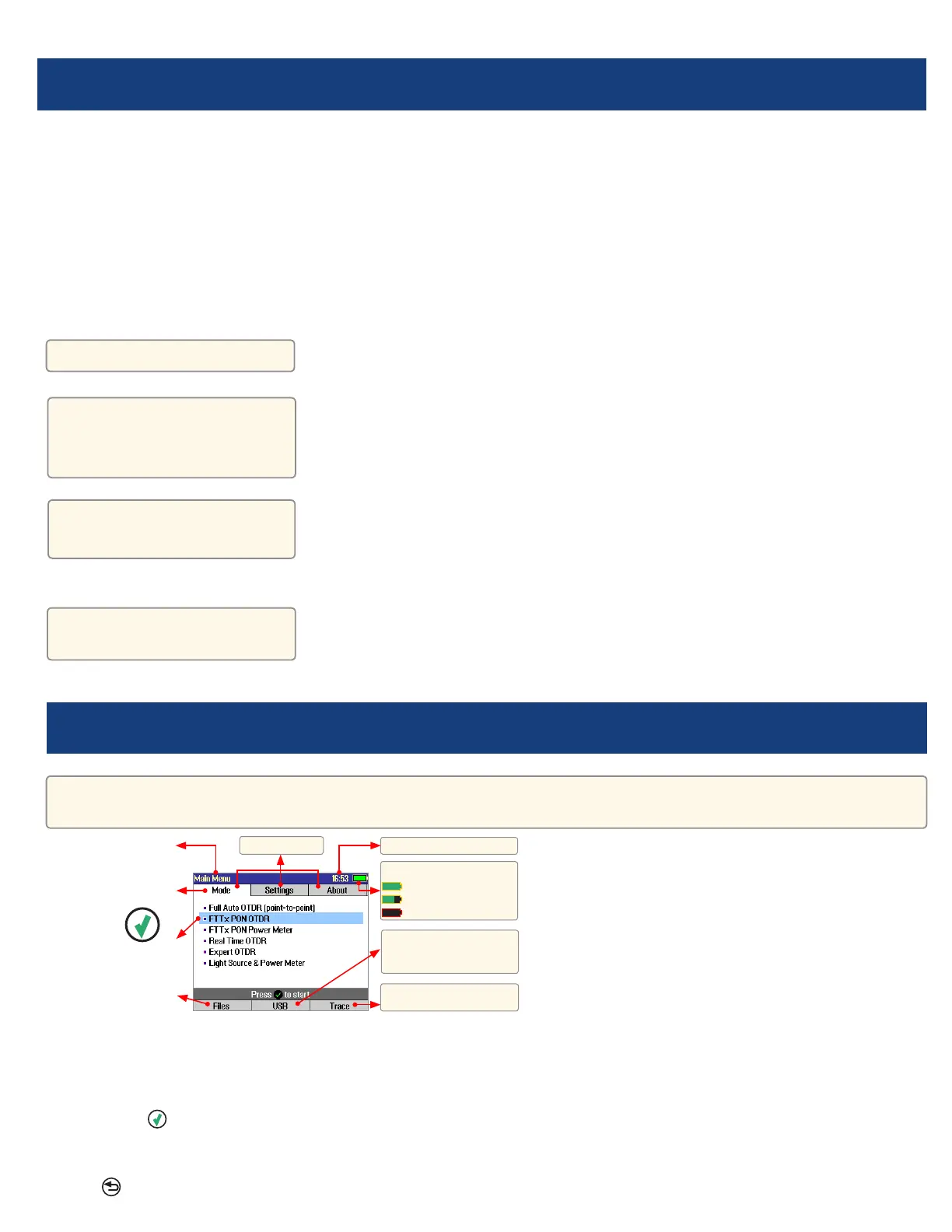
Main Menu Display Features
Main Menu Page (FLX380-303/-304 model shown)
Notes:
•FTTx PON OTDR combines functions of previous FTTx – In Service and FTTx – PON Construction modes.
•FTTx PON Power Meter measures downstream PON power levels in live PONs.
•Full Auto OTDR should only be used for point-to-point testing applications.
To Start a Test, press
Test key.
To Stop a Test
• Press
Test key. If pressed before trace appears, it will stop the test and display the setup menu. If pressed
after trace appears, it will stop the test, generate the event table and show the partially completed trace.
• Pressthe
Back key. OTDR stops the test and displays the setup menu.
Battery charge status icon.
- 100%
- <100%
- < 10%
Time-of-Day.
Page header.
Highlighted tab indicates
the currently displayed
Menu Page.
The currently highlighted
Menu option.
Press [Files] to open saved
les.
Main Menu tabs.
Press [USB] to transfer
saved results and download
software upgrades.
Press to display the last
OTDR trace viewed.



 To Next Page