5
Launch Quality Check
A
C
D E F
B
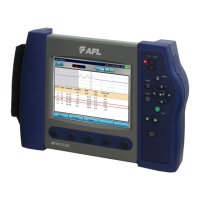
The FlexTester3 OTDR features an optional launch quality check when an OTDR test is initiated.
To perform the launch quality check:
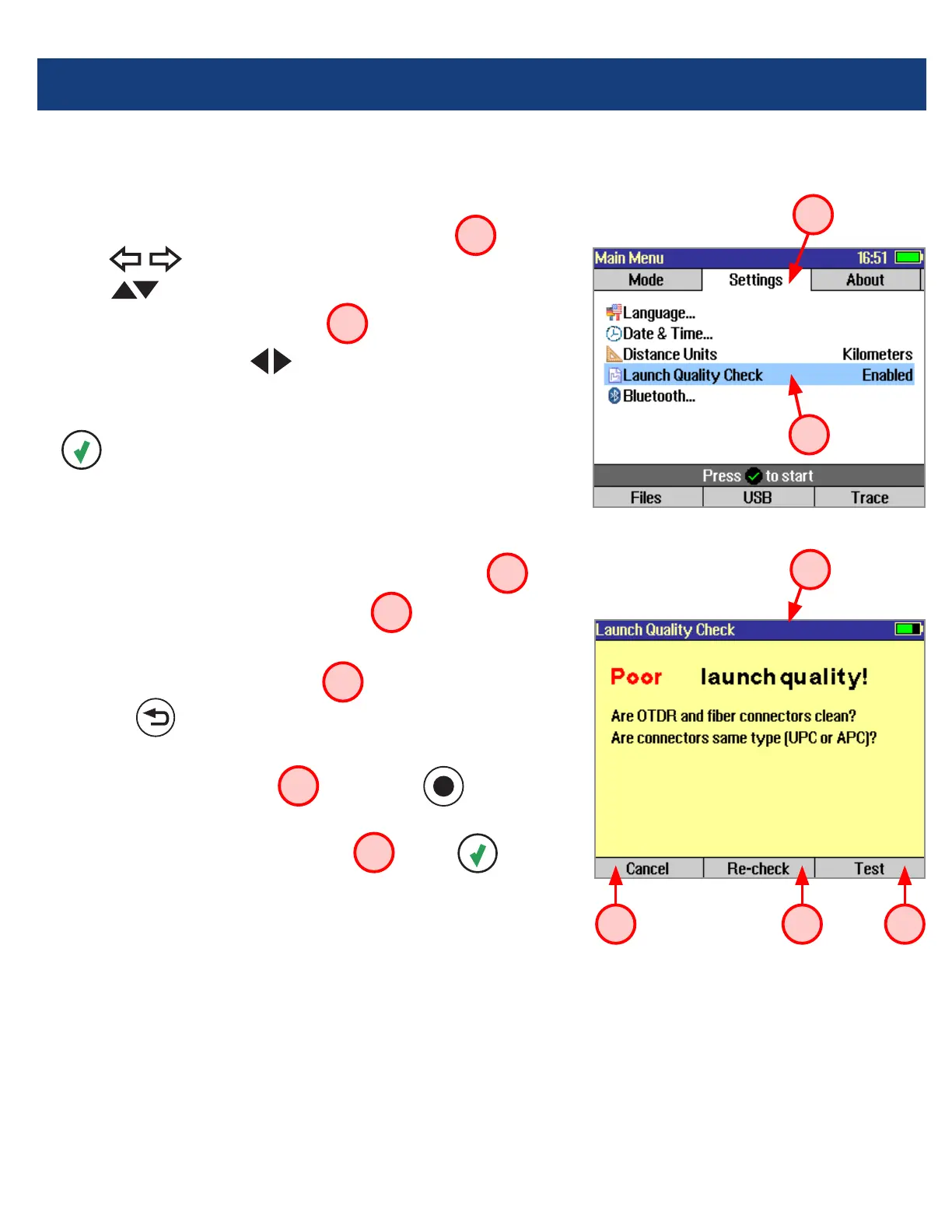
1. From the Main menu, display the Settings screen
A
using keys.
2. Using keys navigate up/down the list to highlight the
Launch Quality Check parameter
B
.
3. If set to [Disabled], use keys to enable - display
[Enabled].
4. With the lunch quality check option enabled, press the Test
key to start an OTDR test.
5. The FLS380-30 will assess the loss and reectance at the
OTDR’s connection to the launch ring or ber-under-test.
6. If excess loss or reectance is detected, the OTDR reports
results and displays the ‘Poor Launch Quality’ screen
C
.
7. From the ‘Poor Launch Quality’ screen
C
the user may
chose to perform one of the following:
8. Cancel a test by pressing Cancel
D
soft key or
Back key .
9. Clean connectors and repeat the launch quality check by
pressing Re-check soft key
E
or Enter key .
10. Continue testing without checking and cleaning the
connection by pressing Test soft key
F
or Test key.



 To Next Page