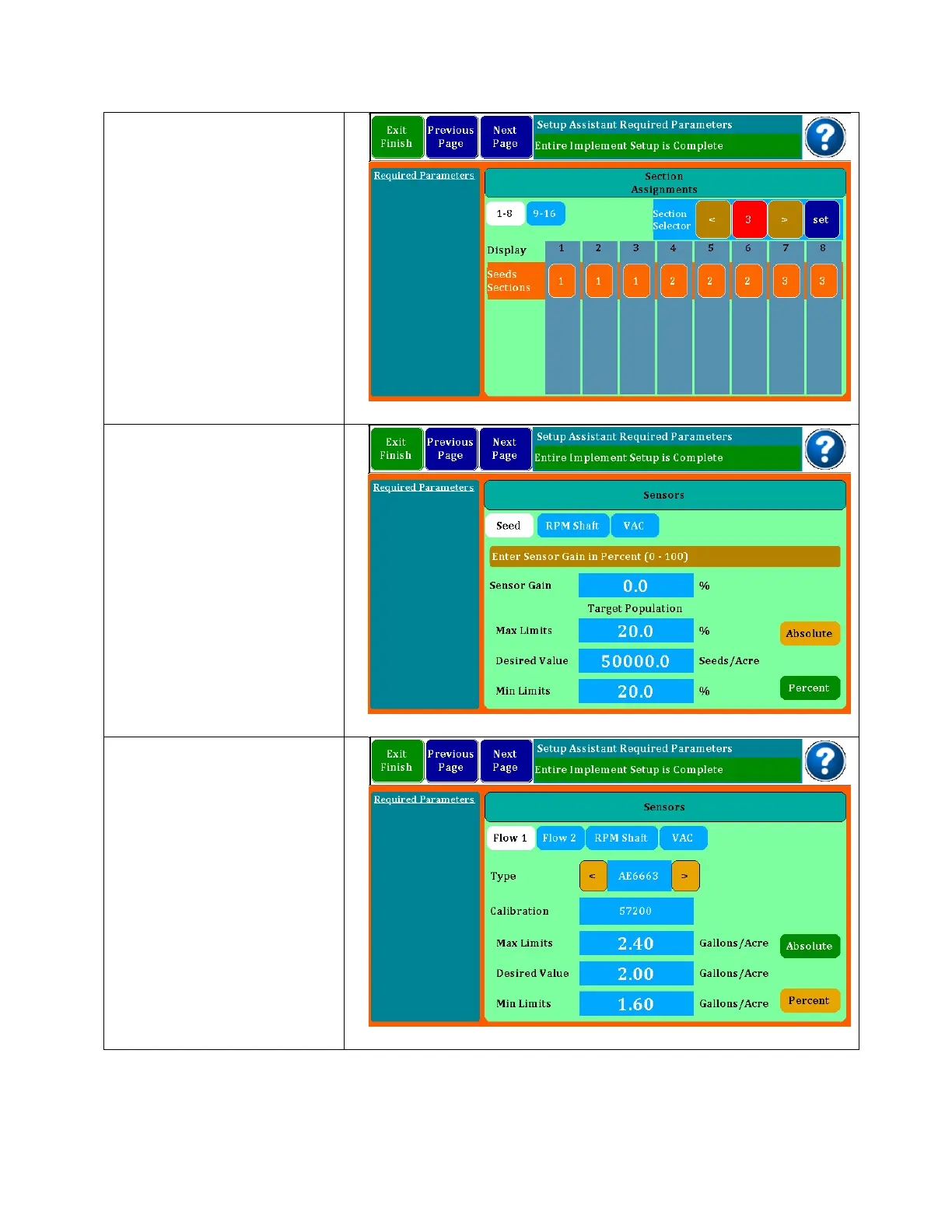
Section assignments may
be entered in this screen.
If you have a planter or
liquid system that is setup
with section shutoff’s, you
can configure the rows to
match so the monitor will
recognize the shutoffs and
not report continuous row
failures. Select section
number at top, then touch
the row pad to add it to
that section.
If one or more flow inputs
are selected, you must
select the flowmeter part
number (found on your
flowmeters) and then
enter the desired GPA
along with the limits. The
calibration number is auto
generated. If you have
two flow inputs, you will
index to flow 2 setup
where you will repeat the
above steps.



 To Next Page