OPERATOR’S MANUAL
8
SFA-32
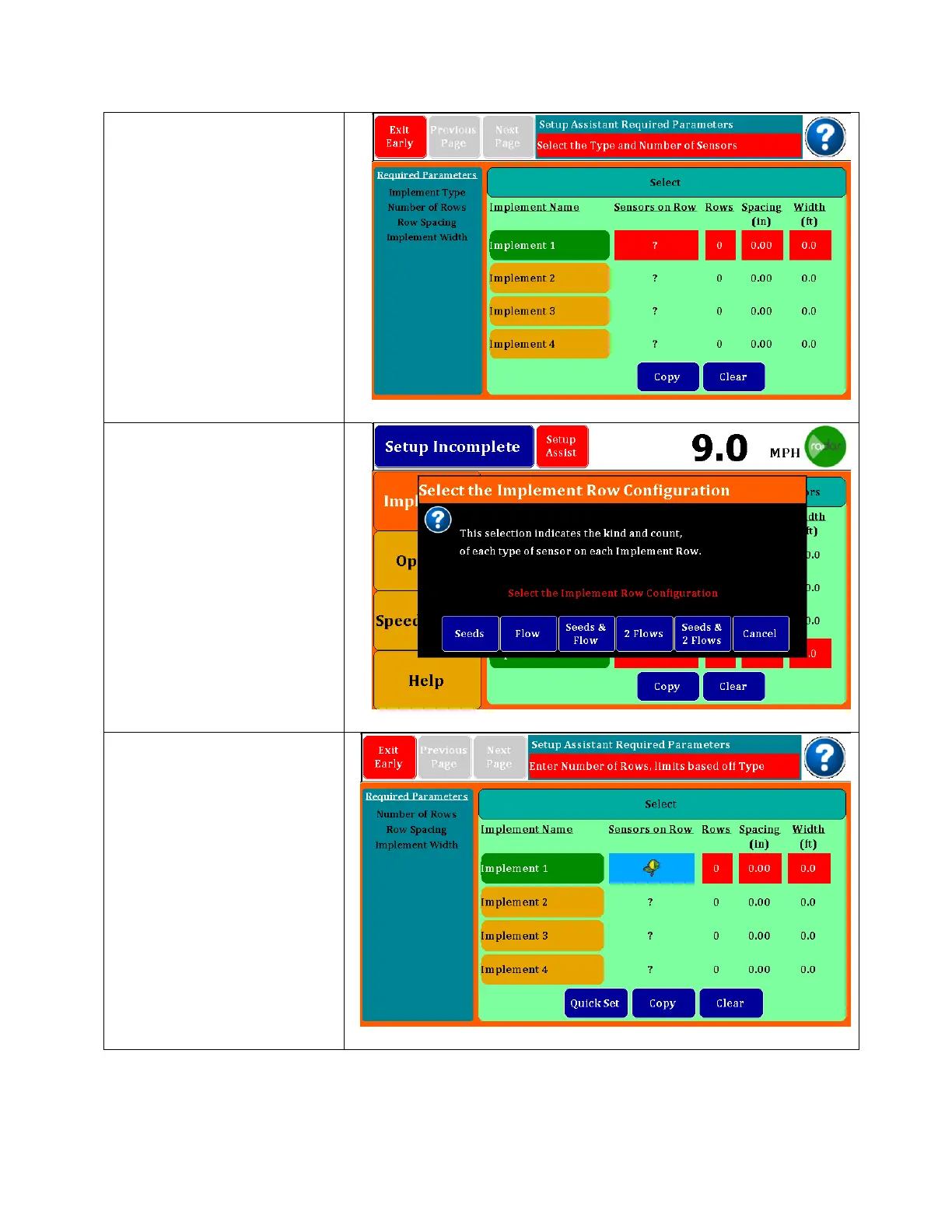
The first screen on an
original startup will take
you directly to the Setup
Assistant screen shown at
right. You will find a list of
required parameters on
the right and boxes that
need to be filled in will be
in red.
Touch the Sensors on Row
box and this pop up
screen will appear.
Choose from the options
listed. You can do 2 rates
on Flow or Seeds & Flow. 2
Flows is for two different
products/1rate.
Begin by selecting the
type of sensors you will be
using. Choices will be
shown on an information
box that will include Seeds,
Flow, Seeds & Flow, 2 Flows
and Seeds & 2 Flows.
Note, the 2 flows indicates
2 products. Flow only may
have 2 rates. Seeds only
shown at right.



 To Next Page