OPERATOR’S MANUAL
12
SFA-32
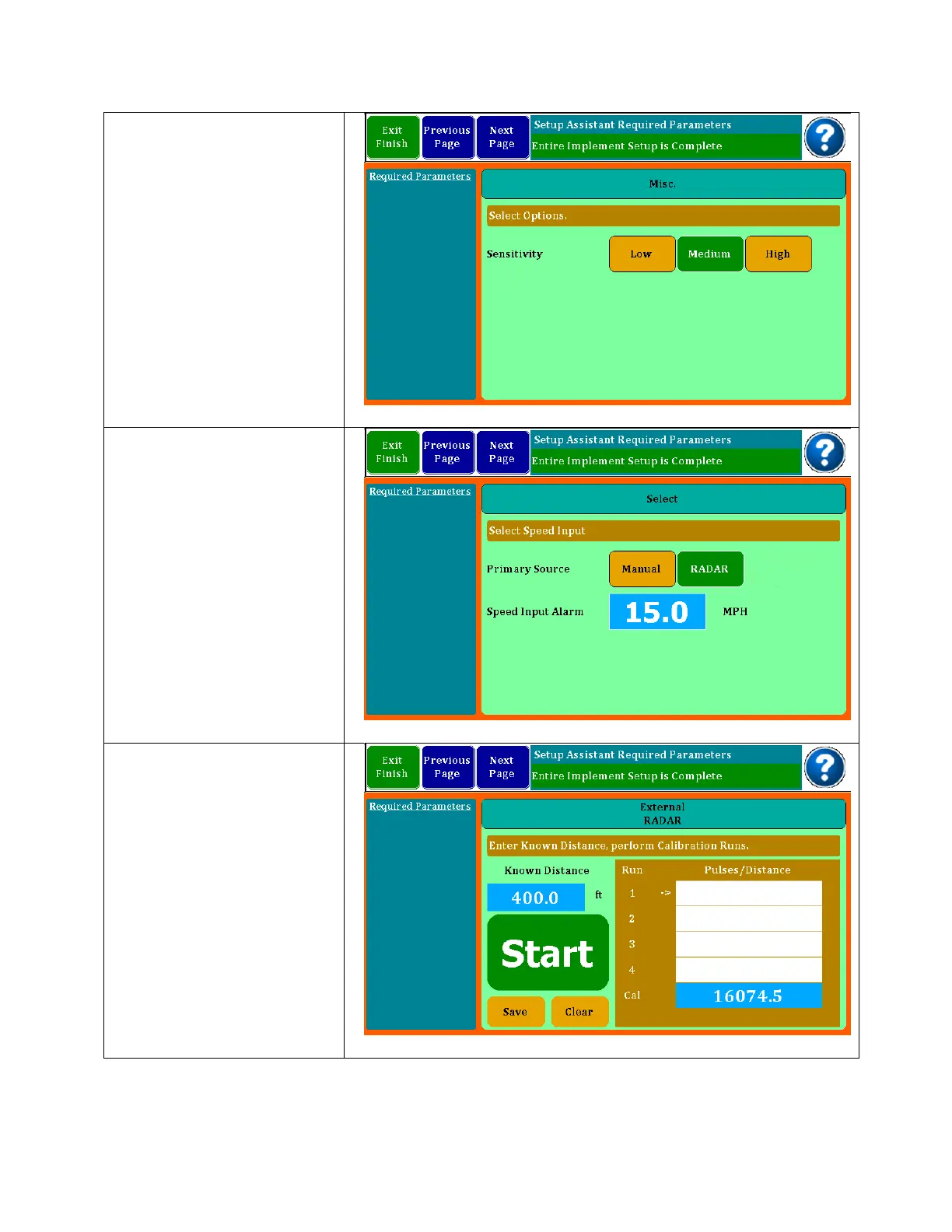
Sensitivity is the amount of
averaging time used to
calculate rates. The
longer times may show
more accuracy, but
changes will come less
often. This is normally set to
Low or Medium.
The Speed Input screen is
where you select what will
be your primary source of
speed. You can select
Manual where you enter a
number for the speed you
are driving; Radar is used
when an external Radar or
GPS device is plugged into
the 4 pin port on the back
of the monitor. Speed
Input Alarms may be set
for over speed.
When using an external
Radar or GPS, you will
need to calibrate the
device. This is done by
driving a 400 foot course.
It is suggested that you do
4 runs and the monitor will
store and average them
for you. Flag your course
and as you pass the first
flag, press Start.



 To Next Page