OPERATOR’S MANUAL
15
SFA-32
The bar graphs will change color when the limits are exceeded either over or under as
shown below.
Limits exceeded:
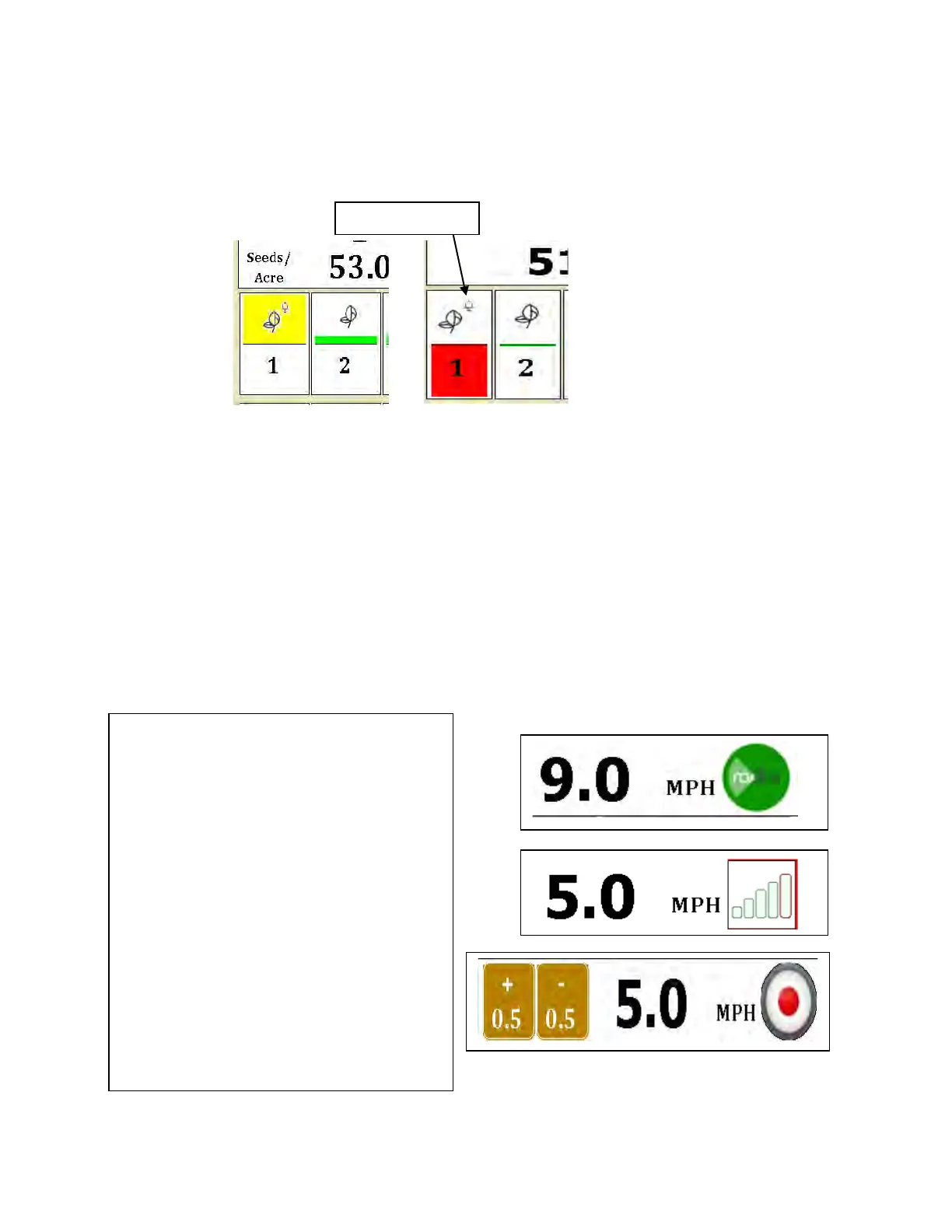
The alarm may be temporarily silenced by holding down the individual row until it
changes color. The small alarm bell will have a circle/red X over it showing that the row
has been silenced. It may be returned to normal operation by holding the row down
again.
MPH INDICATOR
In the upper right of the Home Screen, you will find an indicator showing the
MPH input and a speed reading. By holding down this section of the screen for
a few seconds, you can bring up a dialog box to change input icons.
Shown at right are the three Speed
Input icons along with the MPH
Reading. At the top, the icon shows
Radar or external GPS Speed input
hooked to the 4 pin connector on the
rear of the monitor.
If you have internal GPS enabled, you
will see the second bar graph screen
showing lock and signal strength.
The final screen is manual speed
where you enter a speed by
incrementing with the gold boxes.
To toggle from one input to another,
hold down the icon for 2-3 seconds
and a dialog box will appear.



 To Next Page