OPERATOR’S MANUAL
17
SFA-32
THE DASH SCREEN - FLOW
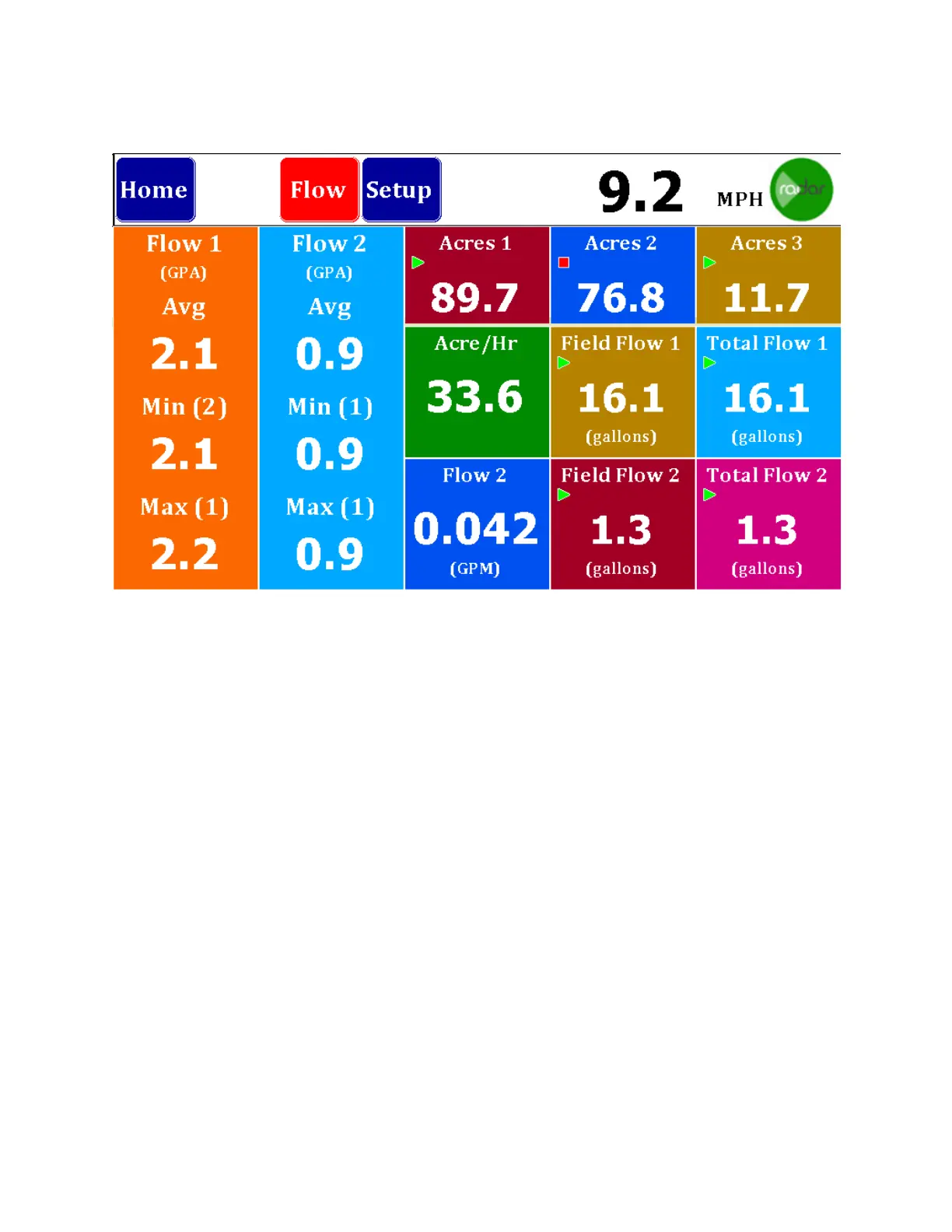
The Flow Dash Screen is similar to the seeds screen. Shown at left is the Flow Rate. It will
Show GPA Average, Minimum (Row Number) and Maximum (Row Number). If you
have two Flows selected, there will be a second column for Flow 2.
Across the top you will find the acre counters. There are three acre counter memories
in the system and they may be started, stopped or reset by holding the button down for
three seconds to bring up a Start/Stop and Reset button. Shown above, Acres 2 is
stopped.
Center right shows Acre/Hour rate followed by a calculated Field Flow 1 and Total Flow
1. Both of these may be started/stopped or cleared by holding the button down for
three seconds.
On the bottom row you will see the current average GPM flow rate (This will toggle
between Flow 1 and Flow 2 if you have both) and finally, you have Field Flow 2 and
Total Flow 2 which may be started/stopped or cleared by holding the button down for
three seconds.



 To Next Page