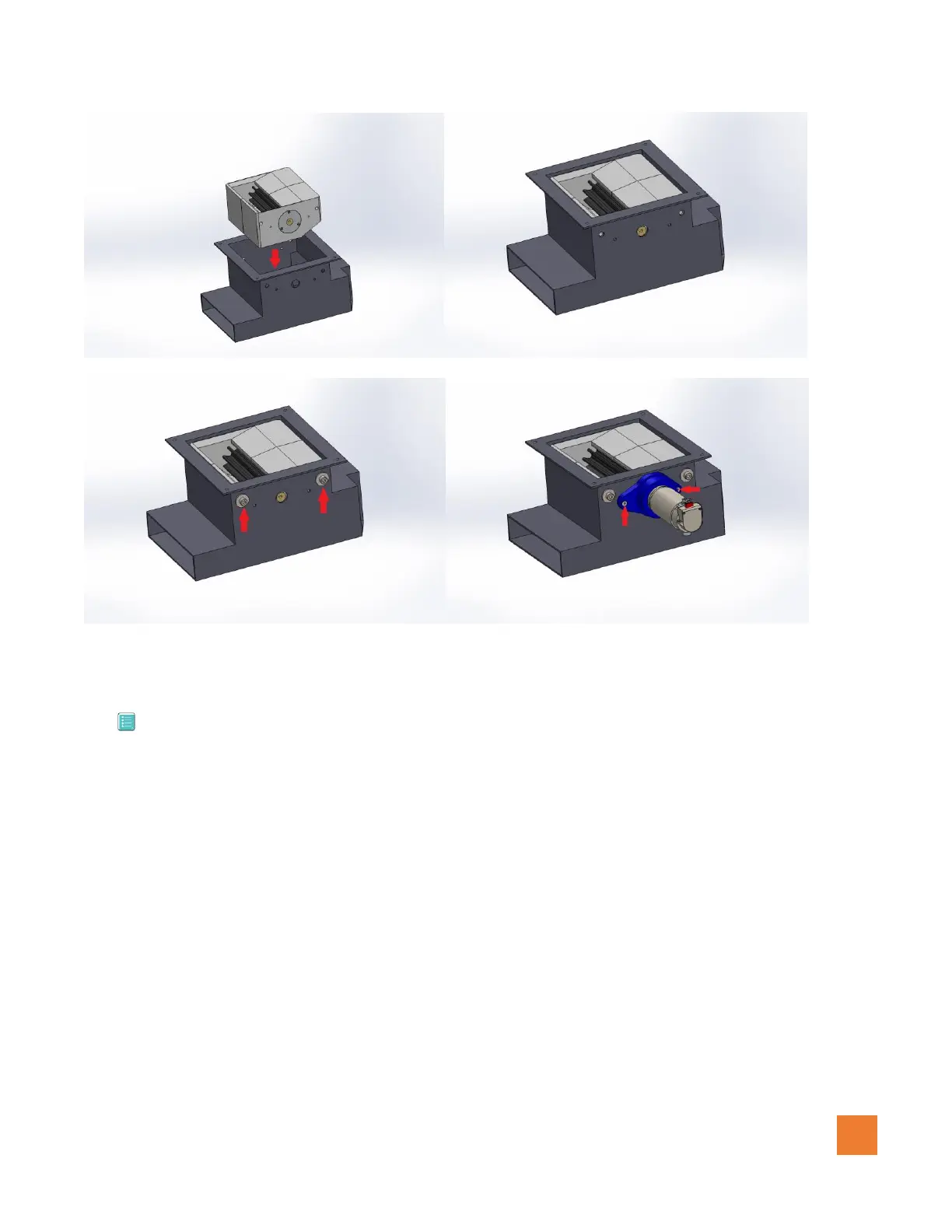
Insert housing Align mounting holes
Install M10 fasteners with washers Install motor/bracket with M5 fasteners
Figure 1.0.3 (Impeller housing installation)
3.2 Installing the control box – AAP188
When locating an optimal area to mount the controller box, the following recommendations must be
considered:
1. Install inside the aircraft.
2. Install in an area free of high moisture levels.
3. Install away from major heat sources such as an engine or exhaust manifold.
4. Use all 4 mounting holes to fasten the controller to the aircraft.
5. Tie wires to airframe to avoid wires from rubbing on any sharp metal edges.
6. Install wires away from any moving mechanical parts.



 To Next Page