EasyManua.ls Logo

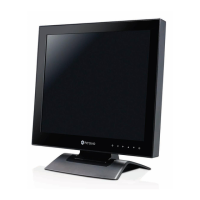
AG Neovo U-17 - User Manual

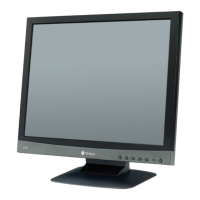
AG Neovo U-17
32 pages
Print Icon
To Next Page IconTo Next Page
Loading...

Questions and Answers

  • C
    Christina JohnsonAug 13, 2025
    What to do if my AG Neovo U-17 has no picture?
    • J
      Jennifer HansonAug 13, 2025
      If your AG Neovo monitor displays no picture, and the power LED is off or amber, try the following: * Ensure the LCD display is turned ON. * Verify the power cord is properly connected to the LCD display and plugged into the power outlet. * Check if the computer is turned ON and not in standby mode (move the mouse or press any key).
  • A
    Arthur WoodAug 17, 2025
    Why is there no audio output from my AG Neovo Monitor?
    • M
      Megan SalasAug 17, 2025
      If there is no audio output from your AG Neovo monitor, please check the following: * Verify that the volume is not set to 0. * Ensure that Audio is not set to OFF. * Confirm that the headphone is properly connected to the LCD display. * Check the audio setting of the computer.
  • A
    Alexis GarciaAug 20, 2025
    What to do if the displayed texts are blurry on my AG Neovo U-17 Monitor?
    • S
      Stephanie DaltonAug 20, 2025
      If the texts displayed on your AG Neovo monitor are blurry, try auto-adjusting the display by touching the button. If that doesn't work, adjust the SHARPNESS, PHASE, and CLOCK values under the IMAGE SETTING menu.
  • C
    chad75Aug 25, 2025
    What to do if USB does not respond on AG Neovo Monitor?
    • J
      John JacksonAug 25, 2025
      If the USB on your AG Neovo monitor does not respond, check if the USB device is properly connected. Keep in mind that the length of the USB cable, the distance of the connection, or the number of extensions may affect the readability of USB devices. For better readability, it is suggested to use the USB port on the PC.
  • D
    Dan JacksonAug 28, 2025
    What to do if faint shadows from a static image appear on the screen of AG Neovo U-17 Monitor?
    • B
      Brandon BellAug 28, 2025
      If faint shadows from a static image appear on the screen of your AG Neovo Monitor, turn off the monitor for extended periods of time. Alternatively, use a screen saver or a black and white image and run it for extended periods of time.
  • A
    Alexander RaySep 1, 2025
    What to do if image position is incorrect on AG Neovo U-17?
    • B
      Brittany FosterSep 1, 2025
      To correct an incorrect image position on your AG Neovo monitor, adjust the H. POSITION and V. POSITION values under the IMAGE SETTING menu.
  • T
    Taylor PetersonSep 4, 2025
    Why is there dew formed on or inside the LCD display of my AG Neovo Monitor?
    • N
      Nancy RichardsonSep 4, 2025
      Dew forming on or inside the LCD display of your AG Neovo monitor typically happens when the monitor is moved from a cold room to a hot room temperature. Do not turn ON the LCD display, wait for the dew condensation to disappear.
  • M
    Manuel RodriguezSep 8, 2025
    Why is there mist formed inside the glass surface of my AG Neovo Monitor?
    • D
      David LindseySep 8, 2025
      Mist forming inside the glass surface of your AG Neovo monitor happens due to humid weather conditions. This is a normal occurrence, and the mist will disappear after a few days or as soon as the weather stabilizes.

AG Neovo U-17 Specifications

General IconGeneral
Screen Size17 inches
Resolution1280 x 1024
Aspect Ratio5:4
Brightness250 cd/m²
Weight4.5 kg
Power Consumption25W (typical)
ConnectivityVGA, DVI
Input ConnectorsVGA

Related product manuals