11
About the AgaMatrix WaveSense JAZZ Meter Display Symbols/
Messages
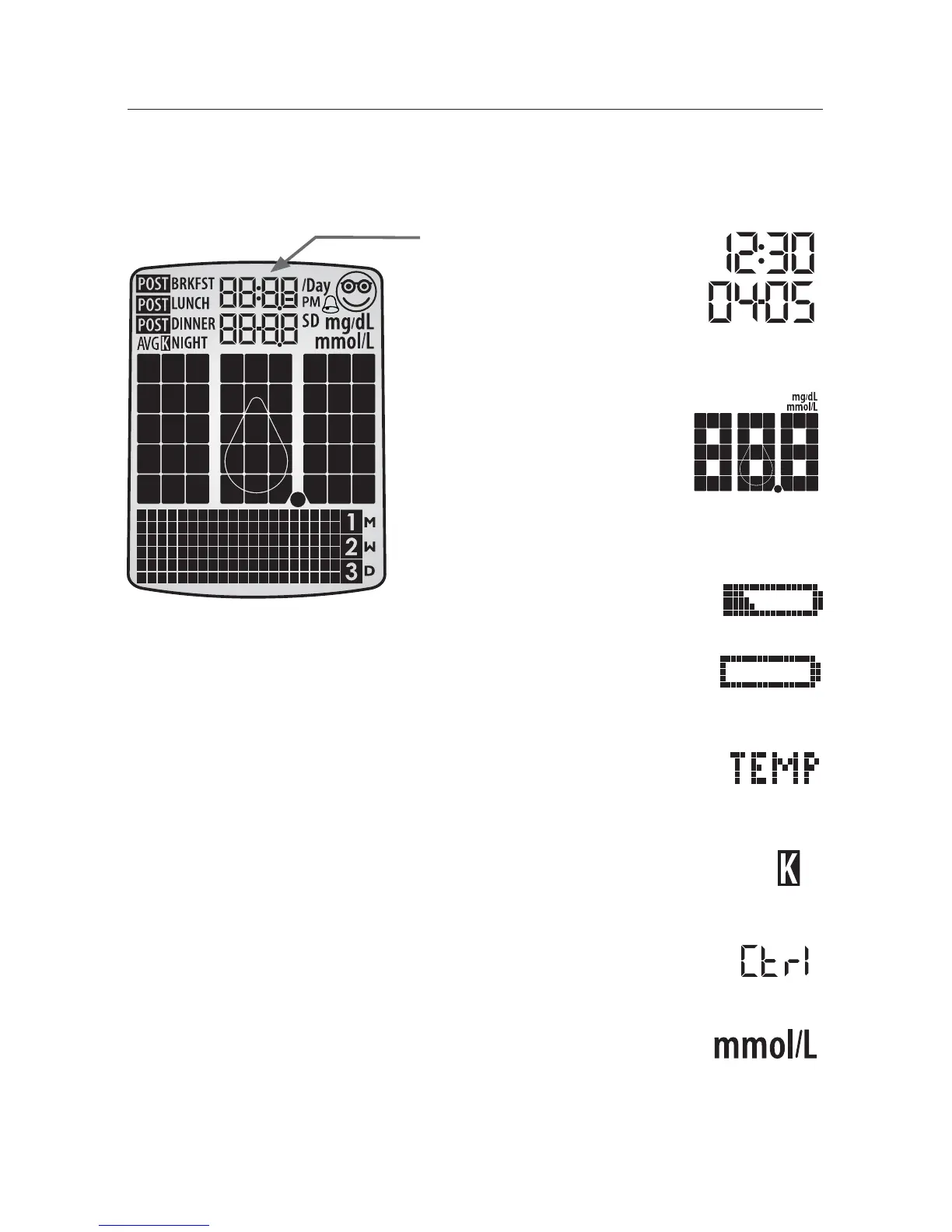
(1) Date and Time:
Appears here, including
when the meter is
deactivated.
(2) Glucose Test Results
(3) Low Battery Message:
Appears when battery #2 in your
meter is running low.
(4) Dead Battery Message: Appears when
battery #2 in your meter is dead.
(5) Temperature Symbol: Appears when the
meter is outside its operating temperature range of
10 °C to 40 °C (50 °F to 104 °F).
(6) Ketone Symbol: Appears when your glucose
test results are higher than 13.3 mmol/L.
(7) Control Solution message: Appears after
you have performed a control solution test.
(8) Units of Measurement symbol: Results will
be displayed in mmol/L.



 To Next Page