10
[9] Apply only fresh capillary blood or control solution to the
sample area of the AgaMatrix WaveSense JAZZ Test Strip.
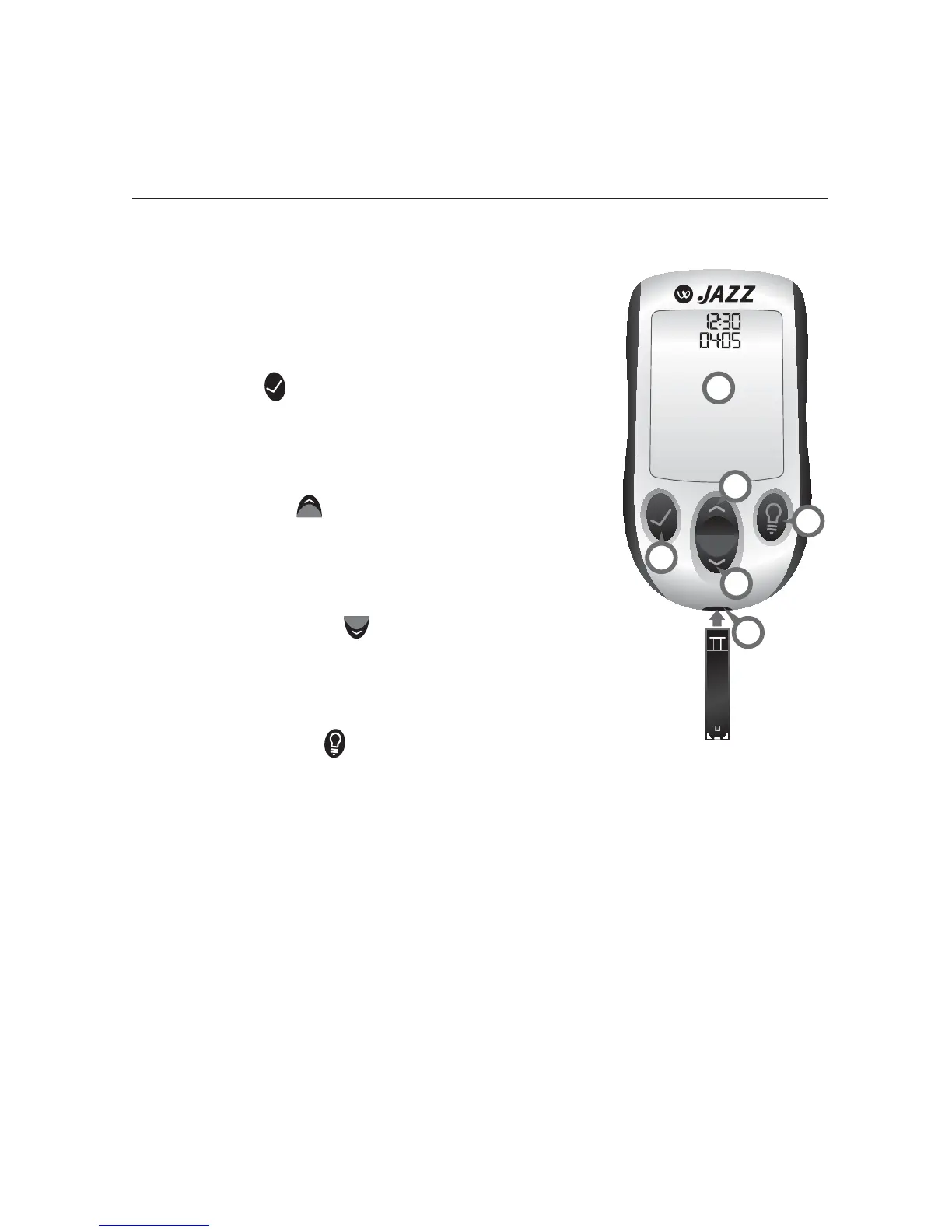
About the AgaMatrix WaveSense JAZZ Meter
(1) Display: Glucose test results, symbols,
messages, and graphs appear here.
(2) CHECK (
) Button: Use the CHECK
button to confirm an option or make a
selection in a menu.
(3) UP Arrow (
) Button: Use the UP
arrow button to scroll backward through
options.
(4) DOWN Arrow (
) Button: Use the
DOWN arrow button to scroll forward
through options.
(5) BACKLIGHT (
) Button: Use the
BACKLIGHT button to turn the backlight ON and OFF.
(6) Test Strip Port: Insert the AgaMatrix WaveSense JAZZ
Test Strip, with the contact bars facing up, into the test strip
port.
4
3
2
6
1
5



 To Next Page