27
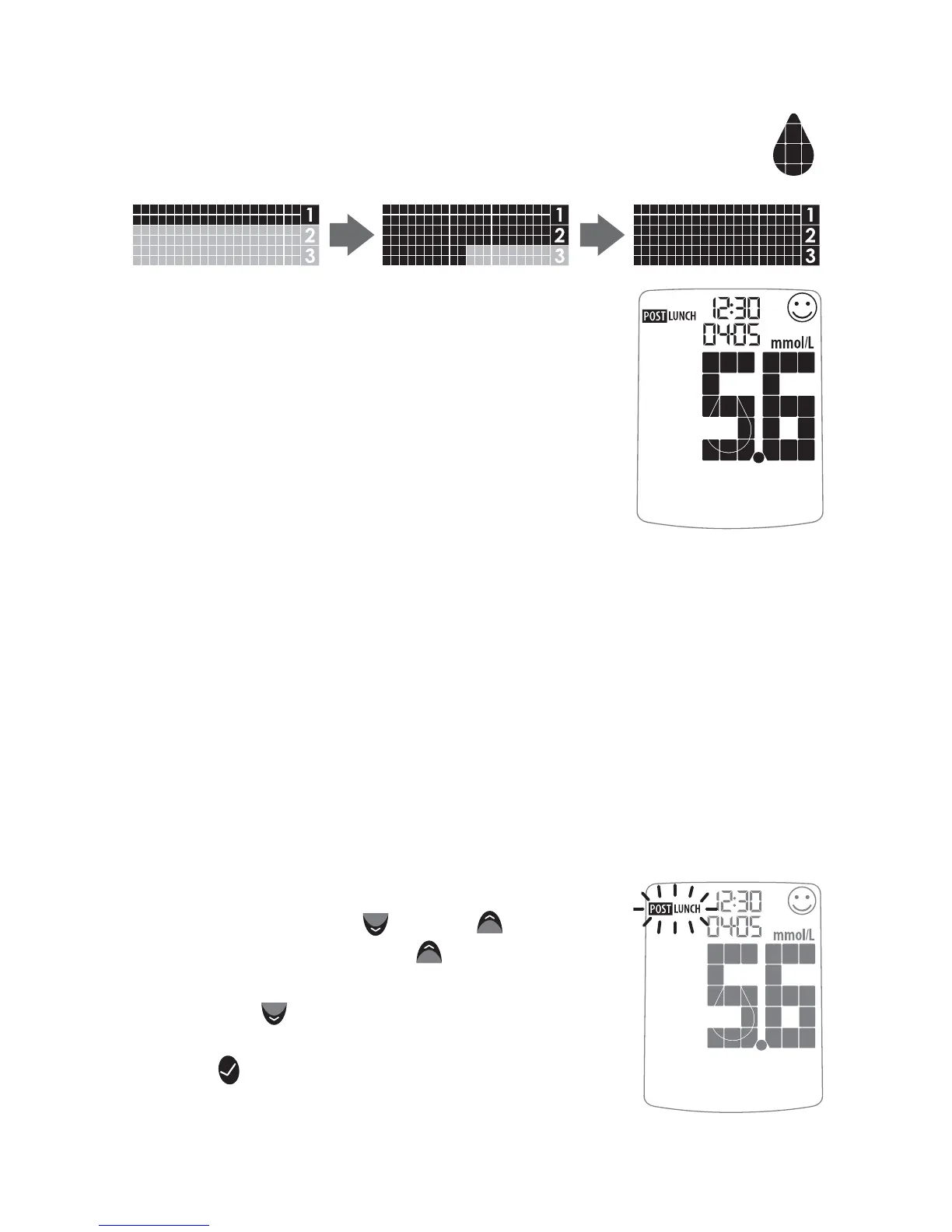
On the meter display, the droplet symbol fills.
The scrolling bar and 1-2-3 indicates that the
meter is calculating your results.
Your test is completed when your blood
glucose test result with time and date is
shown on the display. If the volume is ON,
you will hear a beep. Your test result is
now stored in the memory.
[5] Test Result Mealtime Tagging and
Feedback
If the Mealtime Tag Feature is Enabled: The AgaMatrix
WaveSense JAZZ Meter allows you to add a tag to your test re-
sult. Tagging results allows you to view averages before and after
meals to see what effect food has on your blood glucose levels.
After your result appears, a tag will flash on the display
suggesting a mealtime tag (Breakfast, Post Breakfast, Lunch,
Post Lunch, Dinner, Post Dinner, and Night).
For example, if you test at 12:30, the meter
will flash the word “POST LUNCH.”
If the tag is incorrect, you can change it by
pressing the DOWN (
) or UP ( ) arrow
buttons. Pressing the UP (
) arrow button
would change the tag to Lunch, pressing
the DOWN (
) arrow button would
change the tag to Dinner. Pressing the
CHECK (
) button confirms the mealtime
tag and it stops flashing. Your test result’s
Example of
Mealtime Tag:
POST LUNCH
Droplet
Symbol:



 To Next Page