28
mealtime tag is now stored in the memory. You can still
change this setting by pressing the DOWN (
) or UP
(
) arrow buttons, if you haven’t removed the test strip from
the meter yet.
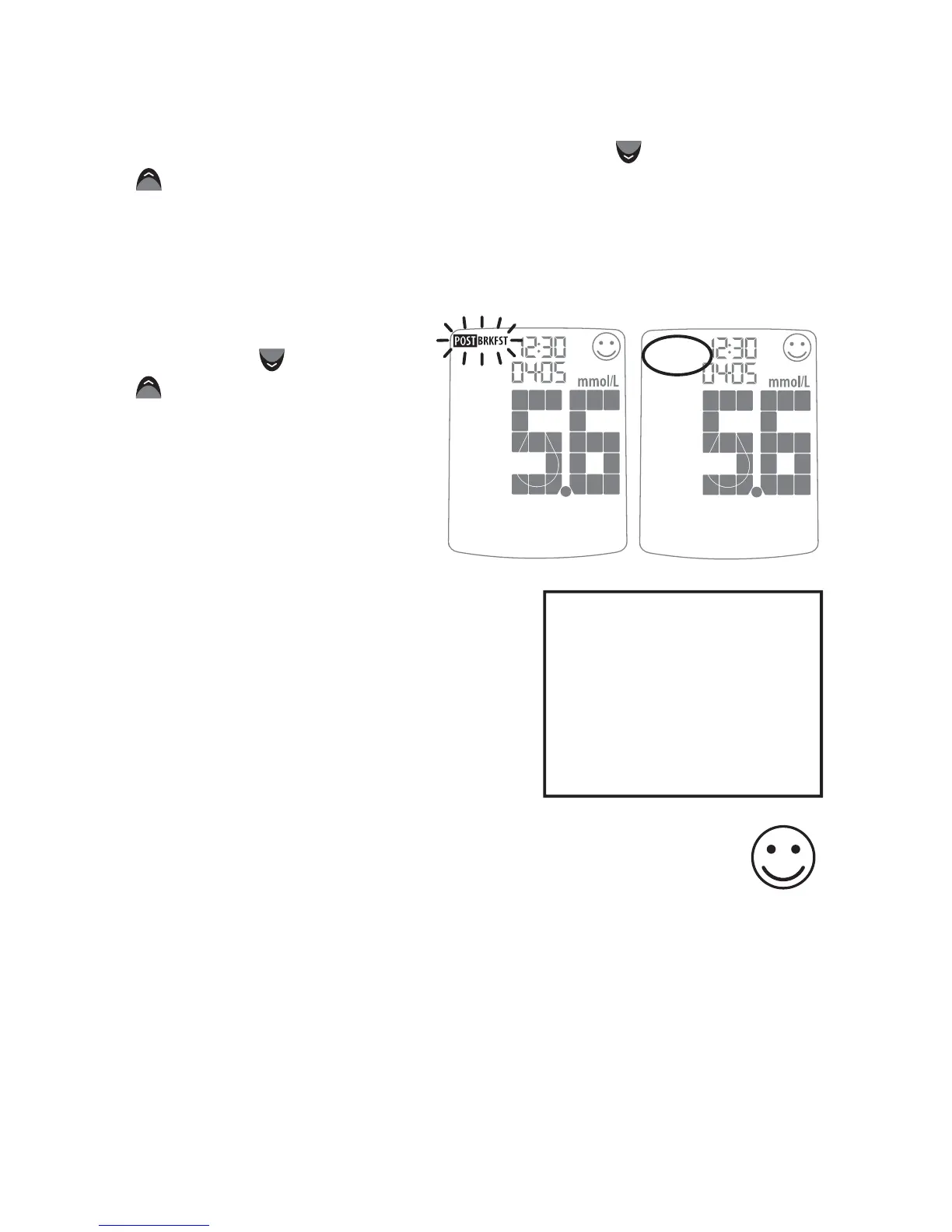
If you don’t want to tag
a reading, scroll through
the options by pressing
the DOWN (
) or UP
(
) arrow buttons. One
of the options will leave
the tag field blank. If
you do not want to tag
meals, this feature can
be turned OFF in the
menu mode.
Tagging Values:
The AgaMatrix WaveSense JAZZ
Meter suggests mealtime tagging
values according to this chart:
Feedback: Depending on the mealtime tag and your
test result, the meter will display positive feedback in
the form of a happy face. The happy face symbol is
displayed with glucose test results that fall within specific pre
and post meal target ranges.
Example of
Mealtime Tag:
POST BREAKFAST
Example of
Mealtime Tag:
NO TAG (BLANK)
Breakfast: 5:00 - 7:59
Post Breakfast: 8:00 - 9:59
Lunch: 10:00 - 11:59
Post Lunch: 12:00 - 14:59
Dinner: 15:00 - 17:59
Post Dinner: 18:00 - 20:59
Night: 21:00 - 4:59



 To Next Page