-
18
-
M F N-E- A2
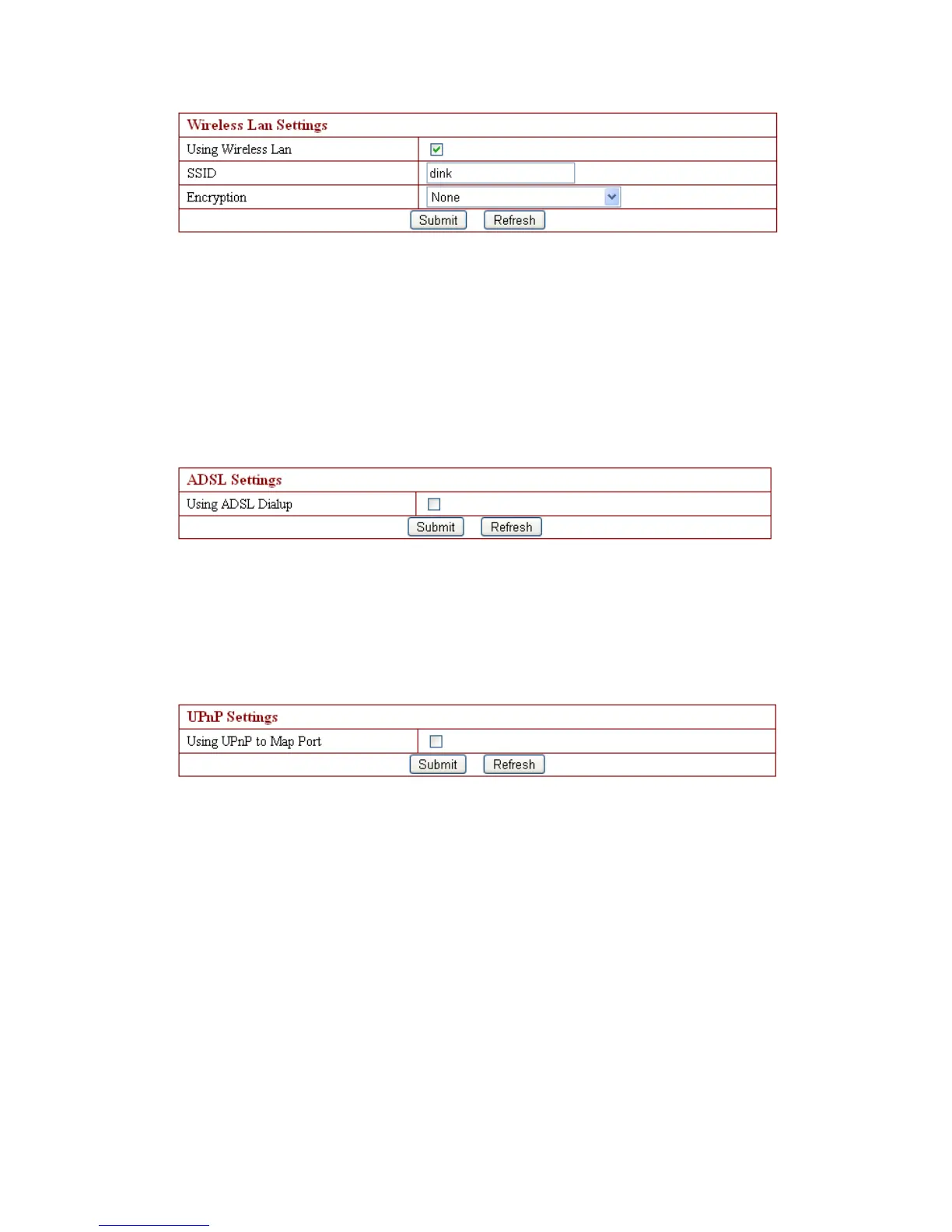
Referring to the wireless networking s etting , there are 5 security modes: None,
None,
None,
None,
WEP,
WEP,
WEP,
WEP, WPA
WPA
WPA
WPA Personal
Personal
Personal
Personal ( TKIP,
TKIP,
TKIP,
TKIP, WPA
WPA
WPA
WPA Personal
Personal
Personal
Personal ( AES
AES
AES
AES ) ,
,
,
, WPA2
WPA2
WPA2
WPA2 Personal
Personal
Personal
Personal ( AES
AES
AES
AES ) and
and
and
and
WAP2
WAP2
WAP2
WAP2 ( TKIP+AES
TKIP+AES
TKIP+AES
TKIP+AES ) .
.
.
.
Note:
1. T o connect internet t hrough wireless network, the camera SSID number must be
the same with the wireless router and other AP device SSID number,
2. Our default camera SSID number is dink.
3.4. 7 . ADSL Settings
While camera need s to be connected to ADSL directly , just tick the ADSL box to run,
then enter the ADSL user name and ADSL password which provide d by ISP (network
suppliers), and click to save ;
3.4. 8 . UPnP Settings
The full name of UPnP is Universal Plug and Play, which is Plug_and_play . It is the
same saying as a utomatic port forwarding. If users need to use this function , router
must support this function and users just need to run it , then tick the above box;
3.4. 9 . DDNS Settings



 To Next Page