-
6
-
M F N-E- A2
2.1.
2.1.
2.1.
2.1. Interface
Interface
Interface
Interface
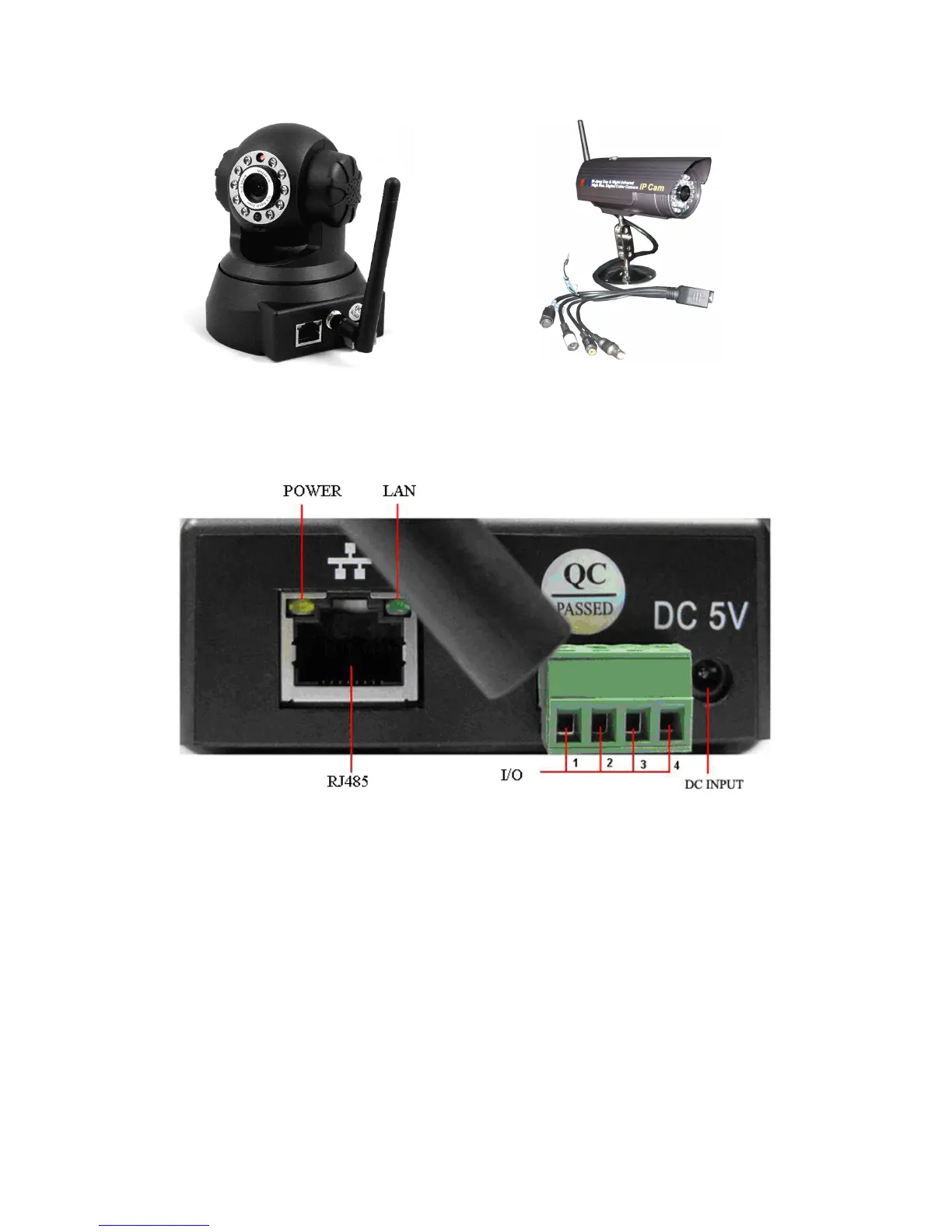
Non-extended line IP Camera Tailgate
Power S upply L ight: constant on when power is on
Network light: constant flash when power is on which shows data transmission.
Ethernet interface : RJ-45 interface.
I/O interface: 1 router alarm input, accept 3 , 4 two terminals (input terminal grounding ,
low level effective trigger); 1 router TTL control input, connect 1, 2 two
terminals (1, 2 terminals short connections).
Power input int erface: connect direct current 5V Power
Extension line interface definition icon:
Power: direct current 5V.
GPIO alarm interface: accept external connection linkage alarm equipment (for
example: door magnet, infrared)
Reset line: Short circuit two lines with power off, then power on for 10 seconds to
return back default setting



 To Next Page