-
7
-
M F N-E- A2
Ethernet interface: RJ-45 network interface.
Backup : follow-up product extend interface.
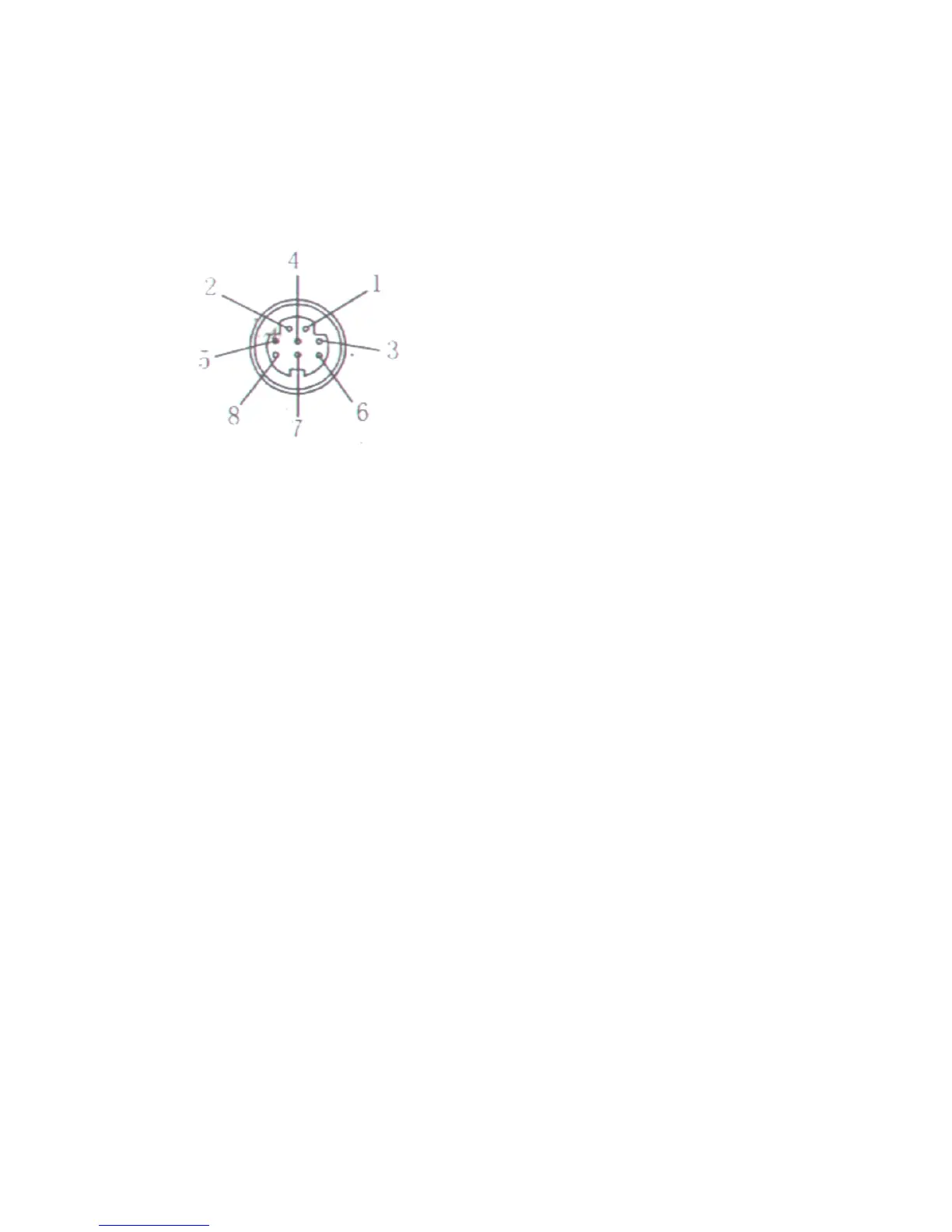
About GPIO alarm interface (S terminal) definition:
1# +DC12V
2# RS485 ( A )
3# Earth ( GND )
4# IO2
(
OUT PUT
)
5# RS485 ( B )
6# IO1
(
IN PUT
)
GND: Ground
,
alarm input ground
,
RS485
ground
RS485: RS485 control interface , left
connection RS485 negative right connection RS485 positive . connect P/T decoder ,
support variety PTZ protocol.
2.2.
2.2.
2.2.
2.2. I
I
I
I nstallation
nstallation
nstallation
nstallation
IP c amera process image transmission on the network through the us age of
Internet t echnolog
y,
which offers DDNS function for static
IP
, dynamic IP and PPPoE
dialing users. IP Camera can connect to outer net through LAN, which can also be
connect ed directly.
There are 3 commonly used network connections in IP Camera:
2.2.1. Installation in LAN.
This is the most popular network access method. As long as there is a router, using
internet cable directly connect router to IP Camera, then IP Camera can be connected
to Internet as normal PC, as showing in the following picture:



 To Next Page