-
20
-
M F N-E- A2
Email provider , then test according to reference. If report needs to send, please tick
report internet IP by Mail. The e-mail server and other information can be obtained
from the mail service provider . The email notifications are pictures captured by
camera when alarm is on. if no email notification is needed , there is no need to choose
this one..
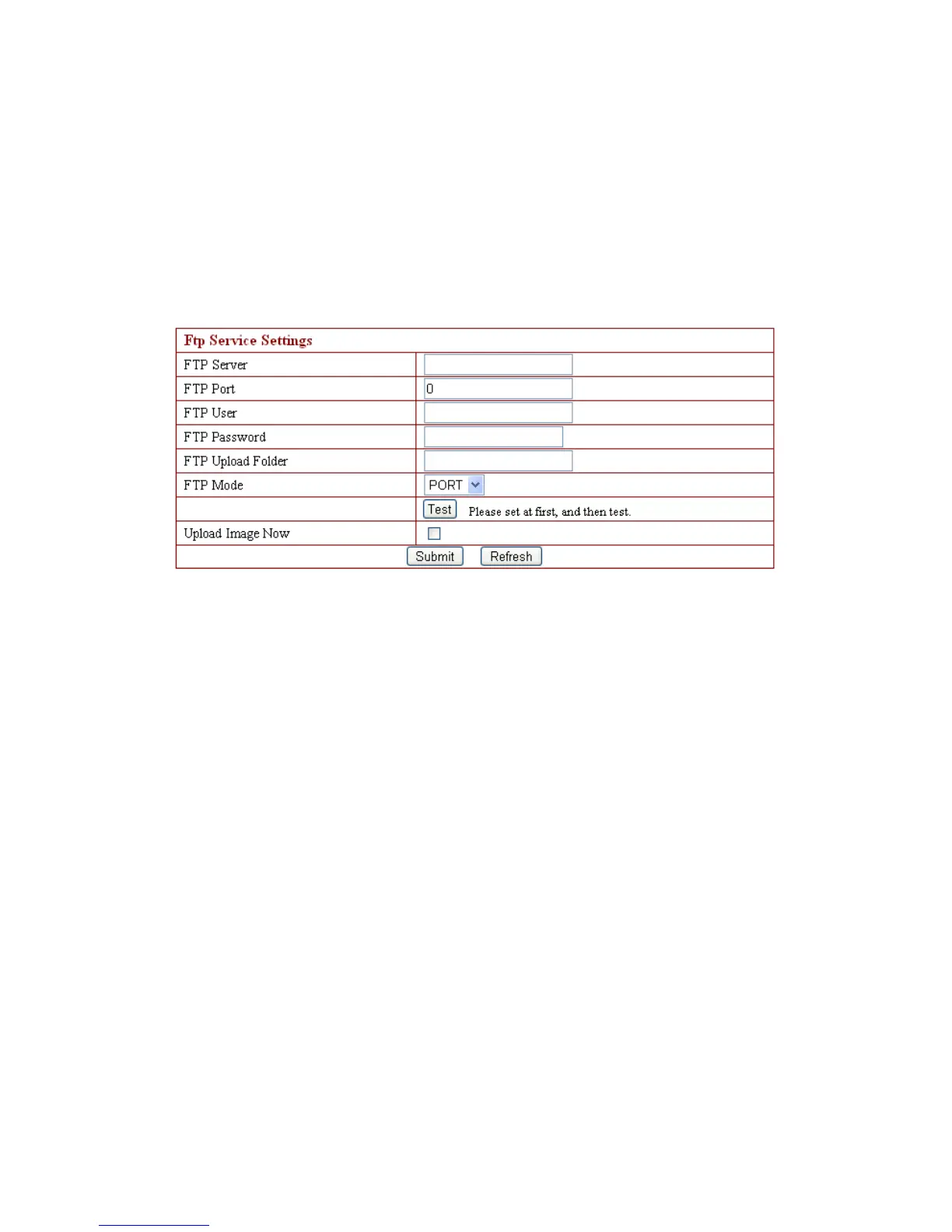
3.4.1 1 . FTP Service Settings
Above setting is equally similar to Mail Server Settings
,
w hen alarm ing is on it
will send pictures
,
please enter FTP server, FTP port, FTP user, FTP password, FTP
u pload directory and FTP mode. The FTP mode has two options : PORT and POSV.
If a quick upload picture is need , select Upload Image Now and change its interval
( second )。
3.4.1 2 . Alarm Service Settings
As shown below , there are two modes of a larm trigger . One is motion detection,
pleas refer to below interface
,
the s ensitivity of motion detect ion can be adjusted
according to the users
′
requirement, t he higher the number is , the lower sensitivity
is. Another one is input alarm, when connected, it triggers alarm t hrough alarm input
signal which connects to l inkage alarm GPIO ;
When triggered, there are 3 alarm modes: one is IO alarm linkage , camera
connects with l inkage alarm box through GPIO , sound the siren
;
t he second is email
notification , send email with images captured
;
the last is upload pictures alarm
,
as the
way mentioned before FTP upload pictures alarm, U pload pictures interval
(
second
)
keeps consistent with the mentioned u pload pictures interval of Ftp service settings.
The s chedule refers to arming time
,
as the selected time interval: 0: 00 minute per
week to 0: 45 minutes and Monday 1: 00 hour and 2: 00 hour
。



 To Next Page