37
2921B EN 20031206
When the Drystar 5300 is printing or calculating and the input
tray is empty:
1
The display shows the following message:
2 Wait while the printer finishes printing any current jobs.
When the film path is cleared, proceed with step 3.
When the Drystar 5300 is in the ready state and the input tray is
empty:
3
The display shows the following message:
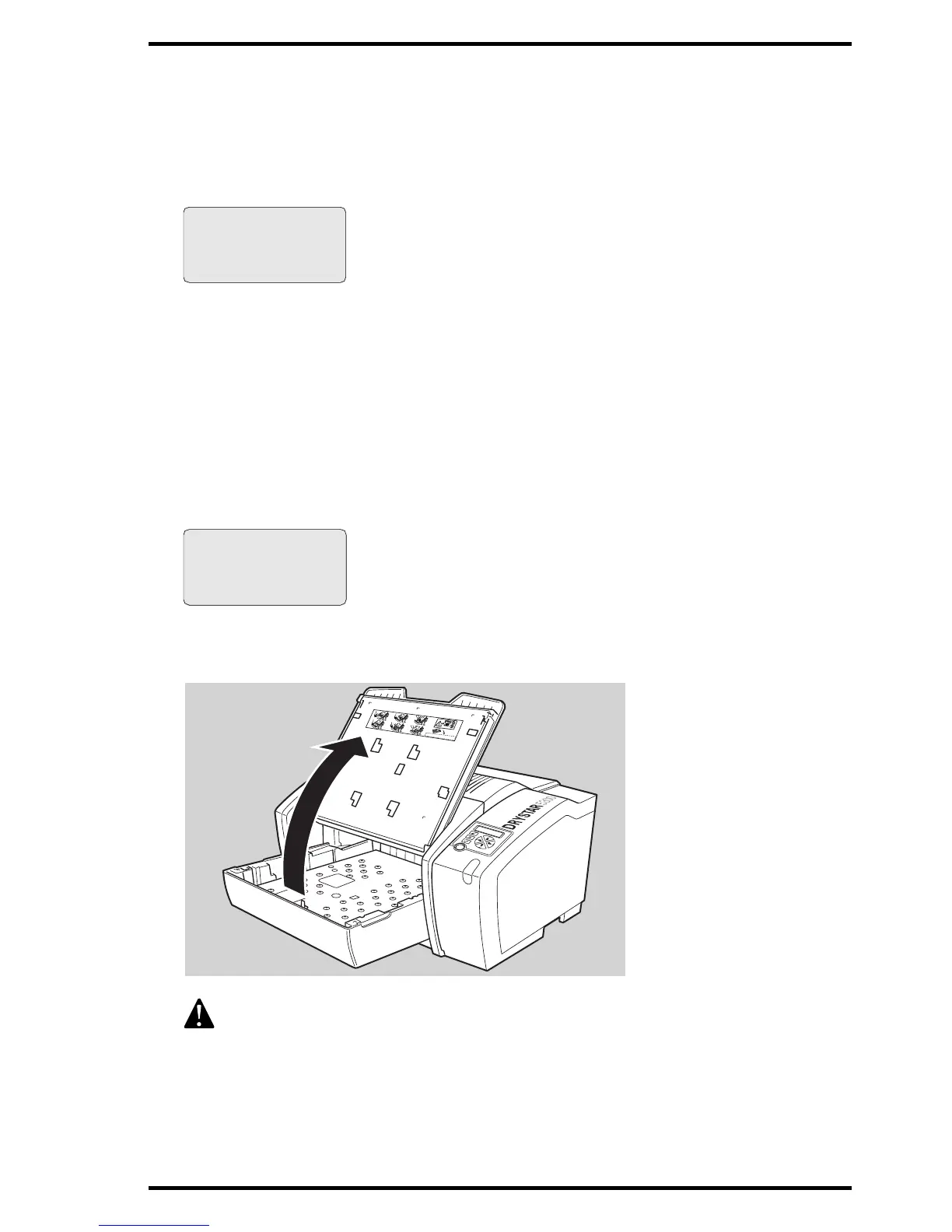
4 Open the input tray.
To avoid possible film jams, make sure to open input tray all the way.
Empty input tray
Do not open tray yet
Get new film pack
Flashing
Flashing
Empty input tray
OK to open the
input tray
Flashing
Flashing
1
3
2
4
5
6
XXXXXX
XXXX
XXXXXX
XXXXXX
XXXX
XXXXXX
XXXXXX
XXXX
XXXXXX
XXXXXX
XXXX
XXXXXX
XXXXXX
XXXX
XXXXXX
XXXXXX
XXXX
X
X
XX
X
X
XXXXXX
XXXX
XXXXXX
XXXXXX
XXXX
XXXXXX
XXXXXX
XXXX
XXXXXX
X
X
XXXX
XXXX
XXXXX
X
XXXXXX
XXXX
XXXXXX













 To Next Page