38
2921B EN 20031206
5 The printer is ready to receive a new film when the following message
appears:
6 Remove the white (protective) film sheet.
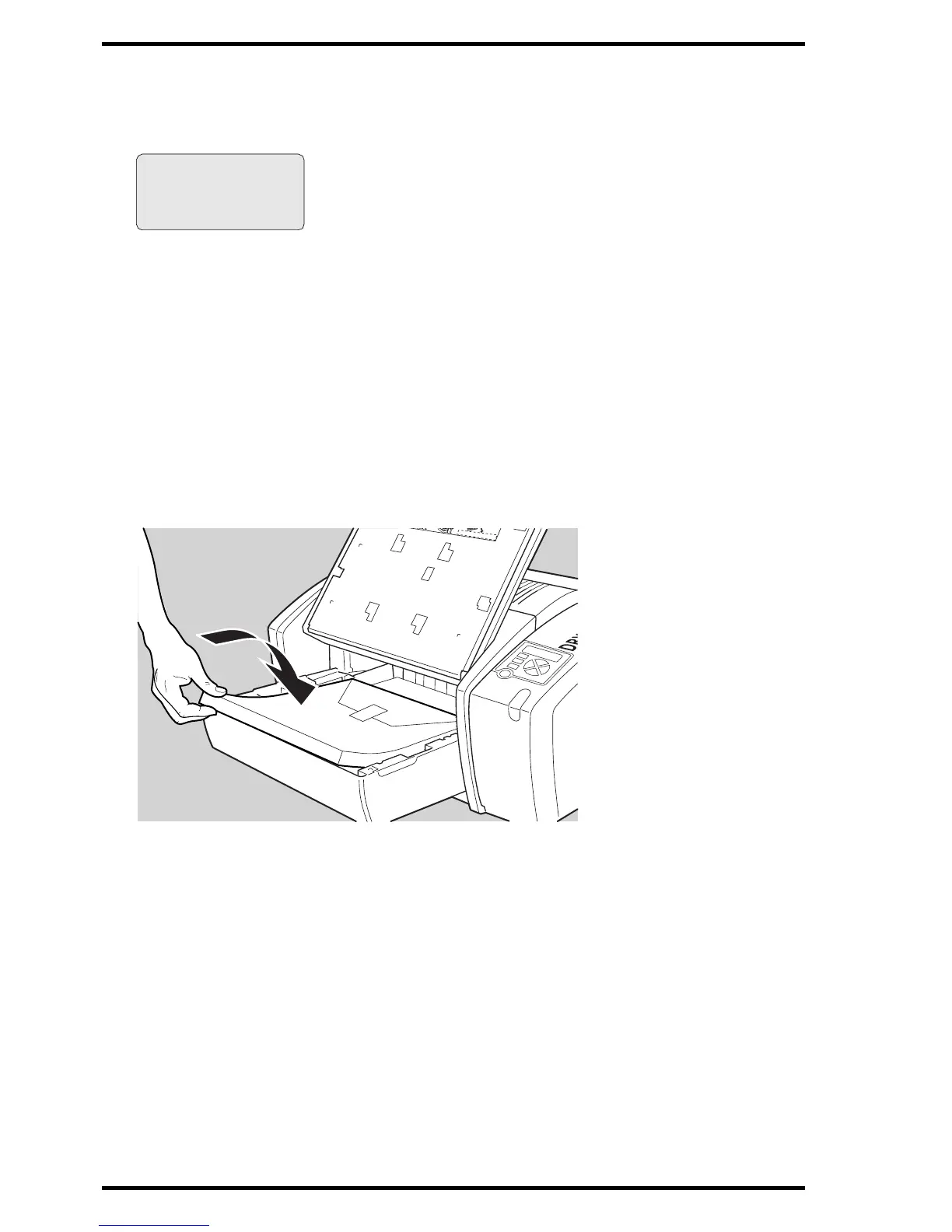
7 Take film pack and slide it into the input tray.
" Do not slide the film pack completely into the input tray, otherwise you
cannot reach the sticker anymore.
" Verify that the film type on the film pack corresponds with the sticker on
the tray! If you use an other film type, you are advised to change the
labels (inside and outside) on the tray.
- Remove cover sheet
from tray
- Load new film
- Close tray
X
X
X
X
X
X
X
X
X
X
X
X
X
X
X
X
X
X
X
X
X
X
X
X
X
X
X
X
X
X
X
X
X
X
X
X
X
X
X
X
X
X
X
X
X
X
X
X
X
X
X
X
X
X
X
X
X
X
X
X
X
X
X
X
X
X
X
X
X
X
X
X
X
X
X
X
X
X
X
X
X
X
X
X
X
X
X
X
X
X
X
X
X
X
X
X
X
X
X
X
X
X
X
X
X
X
X
X
X
X
X
X
X
X
X
X
X
X
X
X
X
X
X
X
X
X
X
X
X
X
X
X
X
X
X
X
X
X
X
X
X
X
X
X
X
X
X
X
X
X
X
X
X
X
X
X
X
X
X
X
X
X
X
X
X
X
X
X
X
X













 To Next Page