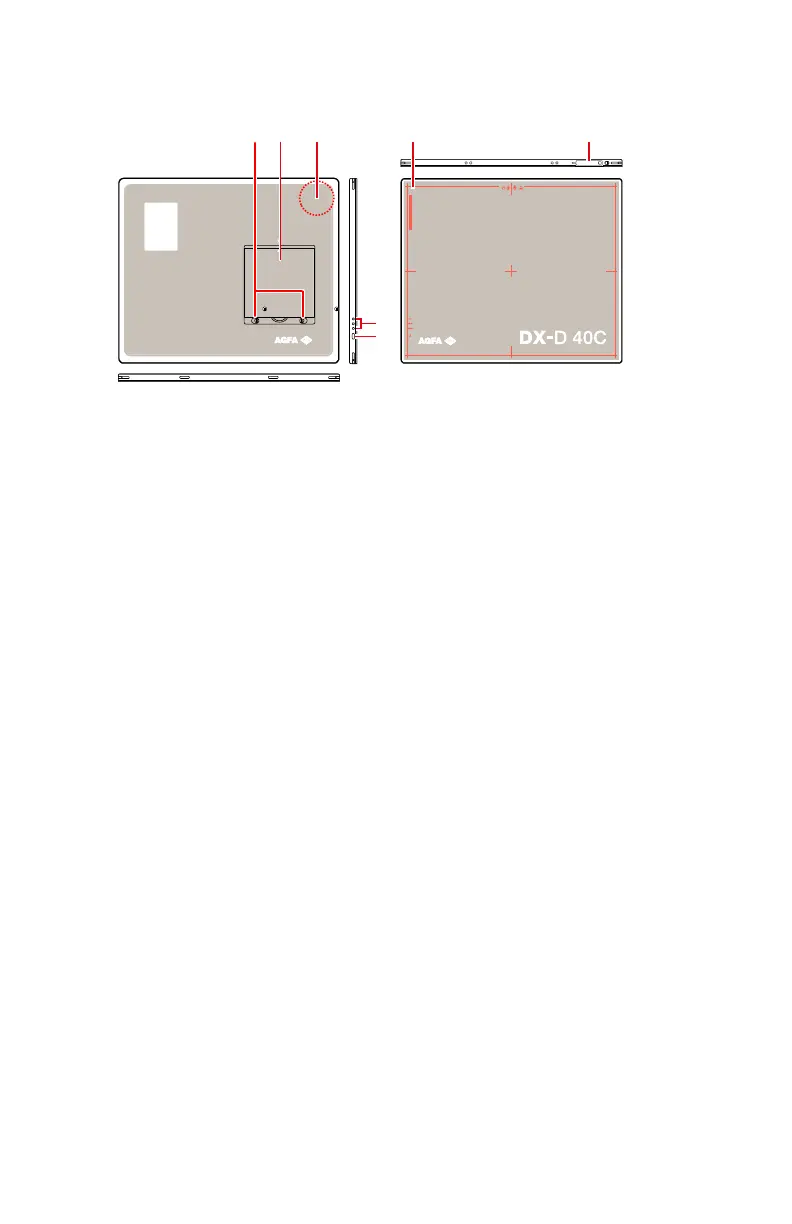
DX-D 40C, DX-D 40G
1.
DR Detector battery lock lever
Unlock the battery.
2.
DR Detector battery
Supplies power to the detector during wireless communication.
3.
Antenna of the wireless network adapter
Operation in wireless configuration.
4.
Effective imaging area border and center position indication
5.
DR Detector connector
Operation in wired configuration.
6.
Status indicators
• Blue indicator shows data communication status.
• Orange indicator shows if the detector is ready.
• Green indicator shows power on/off status of the detector.
7.
On/off switch
Figure 4: DR Detector operation controls
Related Links
Detector Status Indicators on page 90
DX-D 40C, DX-D 40G on page 104
20 | DX-D 40C, DX-D 40G | Introduction to the DR Detector
0290B EN 20190401 1627



 To Next Page