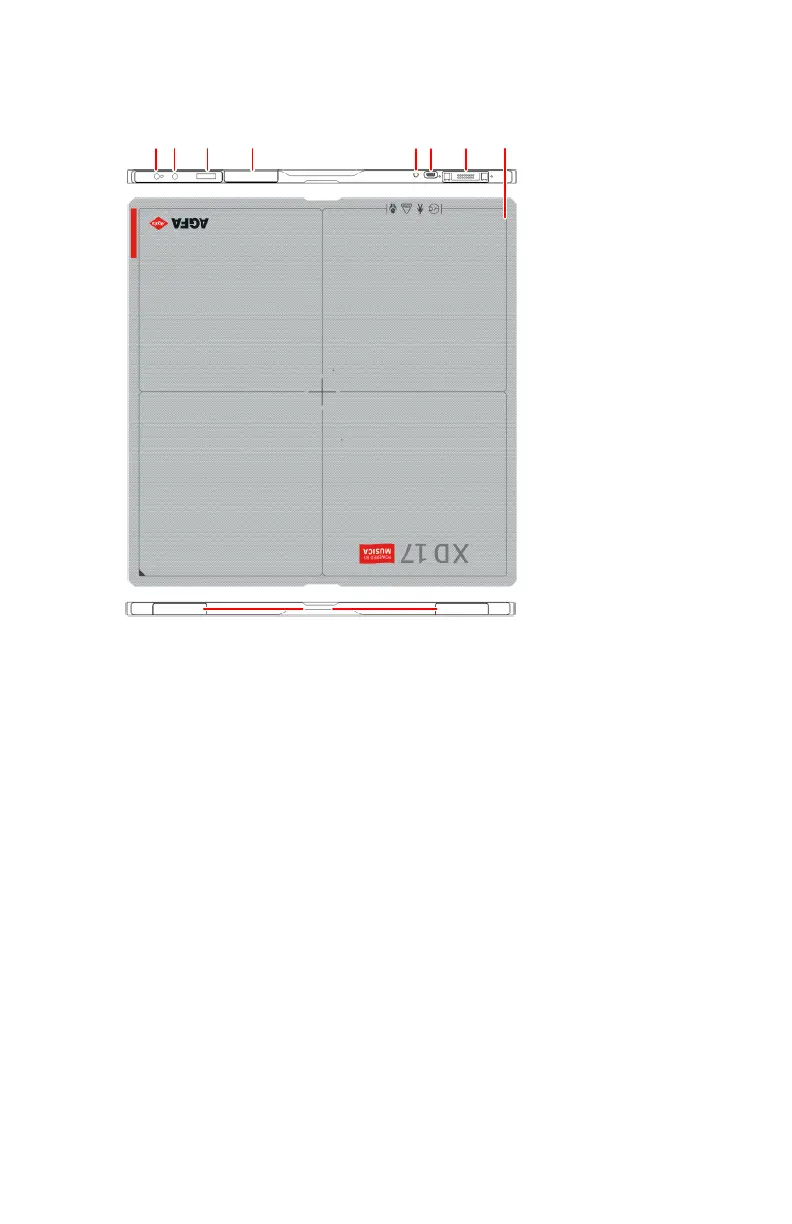
XD 17, XD⁺17
1.
Power button with indicator light
• Press to start the DR detector or to display the status of the DR
detector.
• Press and hold for 3 seconds to stop the DR detector.
2.
AP mode button
• Press to display the status of the DR detector.
• Press and hold for 3 seconds to change the network connection.
3.
Status display
• Battery status
• Connection status
• IP address
• SSID name
4.
Antenna of the wireless network adapter
Operation in wireless configuration.
5.
Battery status indicator
6.
Connector for power adapter (USB Type-C)
7.
DR detector connector
• Operation in wired configuration.
• Charging the battery.
XD 17, XD
⁺17 | Introduction to the DR Detector | 19
0434A EN 20210426 1355



 To Next Page