23
9.0 SETUP Mode
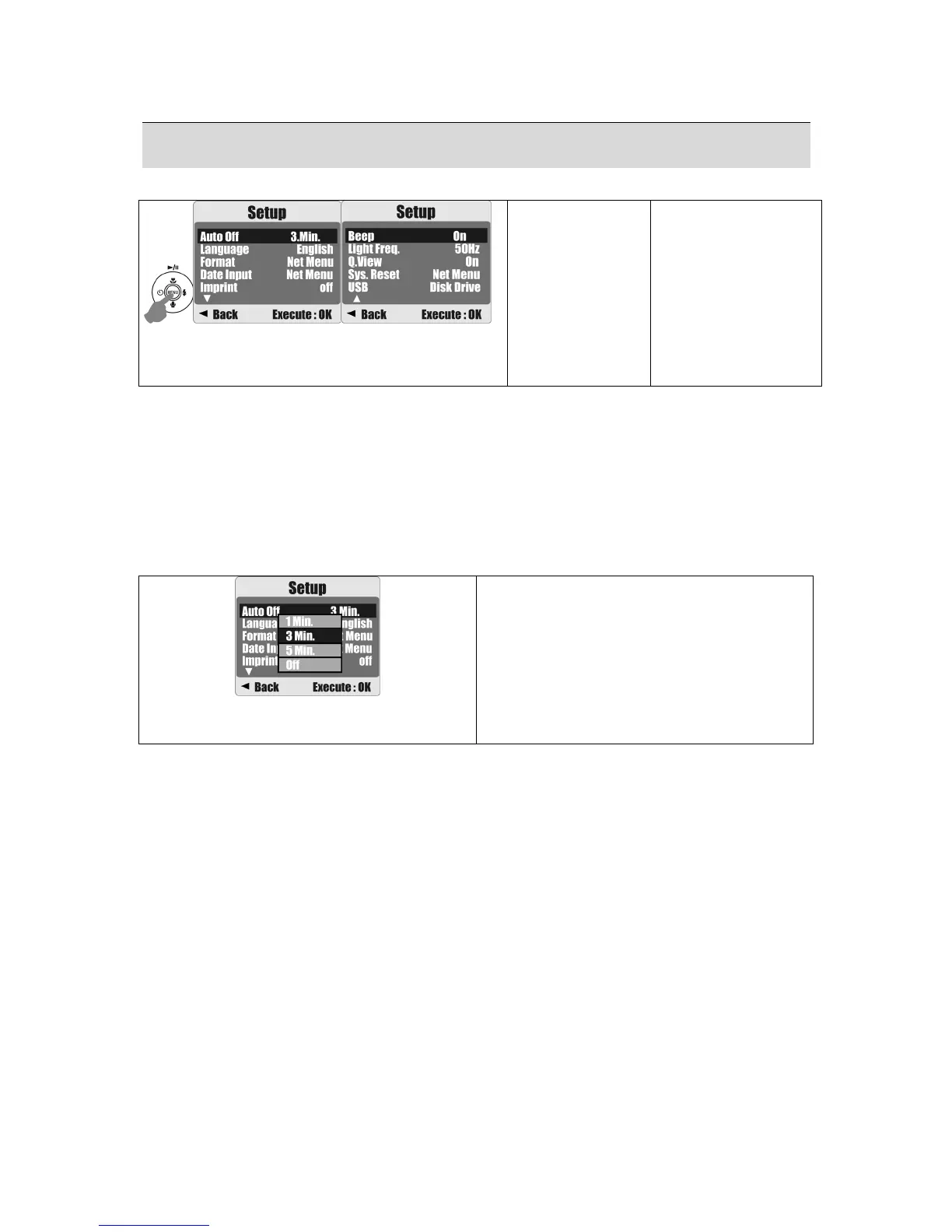
You can enter the SETUP Mode by pressing the Menu Button and selecting SETUP.
Operation Steps
1. MENU
2. S or T
3. X
4. S or T
5.MENU
Item:
1. Auto Off
2. Language
3. Format
4. Date Input
5. Imprint
6. Beep
7. Light Freq.
8. Q. View
9. Sys. Reset
10. USB
9.1 Auto Off
This function allows you to set the power saving time.
1. Press the Menu Button and select "SETUP".
2. Select "AUTO OFF".
3. Select the time you prefer and press the Menu Button to confirm the setting.
Select "OFF" to disable the power-saving function.
Operation Steps
1. MENU
2.
S
or
T
3. MENU
4.
S
or
T
5. MENU
6.
S
or
T
7. MENU
Note:
If "OFF" is set, the camera will not turn off automatically.
The batteries will discharge if the camera is powered on for a long time.











 To Next Page