F14 USER MANUAL 15
NOTE:
The Outline mode is the default mode after the enhanced night vision is
enabled.
2.5.2 SWITCHING THERMAL POLARITY IN ENHANCED NIGHT
VISION MODE
In the enhanced night vision mode, short press the infrared adjusting knob
to switch the infrared thermal polarity. That is, it switches among White-hot,
Black-hot, and Orange-hot.
NOTE:
There are only White-hot and Orange-hot polarities in Outline and Target
highlight modes.
2.5.2 ON/OFF OF NIGHT FILL-IN LIGHT
In the totally dark scenario, the I
2
night vision should be used with the fill-in
light turned on. You can turn the switch from OFF to ON to turn on the fill-in
light. Then, the red indicator is steady on, which can be seen in the ocular lens,
reminding you that the infrared fill-in light has been turned on.
2.6 INTERFACE INFORMATION
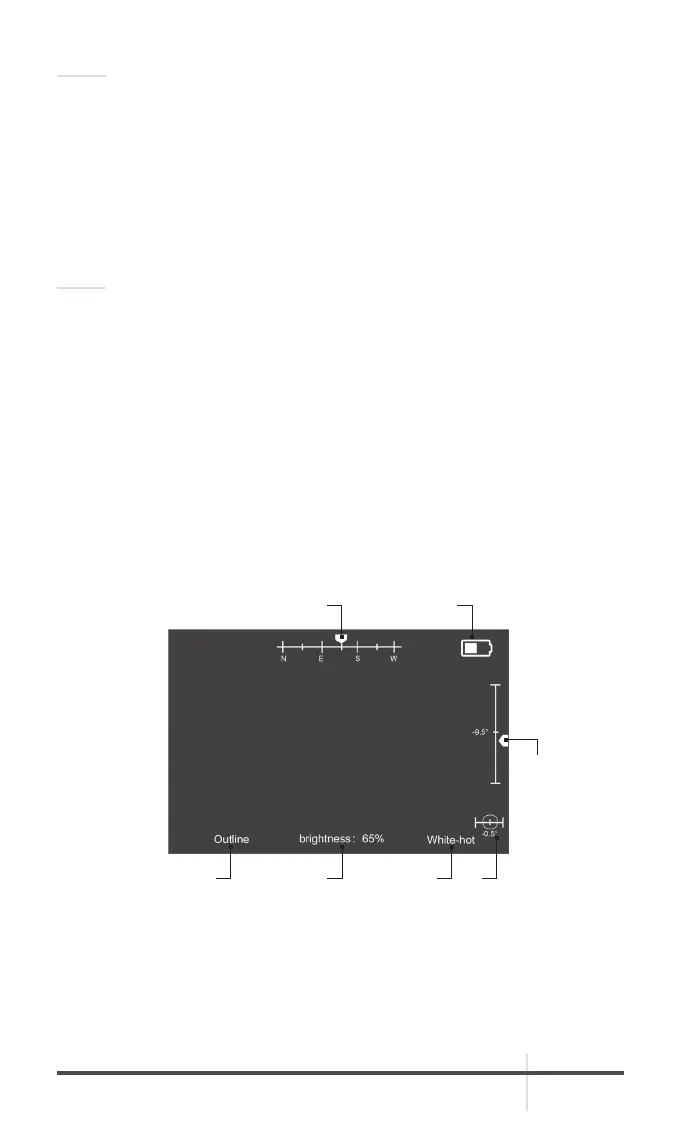
When infrared night vision or enhanced night vision mode is enabled, the
interface of F14 is shown in Figure 2.8 and the icon descriptions are shown in
Table 2.3.
1
7 6
5
2 3 4
FIGURE 2-8. F14 SCREEN INTERFACE



 To Next Page