From main menu, press the button to enter E book function. Press the button and
to turn the page up/down.
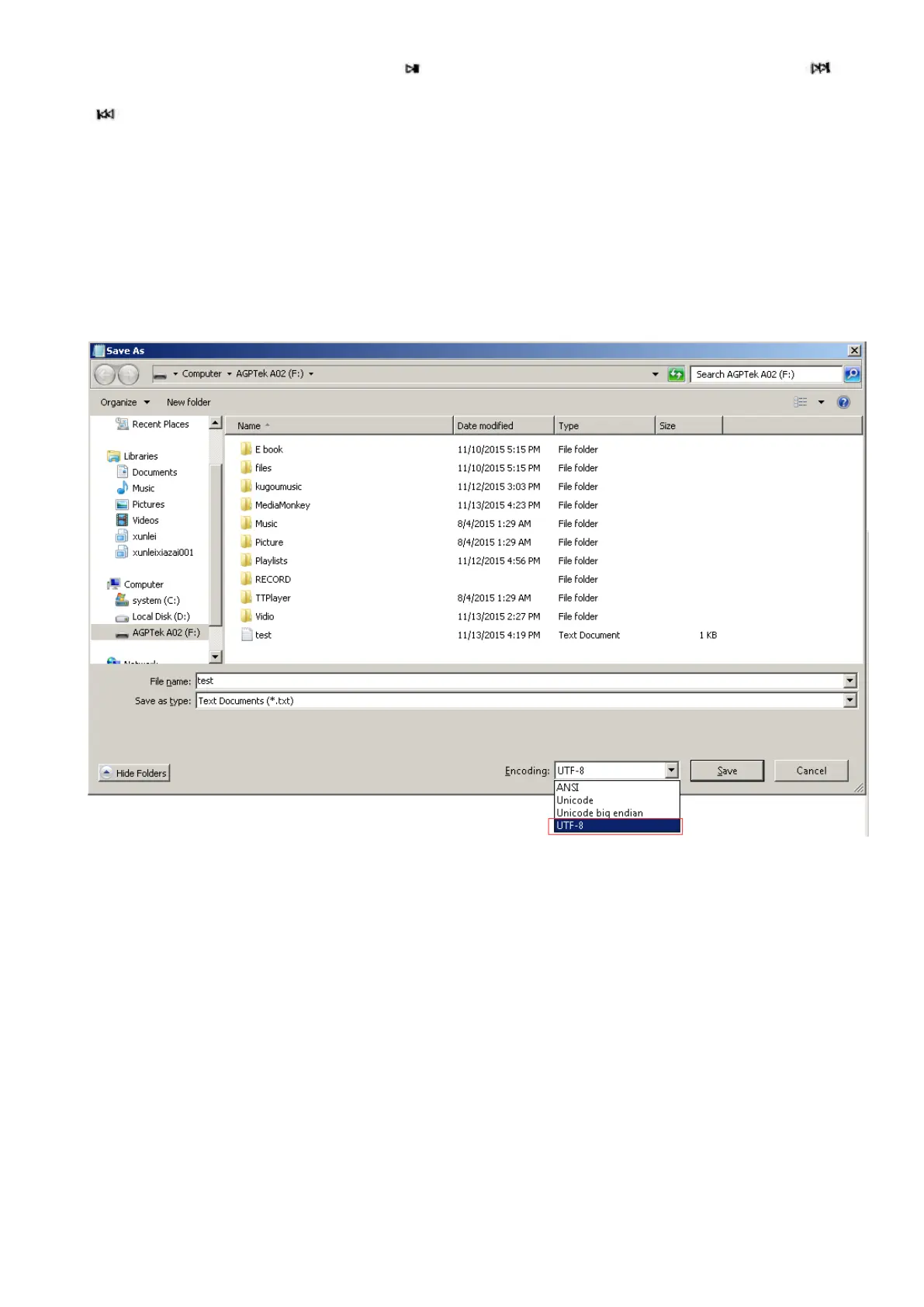
Please note: if you can’t read your txt document through E book, connect your player to
the computer, and then choose the file for the item “save as”, select the code as “UTF-8”
and save. Copy the txt file to E-Book folder and it will back to normal condition for your
reading.
FAQ and Supports
How to use the playlist
To use the preset playlist.
Press the button and then choose the option “Add to playlist” for the song you want to
operate. There are 3 items prepared for you, including “Playlist on the go [1]”, “Playlist on
the go [2]” and “Playlist on the go [3]”, you can add the song to any one of these three as
you like.
13



 To Next Page