Step 1; Download TTplayer via http://images.agptek.us/image/TTPlayer.rar. And then add your
APE music into TT player.
Step 2; Select the music you need to convert, and then right click, choose “Convert Format”.
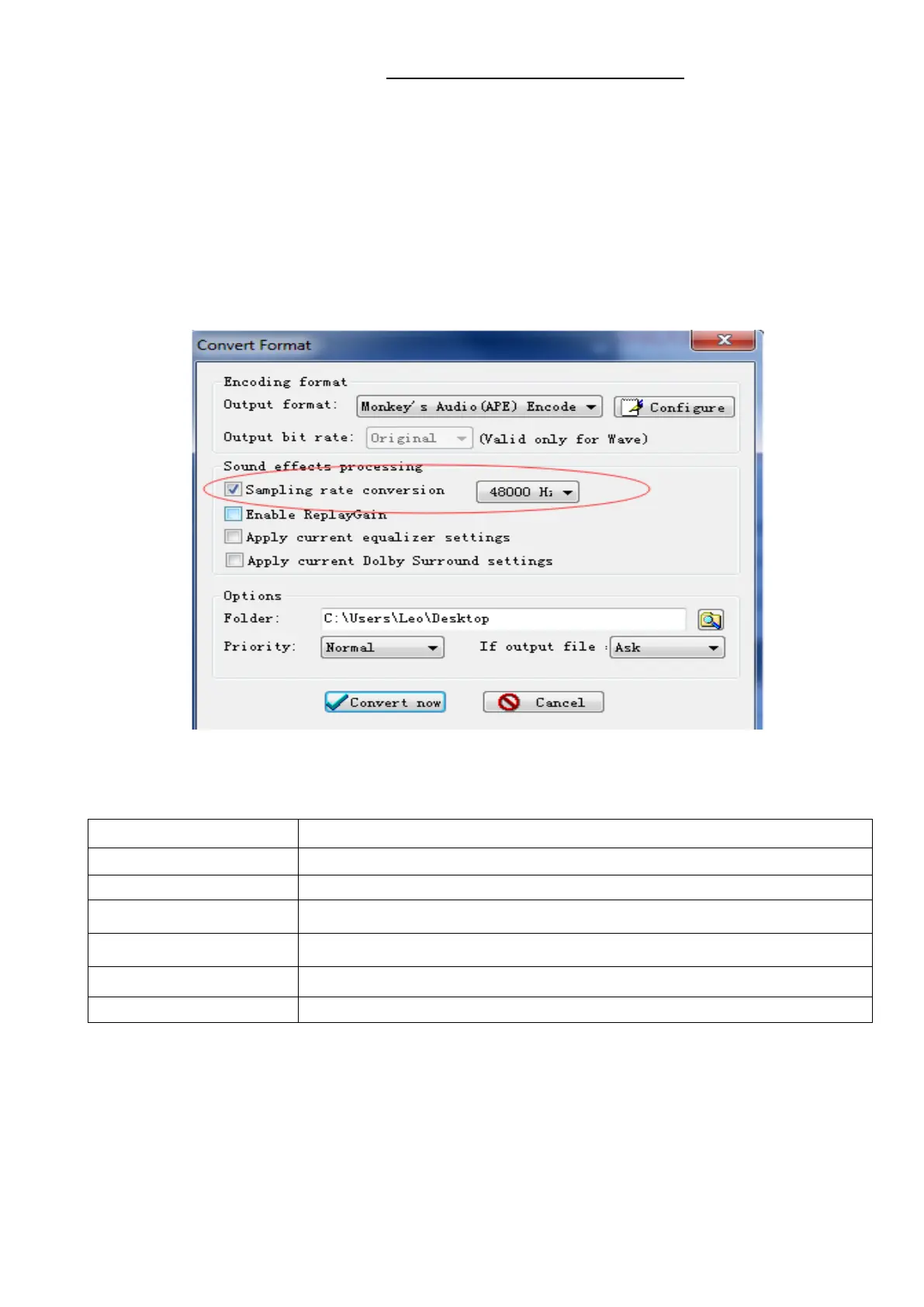
Step 3; Now Choose “Monkey’s Audio (APE)” and sampling rate conversion from 44000
or 48000 Hz, and then “Convert now”
Step 4; when the conversion is finished, copy the split APE music into your MP3 player.
Format Supported
MP3/WAV/APE/WMA/FLAC etc.
(
How to sort music in SD card by artists, albums and genres
1. Insert your micro SD card into the player
2. Find “Folder’’ icon and select it. Select “Card folder” from the list that appears. You now
can select and play songs that have been moved to SD card.
17



 To Next Page