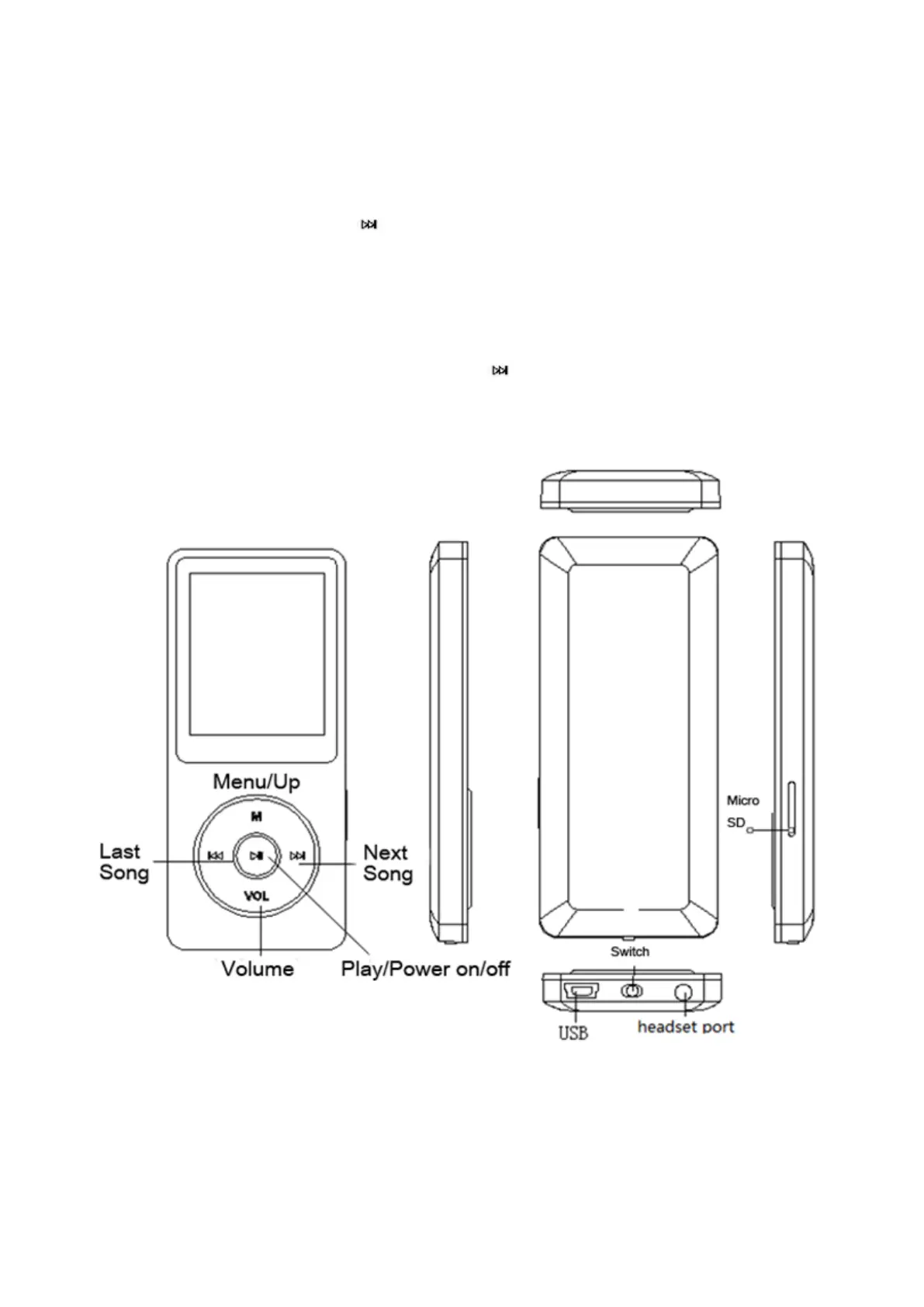
Quick Guide
Plug earphone into the jack on bottom right of your device then slide the power switch to
the right to turn the player on. The AGPtEK logo will appear on screen.
Each time you press the button , it will bring you to one of its nine different functions,
including Music, Video, Radio, Pictures, Recordings, EBook, Folder, Tools, and Setting.
Note: the player will switch to sleep (stand-by) mode if inactive for a few seconds. To
wake up the player, press and hold the round button in the center of shuttle.
4



 To Next Page