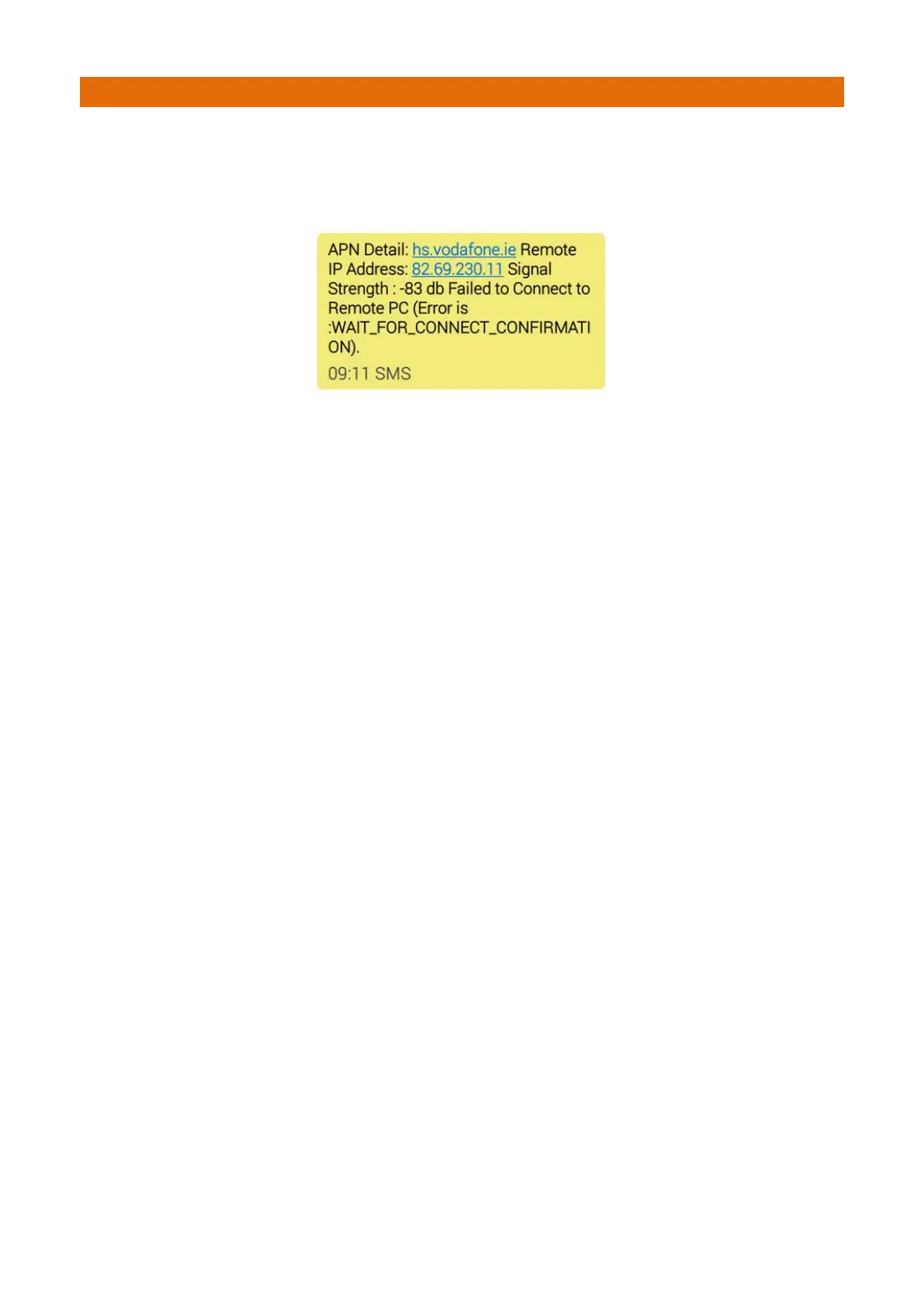
Text Error To Caller: If the panel cannot make a connection to the remote IP address, an SMS can be sent to
the mobile number entered in the “Accept Call From” field.
This will indicate the IP address that it is attempting to connect to, the signal strength and the stage of the
connection at which the failure occurred, e.g.
Signal Strength: The signal strength level can be interrogated by pressing the SIGNAL STRENGTH button.
The GSM modem should be positioned to ensure that it has the strongest mobile signal strength.
A test call should be made to ensure that the system is fully functional.
Clear List: Text can be cleared from the list box by pressing the CLEAR LIST button. The screen image in
Figure 1 above shows the message presented when no modem is connected. The other information shows
the state of the connection during the call sequence such as Errors and connection states.
Save: The settings can be saved to a file so that they are available the next time the GSM is used by
pressing the SAVE button.
Disconnect In: This shows a countdown period. If no communication is received during a connection from
the remote user for approx 2 minutes, the panel will start to disconnect from the remote PC.
Every time a new command is received from the remote user, the timer is refreshed.
In the event that the Manager of the site wants to close the GSM connection then the RESET MODEM
button should be pressed to perform a controlled shutdown. The connection is closed once the message
COMPLETE is shown below the CONNECT button.



 To Next Page