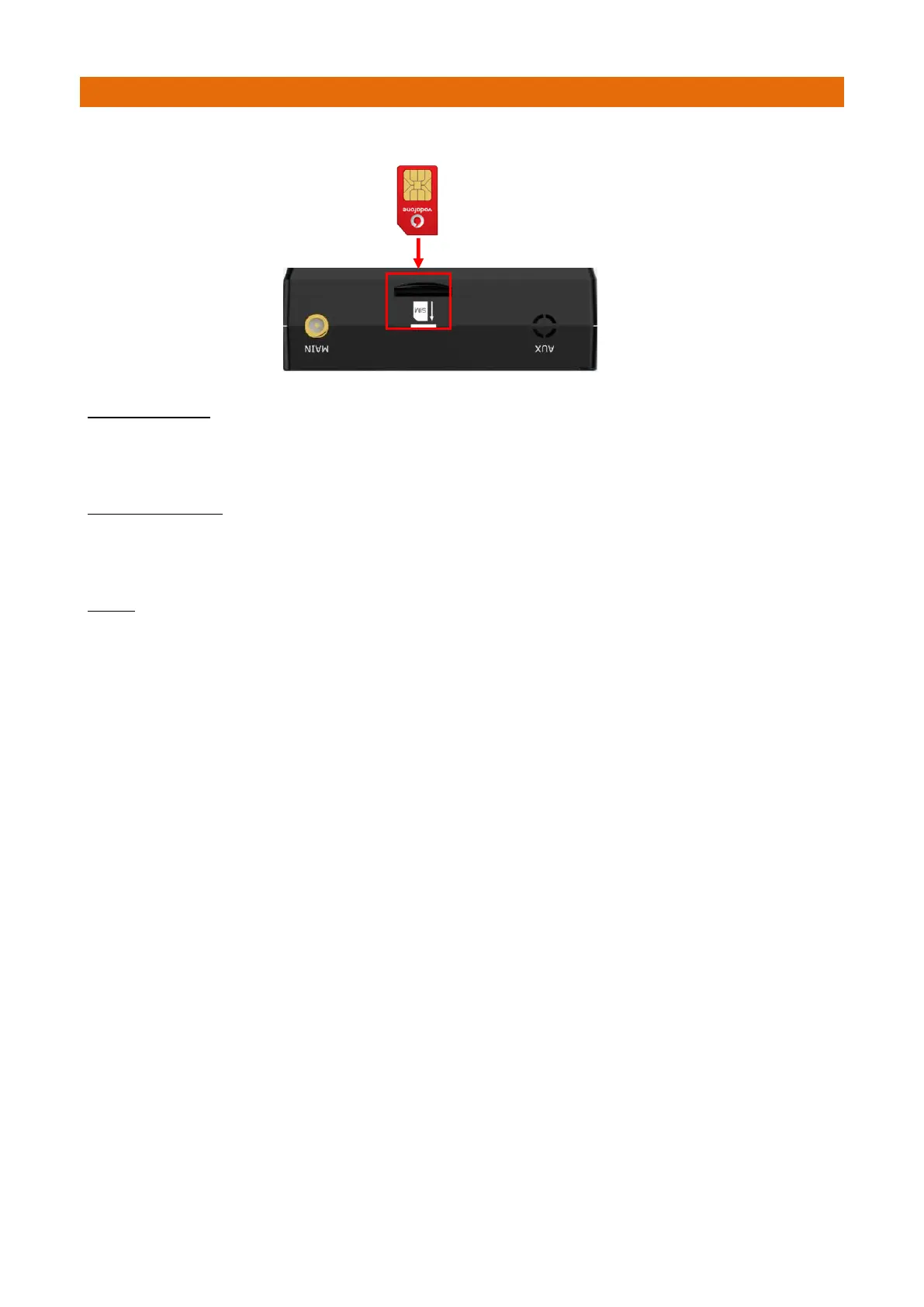
Insert the SIM Card (Aidcall Part No. W01825) into the Modem SIM socket as shown below...
INSERT SIM CARD
1. Make sure the Modem power supply is disconnected.
2. To insert SIM card, press the card with finger until you hear a click.
REMOVE SIM CARD
1. Make sure the Modem power supply is disconnected.
2. To remove SIM card, press the card with finger until it pops out, and then take out the card.
NOTES
1. Do not touch the metal card surface.
2. Do not bend or scratch the card.
3. Keep the card away from electricity and magnetism.
4. Make sure the Modem is off before inserting or removing the card.



 To Next Page