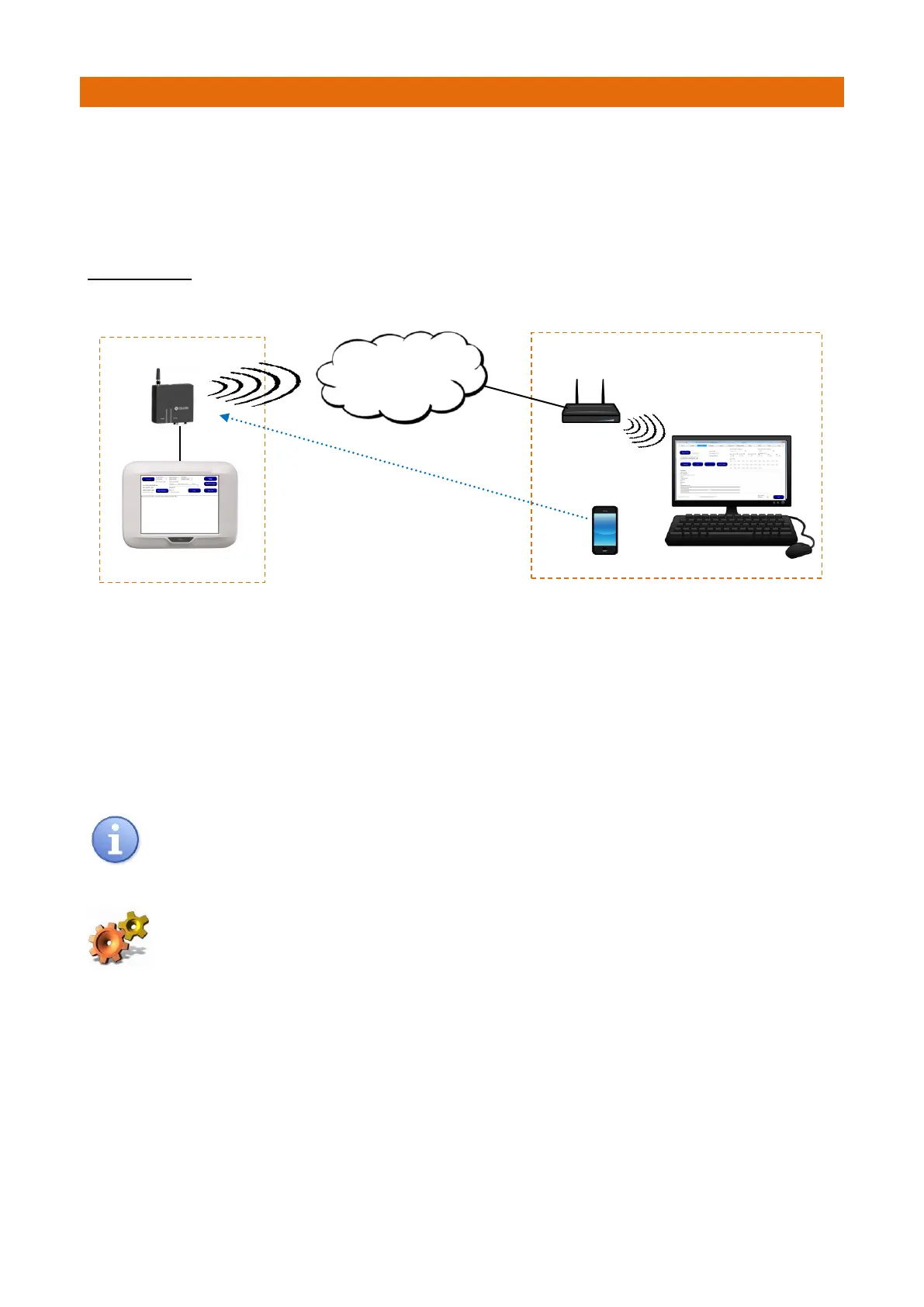
The GSM Modem allows an Aidcall Customer Service Engineer to connect to a Touchsafe Pro Nursecall
panel from a remote PC to perform on line diagnostics.
The GSM Modem will normally be connected to the Master Panel as this will have a copy of all the data
used to run the system and a full set of system logs. Please note the Modem only allows the site data to be
viewed remotely, no changes can be made to the panel setup via the Modem connection.
TYPICAL SETUP
Remote Site Aidcall Customer Services
In order to successfully run a session with a remote panel, the remote panel must be configured to allow a
connection to a fixed IP address. This will normally be the address of an ADSL router and the address will be
supplied by the Internet Service Provider. The panel connects to the fixed IP address which should then
have been set up to forward the information through to the required PC.
A modem connection can only be established by ringing the panel from a recognized mobile phone number
previously setup in the panel configuration, alternatively the site Manager will have to press the Connect
button on the panel when requested by the Customer Services Engineer.
The connection is made on Port 8080 and therefore data arriving on this port should be allowed
through the Firewall for the required address.
The GSM Modem is compatible with Touchsafe Pro Panel V2.00a software onwards.
To check the Panel software version press and hold the “Supply: OK” button in the bottom
right hand corner of the Main Screen for 6 seconds then release.



 To Next Page