ENT
T
EN
T
TE
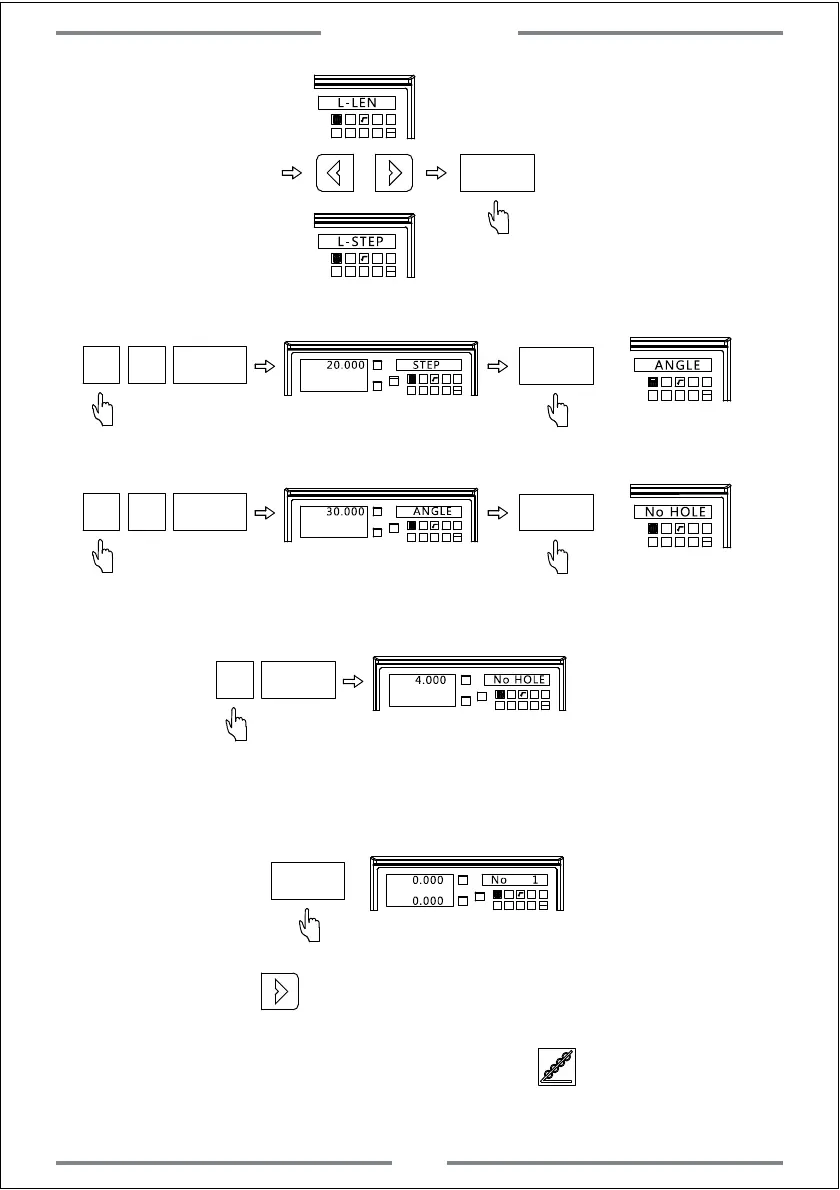
L-LEN
L-STEP
Step 4: Input length
T
TE
ENT
T
NE
ENT
Step 5: Input angle
T
ENT
T
NE
ENT
NE
Step 6: Input number of hole
T
NE
ENT
ENT
T
N
Step 7: Enter the machining status,and the position of first hole will be
displayed.
Step 8: Press to enter the next machining point.Move the table
until the value of axis become zero.At this time,this zero point
indicates the second machining point.Press to exit PLD function.
Special Function
24



 To Next Page