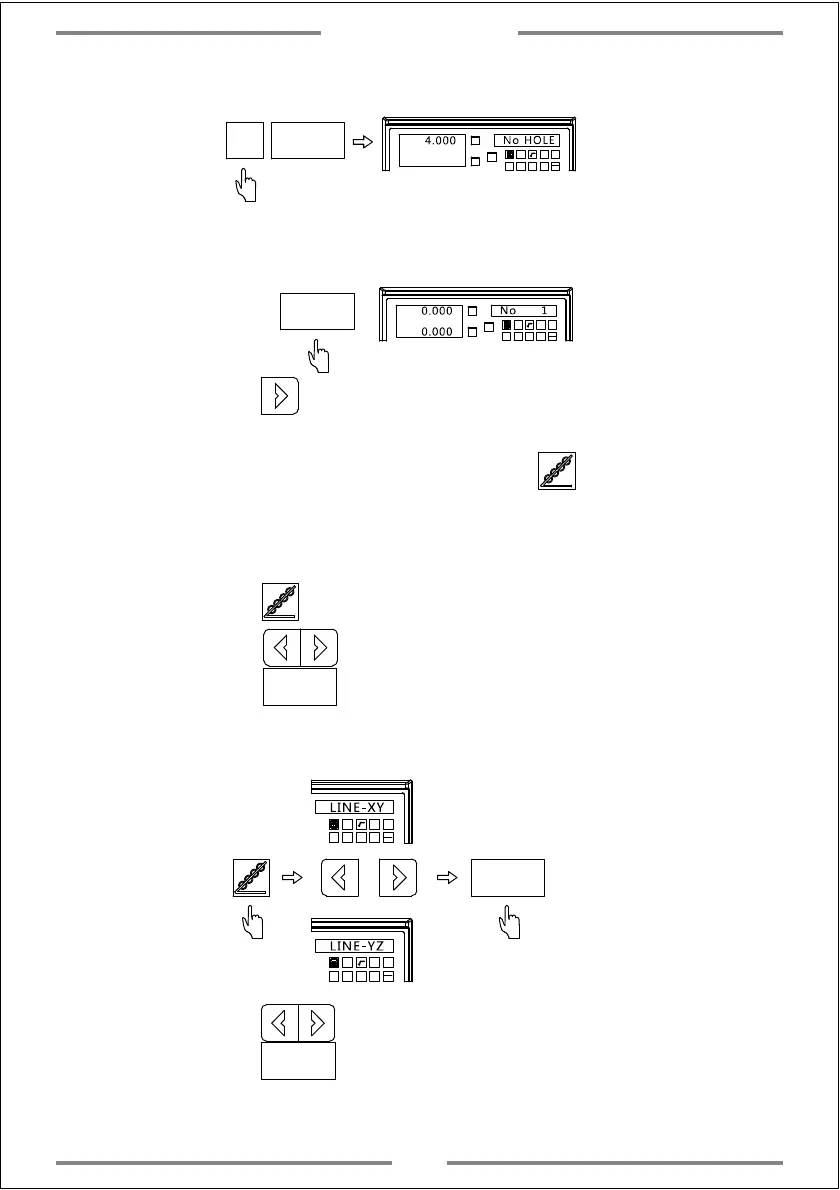
Step 6: Input number of hole
X0
Y0
X
1 32
-
+
CLS Arc
sin
TOOL
4.000
No HOLE
4
ENT
ENT
X0
Y0
X
1 32
-
+
CLS Arc
sin
TOOL
0.000
No 1
0.000
Step 7: Enter the machining status,and the position of first hole will be
displayed
Step 8: Press to enter the next machining point.Move the table
until the value of axis become zero.At this time,this zero point
indicates the second machining point.Press to exit PLD function.
Example 2: L-STEP
Step 1: Move the tool to the starting hole.
Press to enter the PLD function.
Step 2: Press to select the machining plane,
press to confirm.
ENT
(This step is only available for 3 axis milling machine and 3 axis EDM machine.2 axis milling machine
only gets XY plane.In this way,there is no need to set,enter next setting directly)
1 32
-
+
CLS
Arc
sin
TOOL
LINE-XY
ENT
1 32
-
+
CLS Arc
sin
TOOL
LINE-YZ
Select plane
Step 3: Press to select the machining way,
press to confirm.(Here we select L-STEP)
ENT
Select plane
Special Function
23



 To Next Page