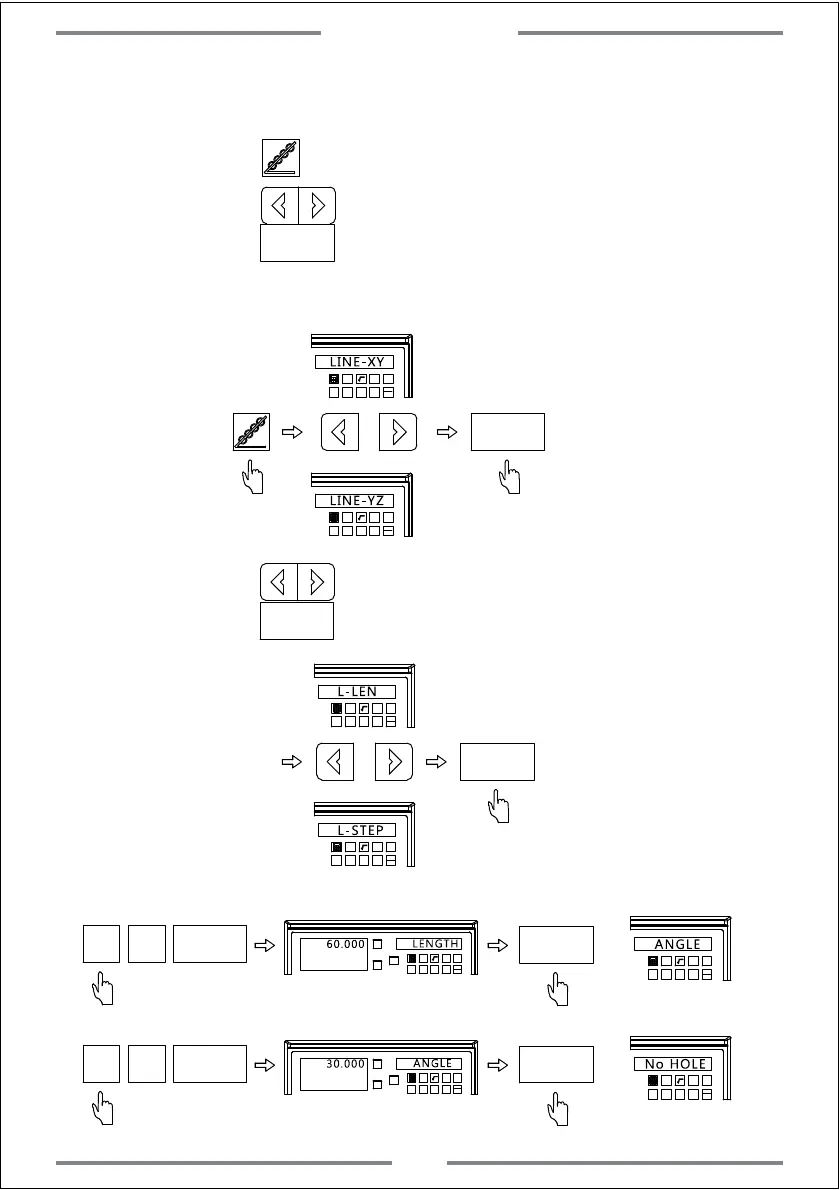
Example 1: L-LEN
Step 1: Move the tool to the starting hole.
Press to enter the PLD function.
Step 2: Press to select the machining plane,
press to confirm.
ENT
T
NE
ENT
T
NE
Select plane
(This step is only available for 3 axis milling machine and 3 axis EDM machine.2 axis milling machine
only gets XY plane.In this way,there is no need to set,enter next setting directly)
Step 3: Press to select the machining way,
press to confirm.(Here we select L-LEN)
ENT
ENT
T
EN
T
TE
L-LEN
L-STEP
Step 4: Input length
T
ENT
ENT
T
NE
ENT
Step 5: Input angle
T
NE
ENT
T
NE
ENT
Select plane
Special Function
22



 To Next Page