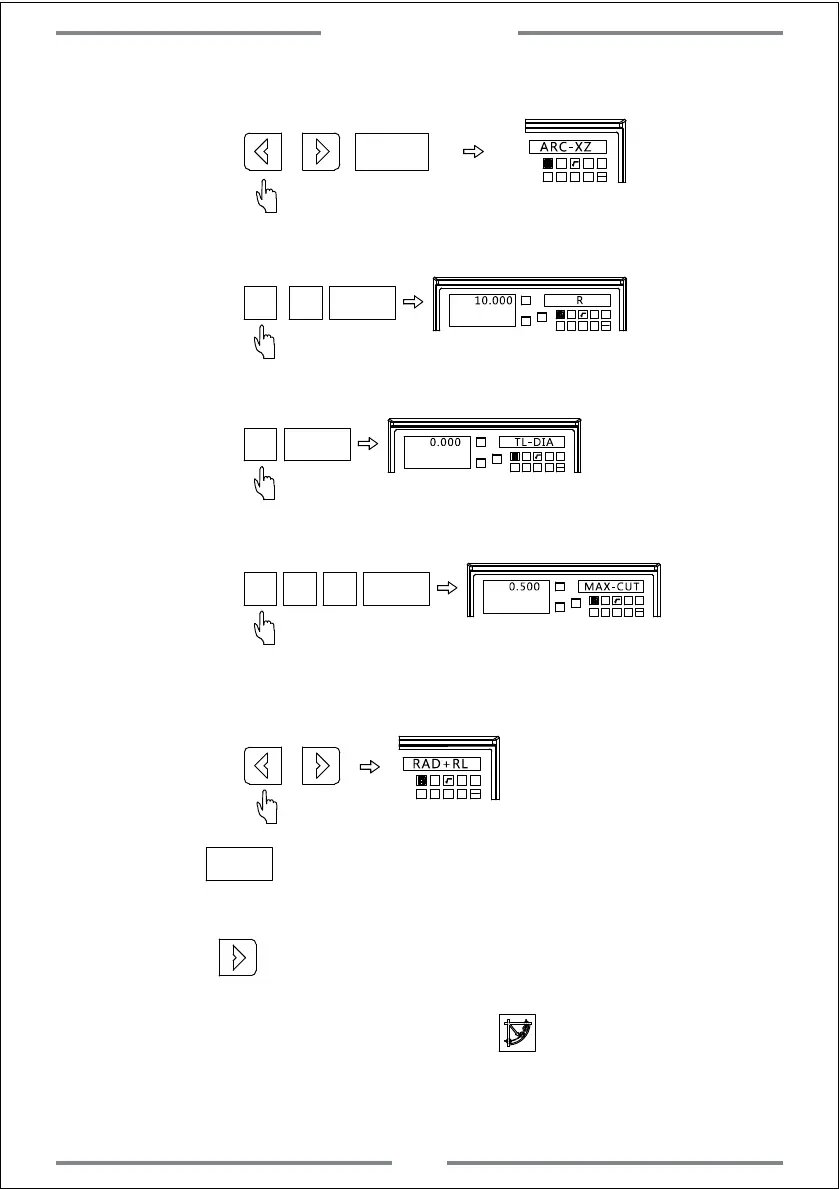
Step 3: Select the machining plane as XZ
ENT
T
Step 4: Input the radius of arc
ENT
T
Step 5: Input the diameter of tool
ENT
T
T
Step 6: Input the maximum cutting amount
ENT
T
T
Step 7: Select the arc machining plane as convex
T
Step 8: Press to the machining interface,and the first point will be
displayed.
Note: RAD-RL is the concave
ENT
Step 9: Press to display the following machining point.Move the table
until the value of axis become zero,at this time,the zero point indicates the
exact position for the machining point.Press to exit the simple R
function.
Special Function
32



 To Next Page