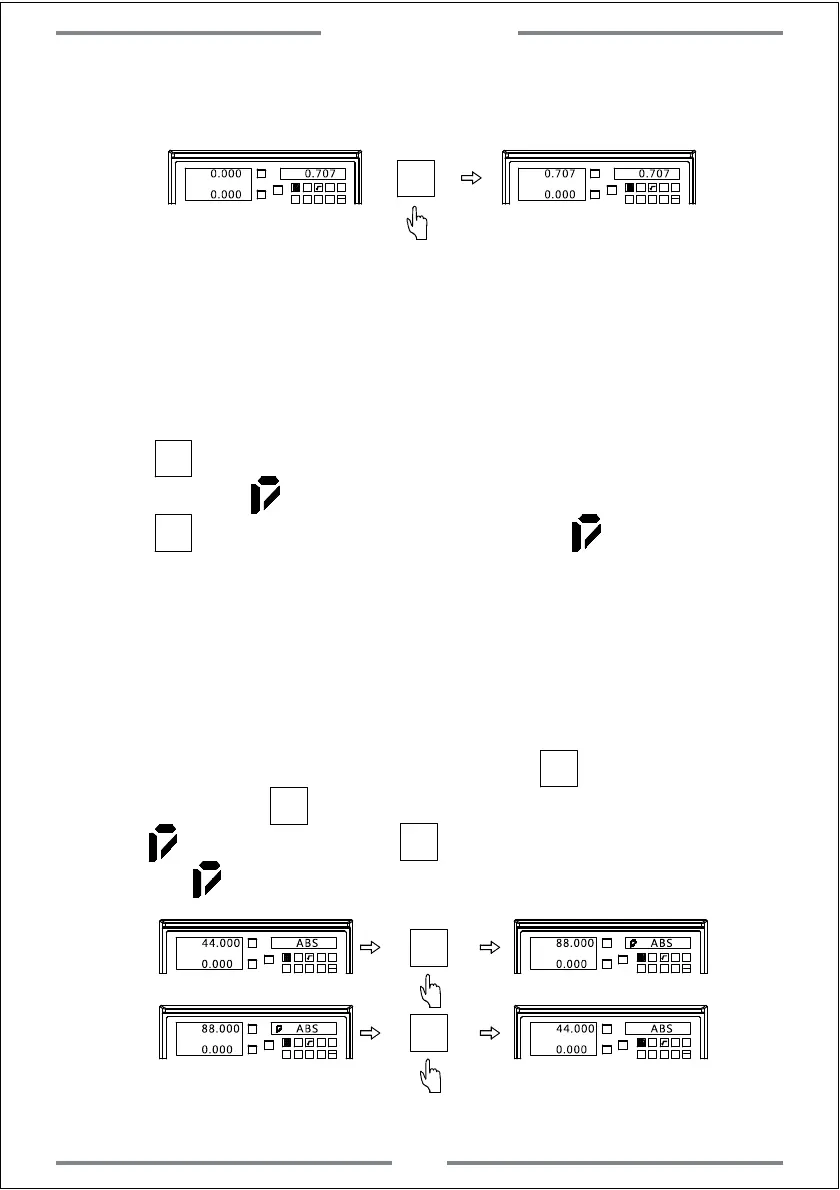
Example 2: Transfer the calculated value to X axis
(Same operation to Y and Z axis)
X0
Y0
X
1 32
-
+
CLS Arc
sin
TOOL
0.000 0.707
0.000
X
X0
Y0
X
1 32
-
+
CLS Arc
sin
TOOL
0.707
0.000
0.707
4.6 Digital Filtering Function
During machining,the vibration of machine may cause the value displaying
change very fast,this could cause the visual discomfort to user.With the
digital filtering function,the displayed value will change stably.
Operation
1. Press to enter the digital filtering function.The right window will
display the mark
2. Press to exit digital filtering function.The mark displayed on right
window will disappear.
SIFT
SIFT
Note: The digital filtering function is only applicable under ABS,INC and SDM
status.Once this function as be activated,other functions cannot be used.
4.7 Radius and diameter conversion
(Applies to 2 axis and 3 axis Lathe)
When the DRO has been set to lathe model. has special
function.Press ,the X axis will display as diameter with the mark
on right window.Press ,X axis will back to radius,while the
mark on right window will disappear.
1/2
1/2
X0
Y0
X
1 32
-
+
CLS Arc
sin
TOOL
44.000 ABS
0.000
X0
Y0
X
1 32
-
+
CLS Arc
sin
TOOL
0.000
88.000 ABS
1/2
X0
Y0
X
1 32
-
+
CLS Arc
sin
TOOL
88.000 ABS
0.000
X0
Y0
X
1 32
-
+
CLS Arc
sin
TOOL
0.000
44.000 ABS
Note: When the DRO has been set to be lathe model,radius and diameter conversion is
only applicable on X axis.
1/2
1/2
Special Function
34



 To Next Page